

Cyber Talk-8 War Inside the Browser – Part II

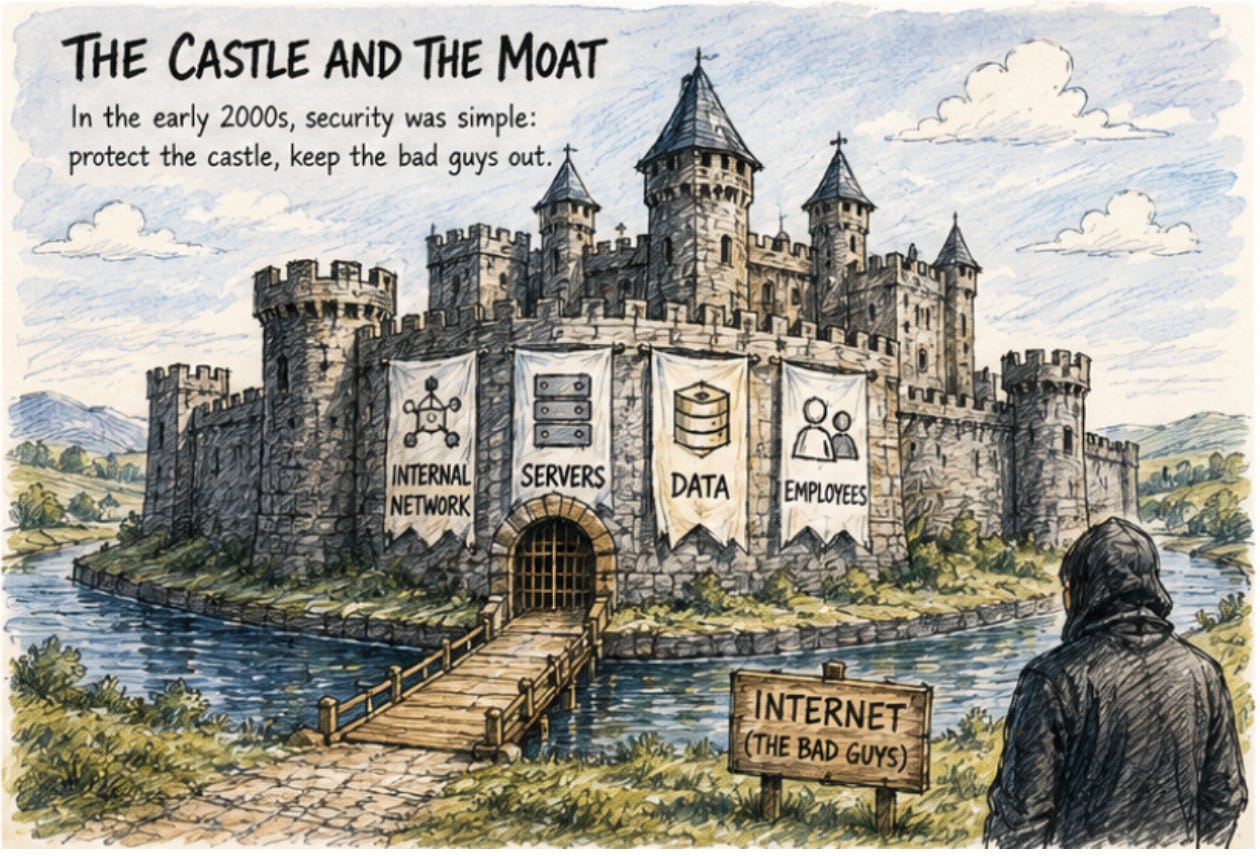
Chapter Seven: What Attackers Already Knew
Let’s think about this from the attacker’s perspective. You want to attack a large enterprise. It has a firewall, EDR, MFA, SIEM, and a SOC. It’s built an increasingly sophisticated defensive architecture over the past twenty years.
But you notice one thing: every employee spends eight hours a day working inside a browser. They log into all their systems there, handle sensitive data there, install extensions there, use ChatGPT there. You also notice that their browsers contain password managers storing all their login credentials; session cookies that, if obtained, bypass passwords and MFA entirely to access their accounts; and dozens of extensions, each claiming permission to “read and change all data on websites you visit.”
And you notice: nobody is protecting this place.
No EDR monitoring what happens inside the browser. No DLP detecting data leaking through prompt text. No tool telling the enterprise that an employee just pasted an entire customer contract into a personal ChatGPT account. Nothing that knows immediately when a session token is stolen, nothing that can immediately revoke that token.
At RSAC 2026, Sandra Joyce, Vice President of Google Threat Intelligence, cited a number that stopped the audience: the median time between initial access and handoff to a secondary threat group has collapsed from more than eight hours in 2022 to just 22 seconds in 2025. The figure comes from Mandiant’s M-Trends 2026 report, which analyzed over 500,000 hours of incident response investigations.
Twenty-two seconds. What is the human response speed? On this particular battlefield, the browser, the answer is: too slow.
Chapter Eight: Why It Exploded Now
The problem existed long before 2026. So why did it explode into an acquisition wave now Several factors converged simultaneously.
First: the arrival of AI Agents elevated browser risk from “serious” to “paradigm-shifting.” When AI Agents begin acting inside browsers on humans’ behalf, navigating webpages, filling forms, submitting requests, they create a new security problem: a hijacked AI Agent looks identical to a legitimate one. You can’t use the traditional “is this known malware?” test to determine whether an operating Agent has been compromised. It has a legitimate session, is operating within normal applications, using real credentials.
Vulnerabilities documented by researchers in the second half of 2025 foreshadow this threat: a “CometJacking” vulnerability discovered by LayerX allowed attackers to hijack Perplexity’s Comet browser by crafting specific URL parameters, stealing users’ email and calendar data; OpenAI’s Atlas contained a CSRF flaw enabling attackers to “poison” the AI’s long-term memory with malicious instructions that persist across sessions; and Google researchers identified a “task injection” attack against OpenAI Operator that could convince an AI Agent to treat a malicious sub-task as a legitimate part of the user’s original goal.
Second: the Cyberhaven incident forced the industry to confront a problem it had long avoided, that extensions themselves are an attack vector. Not downloaded files. Not network traffic. The tools you already trusted and installed.
Third: acquisition window timing. Island had completed a $250 million Series E in 2025 at a valuation approaching $5 billion, making it the largest independent company in browser security, but also too expensive for easy acquisition. Seraphic, SquareX, and LayerX were all still at acquirable scale, and each offered technical capabilities that large platform vendors wanted but couldn’t build quickly themselves.
These three factors together created an acquisition wave, three deals in three months, that the industry had never seen before in this specific segment.
Chapter Nine: Two Different Answers
CrowdStrike and Zscaler acquired different companies, and while the market sometimes describes them as competitors, they were solving different problems.
Seraphic’s core technology is runtime protection. It injects a lightweight JavaScript agent into browser sessions to monitor execution behavior, specializing in defense against the most technically sophisticated attacks: heap spraying, sandbox escapes, memory corruption. It also uses “moving target defense”, continuously randomizing the browser’s memory structure to deny attackers a stable exploitation foothold. CrowdStrike CEO George Kurtz described the acquisition’s intent in one sentence: “By decoupling security from the browser itself, we can make any browser a secure enterprise browser without forcing users to change habits or sacrifice productivity.”
In plainer terms: EDR has always monitored the endpoint. Seraphic lets it also see inside what happens in the browser. Both sources of telemetry converge in Falcon, building a more complete view of attack chains.
SquareX’s approach is closer to what Zscaler was already doing: a browser extension running on top of whatever Chrome or Edge the user already uses, delivering in-browser DLP, malicious extension detection, dynamic content isolation, and real-time behavioral monitoring. It works on both managed and BYOD devices, requires no browser replacement, requires no change in user habits. Zscaler’s logic: we already control how users connect to applications, SquareX lets us also control what they do inside those applications.
Both approaches are reasonable. Their differences reflect their starting points, not a question of right and wrong: one extends inward from the endpoint, one extends inward from network access control. Different enterprises, different existing security stacks, different primary pain points will lead to different choices.
But one critical voice deserves to be recorded separately. Push Security’s research directly challenges a fundamental assumption underlying the whole category: if CrowdStrike’s own 2026 Global Threat Report shows that 82% of detections are now malware-free, meaning attackers don’t rely on malicious files at all, using stolen credentials, hijacked sessions, and abused OAuth permissions instead, then all browser security solutions focused on detecting malicious code are protecting against a shrinking threat category.
The attacks that cause major breaches are identity theft, credential abuse, and session hijacking. They happen inside trusted browser sessions, using legitimate authentication flows, generating no malicious code. Traditional security tools, including many “browser security” solutions, are blind to them.
This debate has no clean resolution. But it offers a useful check: before purchasing any “browser security” product, the most important question isn’t “what does this product do?”, it’s “what are the actual threats I’m facing?”
Chapter Ten: Five Answers, None Complete
The browser security market today can be divided into roughly five directions. Each has its logic. Each has its limits.
The first direction is replacing the browser. Island takes this path. The argument is clear: Chrome and Edge were never designed for enterprise use; you should deploy a purpose-built enterprise browser with integrated DLP, access controls, session recording, and data governance. Island founder Michael Fey argues that “bringing a consumer browser to the workplace is an obsolete concept”, and he’s not wrong. But Gartner analyst Max Taggett is also right: “For decades, most organizations have been unable to mandate a single browser for productivity or security reasons. The emergence of secure enterprise browsers does not change this reality.”
With Perplexity launching Comet, ChatGPT launching Atlas, and other AI companies following suit, end users want more browsers, not fewer. Getting every employee in a large enterprise to use only Island faces the same enforceability challenges as requiring everyone to use only a company-issued phone.
The second direction is layering security on top of whatever browser the user already has. SquareX and LayerX take this path. No browser change required, install an extension to gain visibility and control. Lowest friction, fastest deployment. The problem: the extension itself can become an attack target. Cyberhaven was a company that built a security extension; its extension was hijacked and weaponized. You’re using an extension to protect the browser, but who protects the extension?
The third direction is runtime injection protection, focused on stopping exploits. Seraphic, now part of CrowdStrike, takes this path. It targets the most technically sophisticated attacks: zero-days, memory corruption, sandbox escapes. Critics note that these attacks are increasingly rare in enterprise environments, why exploit a Chrome memory vulnerability when you can phish the user’s password or hijack their session?
The fourth direction is Remote Browser Isolation. Menlo Security and Cloudflare Browser Isolation represent this approach’s extreme end: all web content executes inside cloud-hosted sandboxes; the user’s device receives only a safe rendered visual stream. Malicious code never touches the user’s device. Theoretically most complete. In practice, latency and user experience costs make wide deployment extremely difficult. Typically limited to highest-risk specialized scenarios, teams handling classified information, for example.
The fifth direction, and currently the most contested, is solving browser security at the identity layer. Push Security’s logic: the truly dangerous things in the browser happen after authentication, inside legitimate sessions. Detecting credential abuse, identifying hijacked sessions, blocking OAuth permission misuse, these are what actually prevent the majority of major breaches. No specialized browser needed, no complex extension needed. What’s needed is continuous monitoring of identity behavior inside the browser.
No single direction is a complete answer. If forced to offer practical guidance: understand your specific threat environment first, then make your selection from there, rather than chasing whichever direction just made news.
Chapter Eleven: Can You Get a Billion People to Abandon Chrome?
This is the least seriously examined question in all of browser security discussion. It may be the most important one. Because buried in every conversation about secure enterprise browsers is an assumption that keeps getting skipped: you need people to actually use it.
Here’s a fact: Chrome holds more than 65% of the global browser market today. Not because Google forced anyone to use it. Because Chrome’s speed, ecosystem, and cross-device sync led hundreds of millions of people, at some point after 2008, to set it as their default browser and never look back. That choice was voluntary, personal, almost emotional.
The browser is the most personal productivity tool that exists. Not because people have particularly strong brand loyalty to any browser, but because so much lives inside a browser: years of accumulated bookmarks, stored passwords, a carefully tuned suite of extensions, muscle memory around which tabs go in which order, multiple account profile configurations, the rhythm of switching between different contexts.
Switching browsers isn’t switching an application. It’s rebuilding an entire digital work environment. History Has Already Given Its Answer. There’s a relevant episode from history.
In the early 2000s, Internet Explorer held more than 95% of the browser market. Microsoft believed it could permanently lock in users through Windows bundling and enterprise IT policy. They were wrong. Firefox cracked the market open through a better user experience. Chrome accelerated IE’s collapse. And the final outcome was this: even with Microsoft controlling operating system distribution, even with large enterprise IT environments explicitly requiring IE, users voted with their feet and quietly installed Chrome anyway.
That history carries an uncomfortable conclusion: if even the force of Microsoft’s OS distribution couldn’t hold a browser’s market share, what are the odds that an enterprise IT team, armed only with security policy, can drive broad adoption of a browser users have no organic reason to install?
Gartner’s October 2025 report delivered the clearest judgment on this question. The report’s title is itself a position statement: “Focus on Securing Browsers, Not Forcing a Secure Browser.” The text reads: “For decades, most organizations have been unable to mandate a single browser for productivity or security reasons. The emergence of secure enterprise browsers does not change this reality.”
This doesn’t mean Island-class enterprise browsers have no value — they do, in specific scenarios, which we’ll come to. But Gartner’s point is: if your strategy depends on migrating your entire workforce to one specific browser, you should ask yourself a hard question before you start deploying: has any company actually accomplished this?
AI Browsers Make the Problem More Complex. While security teams are still debating whether to push Island adoption, the external environment has already shifted again.
In 2025, Perplexity launched Comet, an AI browser with deep search engine integration. OpenAI launched Atlas. Other AI companies followed. These aren’t just “better versions of Chrome.” They offer fundamentally new ways of working: Agents help you navigate websites, synthesize information across tabs, fill forms, book meetings, organize emails on your behalf.
Employees tried these browsers. They liked them. Security teams now face something more complicated than the binary “employees want Chrome, we want them to use Island.” The new reality: employees want to use Comet for AI work, Chrome for personal browsing, and are required to use Island for security-compliant tasks — which means three browsers, three account systems, three extension ecosystems, three data stores. Not simplification. Exponential complexity. So Who Are Enterprise Browsers Actually For? That said, enterprise browsers aren’t without a path. They have clear value in specific scenarios, and those scenarios are real.
Highly regulated work environments. Bank trading floors, hospital clinical systems, government classified environments, call centers. What these share: highly standardized work tasks, finite and clearly defined activities, strong compliance requirements. In these settings, Island can be deployed as a “work isolation zone”, employees complete all work-related operations in Island, personal Chrome browsing stays separate, with clean boundaries between the two account systems and data flows. This is logically workable and there are real deployments.
Contractor and third-party access. Enterprises can’t install EDR on external contractors’ devices, but they can require access to enterprise systems through Island or Prisma Access Browser. This places a controlled, auditable access layer on top of their personal devices without requiring anything at the device level. Friction here is much lower than requiring all employees to switch browsers, because contractors already expect “use a specific tool to access this.”
VDI replacement. Many enterprises use virtual desktop infrastructure to isolate high-risk work environments, but VDI is expensive and delivers a poor user experience. Enterprise browsers can substitute for VDI in some scenarios, delivering similar isolation-level control on local devices while maintaining normal browsing performance. The economics of this substitution are compelling.
Failed Adoption Explains the Market. There’s a reverse logic worth noting here. If enterprise browsers could achieve broad full-workforce deployment, CrowdStrike wouldn’t need to spend heavily acquiring Seraphic, and Zscaler wouldn’t need SquareX. They could partner with Island or build their own enterprise browser.
Instead they chose a different path: layering security on top of whatever browser employees already use. That choice is itself a judgment, they don’t believe they can get enterprise employees to switch browsers, so they chose to protect the browsers employees are already using.
In security industry terms, this is a shift from prescriptive to adaptive security strategy. Prescriptive strategy tells users “you should use this tool.” Adaptive strategy asks “what are users actually using, and how do we provide security there?”
Historically, every shift from prescriptive to adaptive security has happened after prescriptive approaches failed enough times. Email security wasn’t solved by mandating specific email clients, it was solved by adding filtering and detection to email traffic. Endpoint security wasn’t solved by requiring a specific operating system, it was solved by running agents on any device.
Browser security is going through the same transition. Two Philosophies, No Right Answer. So I don’t see this as Island being wrong and SquareX being right, or the reverse. This is a philosophical dispute about how enterprise security should work.
Island believes: if you create a controlled environment that’s good enough and secure enough, users will accept it, especially when their work already happens in a browser anyway. Island’s counterargument: VDI also “requires employees to use a specific environment,” and it has survived in high-control settings for decades. An enterprise browser is just a lighter, faster version.
SquareX/LayerX believe: user autonomy is harder to move than security team control instincts, and rather than trying to change users’ tool choices, you should build guardrails inside their choices. The cost of this approach: the security layer sits on top of an environment you don’t fully control, with always a risk of being circumvented.
Both philosophies have merit. They suit different organizational cultures, different security maturity levels, different work scenarios. But one thing is certain: if the success of your browser security strategy depends entirely on getting fifty thousand employees to uniformly abandon Chrome, you need a Plan B.
Chapter Twelve: What Comes Next
The browser security industry today most resembles the cloud security market of 2012. At that point, most enterprises were just beginning to migrate workloads to AWS. Cloud security as a category was new; nobody knew who the eventual winners would be. Multiple different approaches competed simultaneously. Substantial consolidation was underway. Many directions ultimately proved to be wrong. Browser security today is similar, but complicated by several new variables that are harder to handle.
The largest variable is AI Agents. When Agents begin executing tasks inside browsers, logging in on humans’ behalf, filling forms, submitting requests, traditional “user behavior analysis” loses meaning, because Agent behavior patterns are fundamentally different from human behavior patterns, and a hijacked Agent looks identical to one working normally. How to identify whether an operating Agent has been adversarially manipulated is the field’s most pressing unanswered question.
The second variable is platform consolidation pressure. CrowdStrike, Zscaler, and Palo Alto Networks are becoming increasingly comprehensive security platforms. When budgets tighten, CISOs tend to consolidate vendors, not because the consolidated platform beats the best point solution, but because consolidation reduces total cost, management complexity, and friction between tools. This creates pressure on still-independent browser security companies. Island is the largest of them, valued at $5 billion, and analysts widely predict it is the next major acquisition target.
The third variable is the evolution of attacks like ConsentFix. ClickFix makes users execute malicious commands themselves. ConsentFix goes further, it makes users grant application access permissions to attacker-controlled apps through what appears to be a legitimate OAuth authorization interface. The user simply clicks an “Authorize” button, executes nothing suspicious, but the result is the same: the attacker has account access. As attackers continue to refine techniques that abuse legitimate workflows, the difficulty of defense keeps rising.
Epilogue: A Glass Hall, and a Question Without an Answer
Let me return to the metaphor. The bank has security guards, a vault, surveillance cameras, and access controls. But the lobby walls are glass. Transparent. Bidirectional. Always open. Employees do all their work here, approving transactions, accessing customer data, communicating with colleagues, logging into every system. An attacker standing outside the glass can see everything happening inside. Sometimes they don’t even need to break through, they just wait for an employee to walk out, then take their keys.
For twenty years, we’ve been thickening the vault door, encrypting the surveillance signals, upgrading the guards’ equipment. The glass lobby stood there the whole time. Nobody felt the need to address it, because work happened there and replacing it seemed too disruptive.
Now, attackers are no longer content to stand outside the glass and watch. They’ve started walking in, sometimes disguised as maintenance workers, sometimes using keys an employee left outside, sometimes waiting for an employee to step out and hand them a document that looks harmless, asking them to sign it.
Three acquisitions are a signal: the industry has finally started taking this glass wall seriously. But how to reinforce it, where to reinforce it, with what technology, these questions are far from settled.
We are in the middle of this story. Not at the end.
check more in the cyber talk session
The post Cyber Talk-8 War Inside the Browser – Part II appeared first on Chasing Polaris – Wickey's blog.
*** This is a Security Bloggers Network syndicated blog from Chasing Polaris - Wickey's blog authored by Wickey Wang. Read the original post at: https://wickey.substack.com/p/war-inside-the-browser-part-ii
