

Cyber Talk-8 War Inside the Browser – Part I

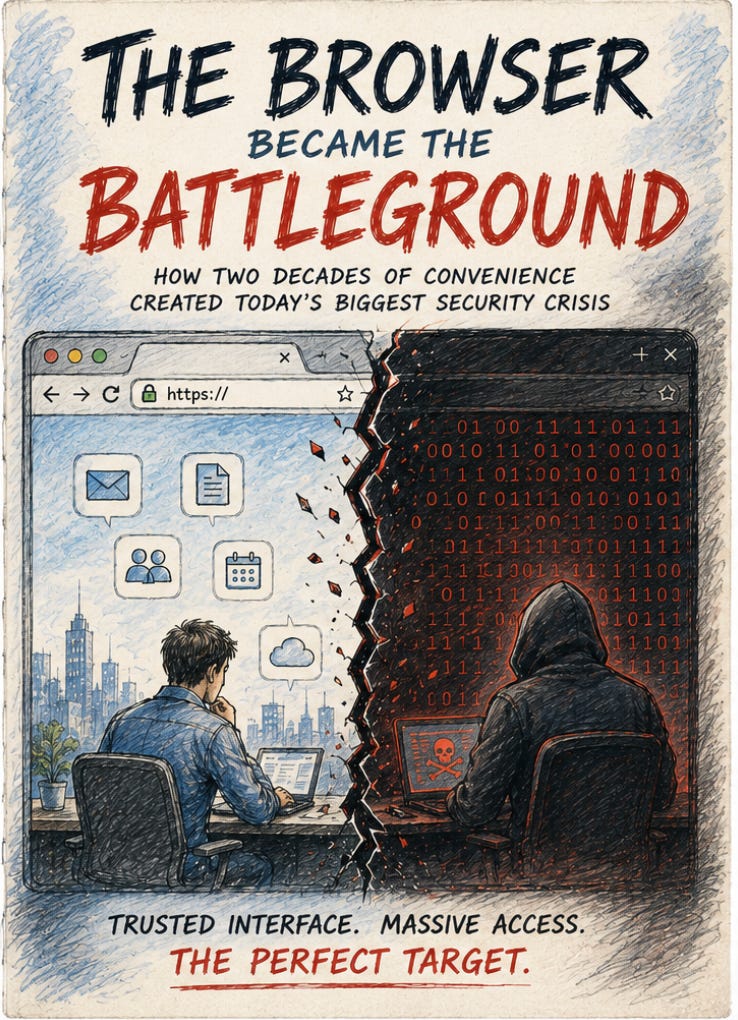
For almost twenty years, enterprise security operated on a simple assumption: work happened inside managed corporate environments. That assumption quietly collapsed. SaaS moved workflows into browsers. Remote work dissolved device boundaries. AI accelerated data movement across unmanaged sessions. The browser didn’t suddenly become important. It became the place where modern enterprise work actually happens.
Christmas Eve
December 24, 2024. Christmas Eve. Most security teams had already shifted to holiday skeleton-crew mode. Everyone who could had gone home.
Sometime that day, an email landed in the inbox of an employee at Cyberhaven. It appeared to come from Google, official-sounding, urgent: your published Chrome extension is in violation of store policies and will be forcibly removed unless you act immediately. For any developer who takes their product seriously, this is exactly the kind of notice that triggers immediate action.
The employee clicked the link. The page redirected to what looked like an authentic Google OAuth authorization interface. He had already enabled multi-factor authentication and was enrolled in Google’s Advanced Protection program, every best practice the security team had ever preached, he’d followed. He authorized an application called “Privacy Policy Extension” to access his account.
Authorization complete. He probably assumed he’d just resolved a compliance issue, and went back to his holiday. The attacker now had his Chrome Web Store developer credentials.
At 1:32 AM UTC on Christmas Day, the malicious version, v24.10.4, was quietly uploaded. Chrome’s auto-update mechanism, the system designed to ensure users always run the latest, most secure version, went to work immediately. It pushed this new version to every enterprise user who had Cyberhaven’s extension installed. No warning. No prompt. Completely silent. Working exactly the way it was supposed to work.
By 11:54 PM UTC on Christmas Day, Cyberhaven’s security team detected the anomaly. Within 60 minutes they had pulled the malicious version and published a clean v24.10.5. But 60 minutes was enough. The cookies and session tokens of roughly 400,000 enterprise users had already been transmitted to servers the attackers controlled.
This wasn’t the end of the story, it was the beginning of a much larger one. Investigators subsequently found that the same group of attackers had, using the same method, compromised another 35 Chrome extensions that same month, affecting a combined 2.6 million users. They used almost no technical sophistication. What they used was trust, trust in legitimate workflows, trust in official-looking interfaces, trust in the assumption that “I already have MFA so I should be safe.”
A Problem Forgotten for Twenty Years
Almost exactly one year after the Cyberhaven incident, across the three months straddling late 2025 and early 2026, the cybersecurity industry seemed to collectively wake up to something.
On January 13, 2026, CrowdStrike announced the acquisition of Israeli browser security company Seraphic Security for approximately $400 million. Three weeks later, Zscaler acquired Singapore-based SquareX, terms undisclosed. In May 2026, Akamai announced the acquisition of LayerX for $205 million.
Three months. Three deals. Three browser-focused security companies absorbed by three different industry giants. No other segment had triggered consolidation this dense, this fast. The concentration of acquisitions suggested something broader: large security platforms increasingly viewed the browser as a critical control and visibility layer for the modern enterprise.
But the underlying problem wasn’t new. Let me take you back twenty years, and trace how we got here, because understanding what’s happening now requires understanding what assumptions we built everything on, and how those assumptions failed, one by one.
As it is too long, part I will cover Chapter One to Six in week and will cover the rest in Part II next week. I also made a small video here for your convenience:
Part I (This week):
-
Chapter One: The Castle and the Moat
-
Chapter Two: The Migration of Work
-
Chapter Three: The Pandemic Opens Another Window
-
Chapter Four: ChatGPT Sets Off the Powder Keg
-
Chapter Five: Shadow Saas and AI: Nobody Knows What Employees Are Logged Into
-
Chapter Six: ClickFix, or: Your Own Hands
Part II (Next week):
-
Chapter Seven: What Attackers Already Knew
-
Chapter Eight: Why It Exploded Now
-
Chapter Nine: CrowdStrike and Zscaler M&A: Two Different Answers
-
Chapter Ten: Five Answers on the market, None Complete
-
Chapter Eleven: Can You Get a Billion People to Abandon Chrome? Failed Adoption Explains the Market Two Philosophies, No Right Answer
-
Chapter Twelve: What Comes Next
-
Epilogue: A Glass Hall, and a Question Without an Answer
Chapter One: The Castle and the Moat
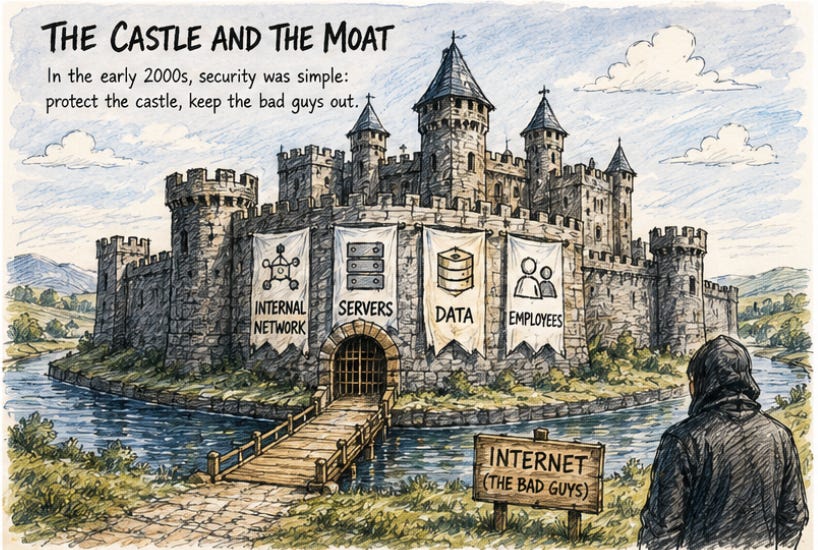
In the early 2000s, enterprise cybersecurity had a satisfying clarity to it. The logic was simple: you had an internal network, your servers, your data, your employees, and outside it was the internet, where the bad guys lived. Your job was to build a wall between them, a firewall, and hold it.
Employees worked in the office. They accessed ERP systems over the internal network. Data lived on your servers, under your control. The browser was a minor utility in this picture, something you used to look things up or occasionally visit an external site. Security teams barely thought about it. In the playbooks of that era, the browser ranked alongside the calculator and the notepad: just another application you patched on a schedule.
This model was reasonable. It worked against the threats it was designed to face. Then, around 2015, it started to crack.
Chapter Two: The Migration of Work
Salesforce was the first crack. Customer data was no longer on your server, it was in Salesforce’s cloud. Then came Slack, internal communications no longer lived on your network, they lived on Slack’s servers. Google Workspace and Office 365 followed, pulling documents, email, and calendars out of the internal network and into browser tabs.
The migration happened quietly. No one announced on a specific day: “from now on, work no longer happens on the intranet.” It was incremental, one new SaaS tool purchased here, one new employee habit formed there.
But the cumulative effect was fundamental. By 2020, the first thing a typical knowledge worker did when they opened their laptop was open Chrome. Increasingly, enterprise workflows, collaboration, and identity interactions were happening inside browser sessions: CRM, project management, internal communications, financial approvals, and code repositories.
Security teams continued strengthening the traditional stack: CASB at the network perimeter, anti-phishing filters in email, EDR on endpoints, MFA in the identity layer. But many of these controls were originally designed around the assumption that enterprise activity could still be governed primarily through networks, managed devices, and centralized systems.
The challenge was no longer limited to crossing the perimeter. Increasingly, enterprise identity, workflow, and data movement were already happening inside the browser itself.
Chapter Three: The Pandemic Opens Another Window
In March 2020, COVID-19 pushed hundreds of millions of office workers back into their homes. The security implications weren’t fully understood at the time.
The most visible consequence was an explosion of demand for VPN capacity. But the deeper, quieter consequence was this: employees started using personal computers to access enterprise systems. Using personal browser profiles to store enterprise passwords. Sharing files from personal Google Drive accounts in company Slack channels. Two worlds, work and personal, began to thoroughly intermingle inside the browser.
Today’s numbers reflect that collapse: 62% of employees use unmanaged devices to access enterprise data. On 45% of enterprise devices, the browser is running under a personal profile, not a corporate one.
In practice, a growing portion of enterprise work now happens across environments that are difficult to consistently govern through traditional visibility models alone, especially when personal devices, unmanaged browsers, and personal SaaS accounts become intertwined with enterprise workflows.
Security teams were aware of the issue, but solving it often meant navigating difficult tradeoffs between security, usability, employee flexibility, and operational practicality. In many organizations, the challenge remained partially unresolved as browser-centric workflows continued to expand.
Chapter Four: ChatGPT Sets Off the Powder Keg
In November 2022, OpenAI released ChatGPT. On the surface, this had nothing to do with browser security. But it set off a chain reaction.
Employees started using ChatGPT constantly, pasting in draft contracts, asking for code review, requesting help with client emails. All of this happened in the browser, completely outside the enterprise security perimeter. Clearwater Analytics CISO Sam Evans recalled in an interview that in October 2023, his board asked him: “What’s your view on ChatGPT?” His answer: “It’s an incredible productivity tool, but I have no idea how we let employees use it safely, because my biggest worry is someone pasting in customer data or source code.”
His worry was correct. But stopping employees from using ChatGPT was roughly as feasible as stopping them from drinking water.
Today, nearly half of enterprise employees use GenAI tools in their daily work. Among them: 77% paste data into prompts, 82% use personal accounts rather than enterprise accounts, and 40% of files they upload contain personally identifiable information or payment card data. GenAI now accounts for 32% of all corporate-to-personal data movement, it has become the single largest data exfiltration channel in the browser, surpassing email, USB transfers, and file sharing combined.
Many traditional DLP approaches were originally designed around file movement and network boundaries, not browser-native AI workflows or prompt-based data interaction. As enterprise work increasingly happens inside browser sessions, visibility and governance models are being forced to evolve alongside user behavior.
Chapter Five: Shadow Saas and AI
GenAI just made an already existing problem impossible to ignore any further. That problem is Shadow SaaS. You’ve probably heard of Shadow IT, employees purchasing and using software tools without IT approval. This problem has existed since the early 2010s, and IT departments spent a decade trying to manage it through approved software lists, CASB, and proxy controls. Results were mixed, but at least there was some visibility.
Shadow SaaS is the browser-native version of Shadow IT, and it’s considerably harder to manage. Employees don’t need to “install” anything. They just open a webpage, create an account, and start using it. Much of this activity happens directly inside browser sessions, often outside normal software procurement, governance, or centralized IT review processes.
Picture your company’s engineers: they use Cursor for coding, Perplexity to look up technical documentation, v0 to prototype product interfaces, Notion AI to organize meeting notes, Gamma to build presentations, Grammarly to polish emails, DeepL to translate contracts. Every tool is genuinely useful. Many of these tools may end up handling sensitive internal context, often before governance, legal review, or data handling expectations have fully caught up. Not one of them is on IT’s approved list. Nobody knows whether any of them have enterprise data retention clauses, whether they train on user input, or whether they’ve signed a data processing agreement.
This isn’t an employee problem. It’s a structural gap, the permanent scissors between the rate at which tools proliferate and the speed at which governance processes can respond. A new AI tool can go from launch to widespread employee adoption in a week. Getting that tool from discovery through security review and onto an approved list takes at least three months. In those three months, usage doesn’t stop and data keeps moving.
LayerX’s data puts specific numbers to this: 82% of GenAI tool usage in enterprises happens through employees’ personal accounts, not enterprise-purchased accounts. According to Zylo’s 2025 SaaS Management Index, enterprises are managing an average of 275 SaaS applications, with roughly 7 new applications entering the environment every month, and 84% of those applications and 74% of SaaS spending sit outside IT’s sphere of responsibility.
What this means in practice: even if a company has paid for enterprise ChatGPT and carefully configured its data protection policies, employees can do exactly the same things through their personal ChatGPT accounts, potentially bypassing many of the controls enterprises intended to enforce through managed environments and approved workflows.
Managing personal devices makes this even more complicated. Today, 62% of employees use unmanaged devices to access enterprise data, and 45% of enterprise devices have the browser running under a personal profile. In these scenarios, IT management tools break down entirely, you can’t push policies to an employee’s personal MacBook, and you can’t see what they’re logged into through a personal Chrome profile.
The irony is that this isn’t malicious behavior. Most employees using unapproved tools are trying to do their jobs better and faster. They found something useful, created an account, started using it, and moved on with their day. Security never entered their mental model, because “is this secure?” is simply not a question they ask when they open a new tool. For attackers, this is excellent news.
If you don’t know what tools your employees are using, you don’t know which tools have security vulnerabilities, which data flows you should be monitoring, or whether your company is on the affected list when one of those tools gets compromised. Shadow SaaS is, at its core, a mass of unmonitored entry points, every account an employee has registered that IT doesn’t know about is a potential attack surface you have zero visibility into.
Netskope’s data shows the number of GenAI applications in active enterprise use growing from 13 to 15 between early and mid-2025, while the total number of distinct GenAI SaaS applications Netskope tracks has expanded past 1,550, up from 317 earlier in 2025. Shadow SaaS territory keeps expanding. Security team visibility is not keeping pace.
This is why browser security isn’t just about “preventing malicious attacks.” It’s also about “understanding where your data is going.” And understanding that requires visibility at the place where data moves: the browser, not at the network perimeter or the endpoint, where you’d only be trying to reconstruct a puzzle that was assembled somewhere else.
Chapter Six: ClickFix, or: Your Own Hands
In early 2024, security researchers began noticing a new attack technique spreading in the wild. They called it “Fake CAPTCHA” at first. The name that stuck was ClickFix. Its mechanics are unsettlingly simple.
You visit a webpage in your browser. The page asks you to complete a verification step, maybe a CAPTCHA, maybe “prove you’re not a robot,” maybe “follow these steps to fix a browser error.” The page instructs the user to perform a sequence of seemingly harmless manual actions, often framed as a browser verification or troubleshooting step. In reality, the user is unknowingly executing attacker-controlled commands through their own system interface.
You follow the instructions. The command you just executed was silently copied to your clipboard the moment you opened the page. It might be a PowerShell script that downloads and runs malware in the background. You are the one who brought it in.
No file attachment. No email. No exploit. Nothing technically clever. Just a webpage, a plausible reason, and a cooperative user.
According to Microsoft’s 2025 Digital Defense Report, ClickFix accounted for 47% of initial access events tracked by Microsoft’s Defender Experts team, nearly half, surpassing traditional phishing email at 35%.
By 2026, ClickFix had evolved into multiple variants. CrashFix mimics system crash dialogs. A DNS-based variant substitutes nslookup commands for PowerShell. FileFix uses the File Explorer address bar to execute OS commands. The technique has expanded to Mac, using the macOS terminal in place of the Windows Run dialog. Every variant is trying the same thing: find a pretext to make you execute malicious code yourself.
ClickFix succeeds because of a structural asymmetry: its payload never appears on disk as a file, so every file-detection security tool, antivirus, EDR, sandbox analysis, is blind to it. Security tools are waiting for a file to arrive. ClickFix never gives them one. The command comes from the user’s own clipboard, and from the operating system’s perspective, this is just the user doing something voluntarily. (Continues….The second half is in progress and will be published next week, you can subscribe my Chasing Polaris if you’d like to read the rest.)
Data current as of May 15, 2026. Browser security is a fast-moving field; some product and market details may have changed. The views expressed are the author’s own and do not represent any organization. This article contains no commercial endorsements.
Reference: The whole list is long and you are welcome to request separately if you are interested in reading all of them.
check more in the cyber talk session
The post Cyber Talk-8 War Inside the Browser – Part I appeared first on Chasing Polaris – Wickey's blog.
*** This is a Security Bloggers Network syndicated blog from Chasing Polaris - Wickey's blog authored by Wickey Wang. Read the original post at: https://wickey.substack.com/p/war-inside-the-browser-part-i
