SBN

How to Secure Your Secrets Manager with GitGuardian Honeytoken

How to Secure Your Secrets Manager with GitGuardian Honeytoken

Protecting sensitive data is a crucial responsibility for modern businesses. To ensure the security of critical information, organizations utilize various tools and strategies.

One such tool is a secrets manager, which securely stores and manages sensitive data like passwords, API keys, and encryption keys. Secrets managers offer a centralized and encrypted repository, providing a secure alternative to storing secrets in configuration files or source code. Popular secrets managers include Hashicorp Vault, AWS Secrets Manager, Doppler and CyberArk.

In this blog, we will explore how GitGuardian Honeytoken can enhance the security of secrets managers by enabling easy and scalable breach detection.

Understanding Honeytokens

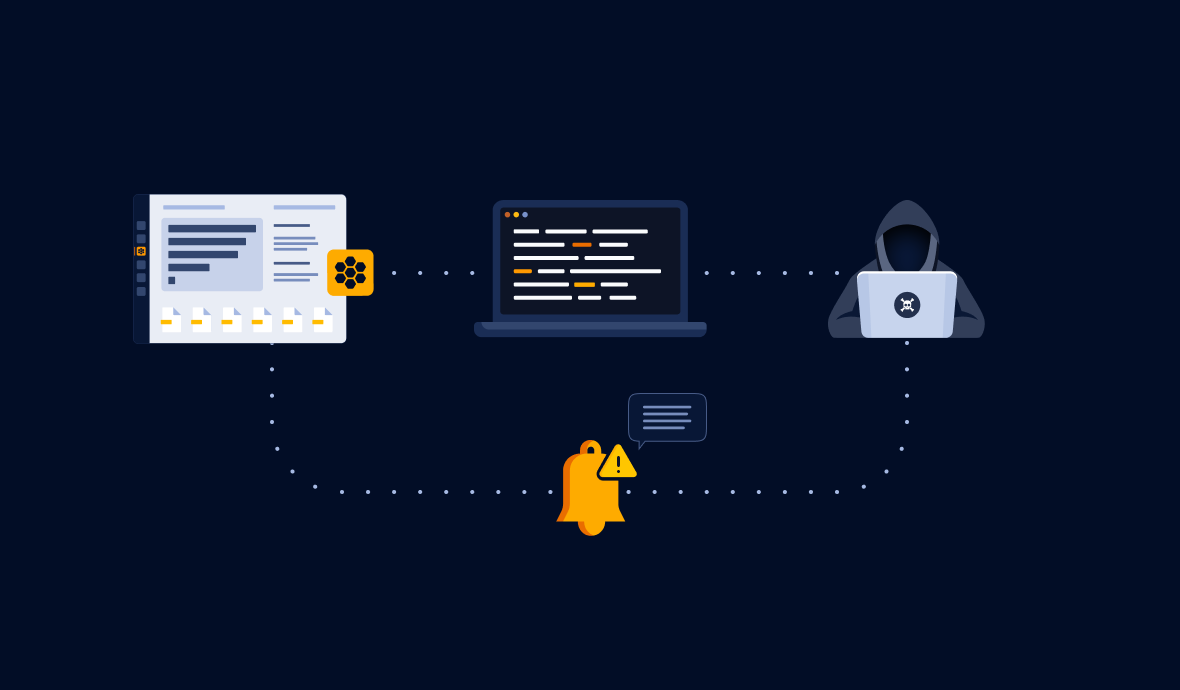
Honeytokens are digital baits designed to lure attackers into a trap. They have no permissions attached and serve as alerts when unauthorized users attempt to use them.

When a honeytoken is triggered, it alerts you of the intrusion and provides crucial information about the attacker, such as their IP address and user agent. By storing honeytokens in a secure environment like a secrets manager, you can effectively detect and respond to unauthorized access attempts.

In the upcoming section, we will guide you on how to place a honeytoken in your Hashicorp Vault instance, but these guidelines are applicable to any other secrets manager.

➡️
Before we begin, follow the step-by-step instructions below to create your first honeytoken! 👇

How to Create and Use Honeytokens: Step-by-Step Instructions
Learn how to create, test and deploy GitGuardian honeytokens to detect security breaches, strengthen supply chain security, and prevent code leakage. Find out where to place honeytokens to effectively deceive attackers and protect your assets.
How to Secure Your Secrets Manager with GitGuardian Honeytoken

Enhancing Secrets Manager Security with Honeytokens

Hashicorp Vault is a popular secrets manager that securely stores and controls access to sensitive elements in a DevOps environment. While Vault provides advanced security features, the possibility of an instance compromise cannot be completely eliminated.

Attackers understand the value of compromising a secrets manager, as it can provide them with access to sensitive information and facilitate lateral movement within your system. Integrating GitGuardian Honeytoken with Vault adds an additional layer of security, alerting you to any unauthorized attempts to access your secrets.

Integrating GitGuardian Honeytoken with Vault (or any Secrets Manager)

Before integrating GitGuardian Honeytoken, ensure that Vault is installed and running in your environment.

Installing Vault:

  • Download the latest version of Vault from the official website.
  • Extract the downloaded file in a directory of your choice.
  • Add the Vault binary to your system PATH for easy access.

Configuring Vault:

  • Initiate the Vault server with the appropriate configurations for your organization.
  • Initialize Vault to create initial tokens and unseal keys that are critical for Vault's operations.

Using GitGuardian Honeytoken:

  • Sign in to your GitGuardian account and navigate to the Honeytoken section.
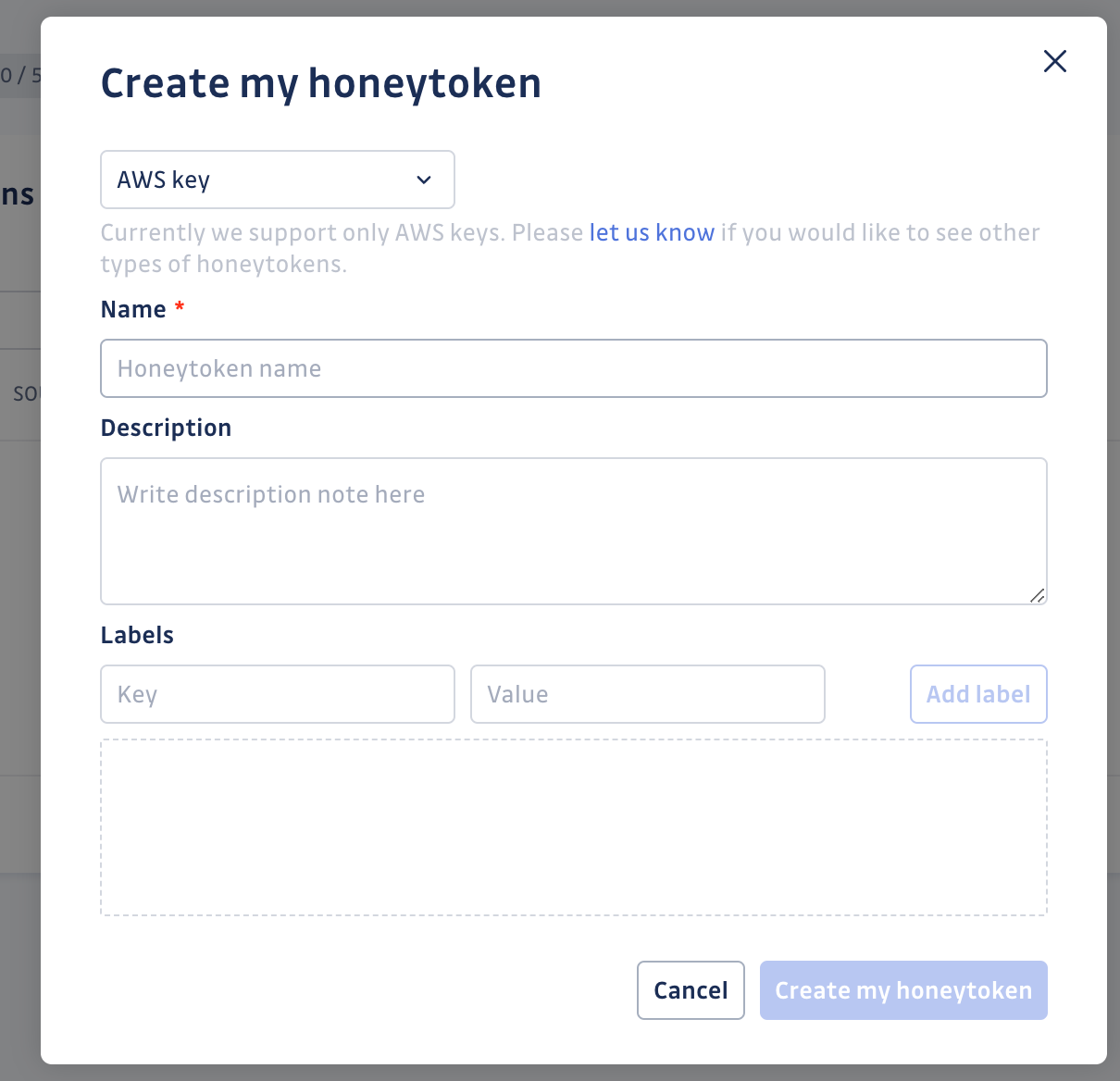
  • Create new honeytokens with a descriptive name and description
How to Secure Your Secrets Manager with GitGuardian Honeytoken
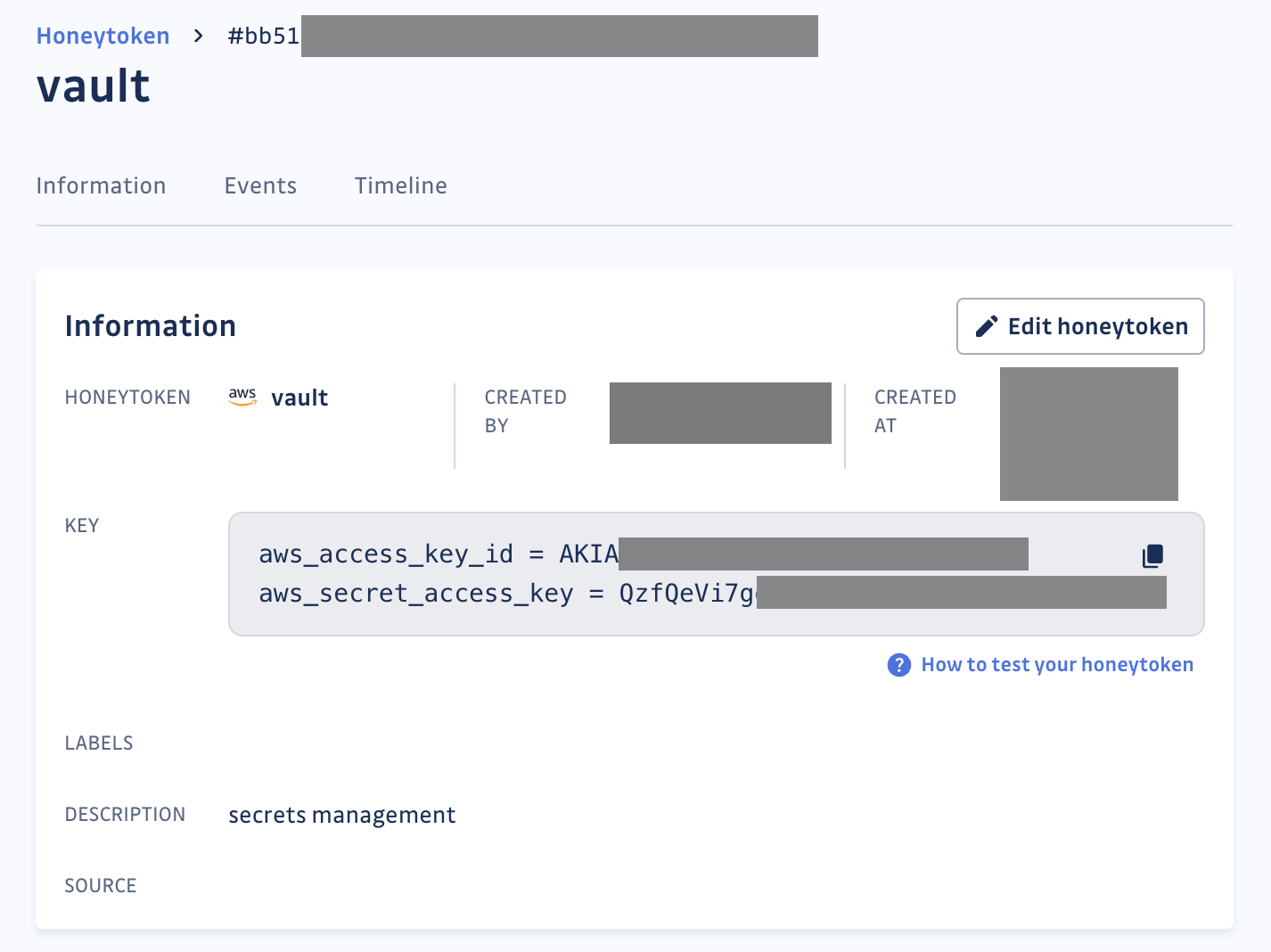
  • Note down the keys (AWS Access and Secret Keys), as these will be used later in Vault.
How to Secure Your Secrets Manager with GitGuardian Honeytoken
Honeytoken details

Integration Procedure: Step-by-Step Guide

Vault supports multiple secret engines, and for simplicity, we will consider the key value (KV) secret engine. This engine is a generic Key-Value store used to store arbitrary secrets within Vault.

💡
A set of permissions policies will be needed to list, write, and manage secrets through the KV engine. Read more here

First, ensure that your Vault cluster is reachable by running the command:

vault status

If you get an error message, follow Vault's Lab Setup instructions here.

Next, verify that the KV secrets engine is enabled and set to version 2 at the secret/ path. This should be the default configuration if you started a dev server.

vault secrets list -detailed

Path          Type         Accessor           ...   Options           Description
----          ----         --------                 -------           -----------
cubbyhole/    cubbyhole    cubbyhole_9d52aeac ...   map[]             per-token private secret storage
identity/     identity     identity_acea5ba9  ...   map[]             identity store
secret/       kv           kv_2226b7d3        ...   map[version:2]    key/value secret storage
...

Finally, write the previously generated AWS secret values at the path of your choice:

vault kv put secret/aws aws_access_key_id ="AKIA..." \
        aws_secret_access_key = "QzfQeV..."

If everything went well, you should see this output:

====== Secret Path ======
secret/aws

======= Metadata =======
Key                Value
---                -----
created_time       <CREATION_TIME>
custom_metadata    <nil>
deletion_time      n/a
destroyed          false
version            1

This confirms that your bait credentials have been set. If you receive an email alert about this honeytoken being triggered, you can assume that your secrets manager is compromised.

💡
Currently, GitGuardian Honeytoken only supports one type of secret: AWS key. In the future, more types of secrets will be available, allowing to place them in other Vault engines, like, for example, the SSH or the database secret engine

You can further configure your alerts to receive instant notifications through custom webhooks, allowing you to customize your alerting workflow.

Benefits of protecting your Secrets Manager with Honeytokens

Taking proactive measures to secure sensitive information is both prudent and essential. There are a number of security benefits of integrating GitGuardian Honeytoken with Vault:

  • Proactive Breach Detection: By integrating GitGuardian Honeytoken with Vault, you can proactively detect and respond to potential breaches. Honeytokens act as a silent alarm, alerting you when unauthorized users attempt to use them. This allows you to take immediate action and strengthen your system's security.
  • Enhanced Threat Intelligence: Honeytokens provide valuable information about the actions taken by intruders, such as their IP address and user agent. This information helps you analyze and understand the threat, enabling you to further secure your system and track down the attackers.
  • Scalable Solution: GitGuardian Honeytoken offers a scalable solution for breach detection. You can create and deploy multiple honeytokens, strategically placing them in your secrets manager to effectively deceive attackers. This scalability ensures comprehensive coverage and protection for your critical assets.
  • Customizable Alerting Workflow: GitGuardian Honeytoken allows you to configure custom alerts through webhooks. This flexibility enables you to tailor your alerting workflow according to your specific requirements, ensuring that you receive instant notifications when a breach is detected.

Conclusion

By securing your secrets manager with GitGuardian Honeytoken, you can significantly enhance the security of your sensitive information. The proactive breach detection, enhanced threat intelligence, easy integration, scalability, and customizable alerting workflow provided by honeytokens make them a valuable addition to your security arsenal. Follow the step-by-step instructions in this blog to get started and protect your critical assets effectively.

*** This is a Security Bloggers Network syndicated blog from GitGuardian Blog - Automated Secrets Detection authored by Thomas Segura. Read the original post at: https://blog.gitguardian.com/how-to-secure-your-secrets-managers-with-gitguardian-honeytoken/

Avatar photo

Thomas Segura

What You Need to Scale AppSec Thomas Segura - Content Writer @ GitGuardian Author Bio Thomas has worked both as an analyst and as a software engineer consultant for various big French companies. His passion for tech and open source led him to join GitGuardian as technical content writer. He focuses now on clarifying the transformative changes that cybersecurity and software are going through. Website:https://www.gitguardian.com/ Twitter handle: https://twitter.com/GitGuardian Linkedin: https://www.linkedin.com/company/gitguardian Introduction Security is a dilemma for many leaders. On the one hand, it is largely recognized as an essential feature. On the other hand, it does not drive business. Of course, as we mature, security can become a business enabler. But the roadmap is unclear. With the rise of agile practices, DevOps and the cloud, development timeframes have been considerably compressed, but application security remains essentially the same. DevSecOps emerged as an answer to this dilemma. Its promise consists literally in inserting security principles, practices, and tools into the DevOps activity stream, reducing risk without compromising deliverability. Therefore there is a question that many are asking: why isn't DevSecOps already the norm? As we analyzed in our latest report DevSecOps: Protecting the Modern Software Factory, the answer can be summarized as follows: only by enabling new capacities across Dev, Sec and Ops teams can the culture be changed. This post will help provide a high-level overview of the prerequisite steps needed to scale up application security across departments and enable such capabilities. From requirements to expectations Scaling application security is a company-wide project that requires thorough thinking before an y decision is made. A first-hand requirement is to talk to product and engineering teams to understand the current global AppSec maturity. The objective at this point is to be sure to have a comprehensive understanding of how your products are made (the processes, tools, components, and stacks involved). Mapping development tools and practices will require time to have the best visibility possible. They should include product development practices and the perceived risk awareness/appetite from managers. One of your objectives would be to nudge them so they take into account security in every decision they make for their products, and maybe end up thinking like adversaries. You should be able to derive security requirements from the different perceptual risks you are going to encounter. Your job is to consolidate these into a common set for all applications, setting goals to align the different teams collaborating to build your product(s). Communicating transparently with all relevant stakeholders (CISO, technical security, product owner, and development leads) about goals and expectations is essential to create a common ground for improvement. It will be absolutely necessary to ensure alignment throughout the implementation too. Open and accessible guardrails Guardrails are the cornerstone of security requirements. Their nature and implementation are completely up to the needs of your organization and can be potentially very different from one company to the other (if starting from scratch, look no further than the OWASP Top10). What is most important, however, is that these guardrails are open to the ones that need them. A good example of this would be to centralize a common, security-approved library of open-source components that can be pulled from by any team. Keep users' accessibility and useability as a priority. Designing an AppSec program at scale requires asking “how can we build confidence and visibility with trusted tools in our ecosystem?”. For instance, control gates should never be implemented without considering a break-glass option (“what happens if the control is blocking in an emergency situation?”). State-of-the-art security is to have off-the-shelf secure solutions chosen by the developers, approved by security, and maintained by ops. This will be a big leap forward in preventing vulnerabilities from creeping into source code. It will bring security to the masses at a very low cost (low friction). But to truly scale application security, it would be silly not to use the software engineer's best ally: the continuous integration pipeline. Embed controls in the CI/CD AppSec testing across all development pipelines is the implementation step. If your organization has multiple development teams, it is very likely that different CI/CD pipelines configurations exist in parallel. They may use different tools, or simply define different steps in the build process. This is not a problem per se, but to scale application security, centralization and harmonization are needed. As illustrated in the following example CI/CD pipeline, you can have a lot of security control steps: secrets detection, SAST, artifact signing, access controls, but also container or Infrastructure as Code scanning (not shown in the example) (taken from the DevSecOps whitepaper) The idea is that you can progressively activate more and more control steps, fine-tune the existing ones and scale both horizontally and vertically your “AppSec infrastructure”, at one condition: you need to centralize metrics and controls in a stand-alone platform able to handle the load corresponding to your organization’s size. Security processes can only be automated when you have metrics and proper visibility across your development targets, otherwise, it is just more burden on the AppSec team's shoulders. In turn, metrics and visibility help drive change and provide the spark to ignite a cultural change within your organization. Security ownership shifts to every engineer involved in the delivery process, and each one is able to leverage its own deep (yet partial) knowledge of the system to support the effort. This unlocks a world of possibilities: most security flaws can be treated like regular tickets, rule sets can be optimized for each pipeline based on criticality, capabilities or regulatory compliance, and progress can be tracked (saved time, avoided vulnerabilities etc.). In simpler terms, security can finally move at the DevOps speed. Conclusion Security can’t scale if it’s siloed, and slowing down the development process is no longer an option in a world led by DevOps innovation. The design and implementation of security controls are bound to evolve. In this article, we’ve depicted a high-level overview of the steps to be considered to scale AppSec. This starts with establishing a set of security requirements that involve all the departments, in particular product-related ones. From there it becomes possible to design guardrails to make security truly accessible with a mix of hard and soft gates. By carefully selecting automated detection and remediation that provide visibility and control, you will be laying a solid foundation for a real model of shared responsibility for security. Finally, embedding checks in the CI/CD system can be rolled out in multiple phases to progressively scale your security operations. With automated feedback in place, you can start incrementally adjusting your policies. A centralized platform creates a common interface to facilitate the exchange between application security and developer teams while enforcing processes. It is a huge opportunity to automate and propagate best practices across teams. Developers are empowered to develop faster with more ownership. When security is rethought as a partnership between software-building stakeholders, a flywheel effect can take place: reduced friction leads to better communication and visibility, automating of more best practices, easing the work of each other while improving security with fewer defects. This is how application security will finally be able to scale through continuous improvement.

thomas-segura has 67 posts and counting.See all posts by thomas-segura