

The Evolution of Ransomware: Browser-Native Ransomware

Among the cyber community, ransomware stands as one of the most recognized and dreaded forms of attack due to the scale of financial and reputational repercussions that come with it. However, over the years, endpoint solutions like EDRs have gotten pretty good at detecting traditional ransomware.
However, we are currently at the cusp of a major behavioral change and we believe that this will completely change how ransomware will be delivered, rendering current solutions moot. This article will present industry observations on why we think the future of ransomware is in the browser and illustrate how a browser-native ransomware could look like.
The Browser-Native Ransomware Thesis
Historically, the victim’s device is the primary target of ransomware attacks. This made sense as for the longest time, most valuable information was stored as files or within native apps in the endpoint.
Nonetheless, the past decade has seen a tectonic shift in the way employees work. Due to the proliferation of cloud storage and file sharing services like GoogleDrive and OneDrive, less and less files are being downloaded. Similarly, thanks to the invention of Web Assembly, it is now possible to run web apps at near native performance in the browser. This led a slew of new and old enterprise applications to adopt the SaaS model, including popular native apps like Photoshop and the Microsoft Office365 suite. Arguably accelerated by COVID, the adoption of cloud storage and SaaS services has led to the majority of enterprise workflow and data to be created, stored and shared in the browser. In other words, the browser has become the new endpoint.
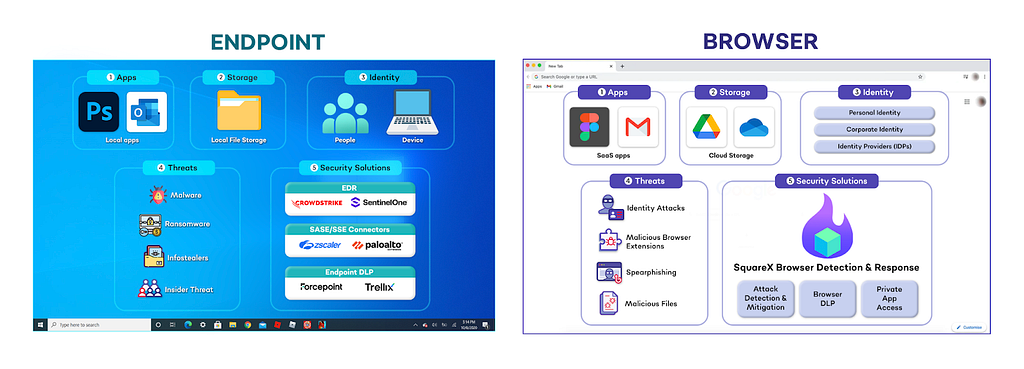
This, in combination with endpoint security becoming more advanced, creates an asymmetric risk reward for attackers to target the browser. Unlike traditional ransomware, browser-native ransomware lives and dies in the browser. It does not involve any file download or kernel-level processes, allowing it to completely bypass EDRs. Instead, it works by targeting the victim’s identity in the browser. From polymorphic extensions to the recent Cyberhaven breach, we have numerous examples of attackers shifting their focus towards browser-native attacks. This also serves as early evidence that attackers are beginning to discover the ‘ingredients’ required for browser-native ransomware and that it is only a matter of time before an intelligent adversary puts these pieces together to conduct the first large-scale ransomware campaign without ever touching the device. The browser holds the new keys to the kingdom, yet the old guards are not there to defend it.
A Refresher on Ransomware
Before we dive into the various browser ransomware techniques, a quick overview on how traditional ransomwares work will help the unfamiliar appreciate both the parallels and idiosyncrasies of browser-native ransomware.
How do traditional ransomwares work?
Ransomware, a portmanteau between “ransom” and “malware” is a type of malicious software (malware) designed to block access to a computer system or data until a sum of money (ransom) is paid. It typically involves three steps:
- Infection, where the attacker tricks victims into downloading and executing the ransomware through various attack vectors, such as phishing emails and maladvertising campaigns.
- Data encryption or deletion, where the attacker either encrypts or exfiltrates and deletes all data on the device. This prevents the victim from conducting any work until the decryption key or data is returned.
- Ransom solicitation, where the attacker demands a payment, usually in cryptocurrency, in return for the decryption key and/or data restoration.
Some modern ransomware attacks employ a “double extortion” tactic, where attackers not only encrypt data but also exfiltrate sensitive information and threaten to publish it if the ransom is not paid. Notable ransomwares in the past includes WannaCry, NotPeya and REvil, which led to an estimated cost of $100M, $10B and $200M in financial damages respectively from ransom payments, operational disruption and data breach fines.
Types of Ransomware
According to Crowdstrike, some of the most common ransomware classes include:
- Crypto ransomware or encryptors work by encrypting all files and data in a device and holding the decryption key as ransom. This category represents one of the most notorious and damaging ransomware variants.
- Lockers work by locking the victim out of their account, preventing them from accessing any files and applications on the device.
- Scareware is a fraudulent software that purports to have identified viruses or technical issues on the victim’s device. For example, the attacker may lock the victim’s device or flood the home screen with pop-ups until a ransom payment is made
- Doxwares or leakwares threaten to publicly release confidential personal or enterprise data if a ransom is not paid. Attackers may also masquerade as law enforcement, claiming to have detected illegal online activity and offering to waive legal consequences in exchange for a “fine”.
- RaaS (Ransomware as a Service) is a ransomware model that involves anonymously hosted malware managed by “professional” hackers who oversee the whole attack, from ransomware distribution to payment collection and access restoration, in exchange for a percentage of the extorted funds.
How are browser-native ransomwares different?
Within the browser, most enterprise data is stored within SaaS applications. Thus, instead of downloading and executing files, browser-native ransomwares target the victim’s identity to gain unauthorized access to these apps.
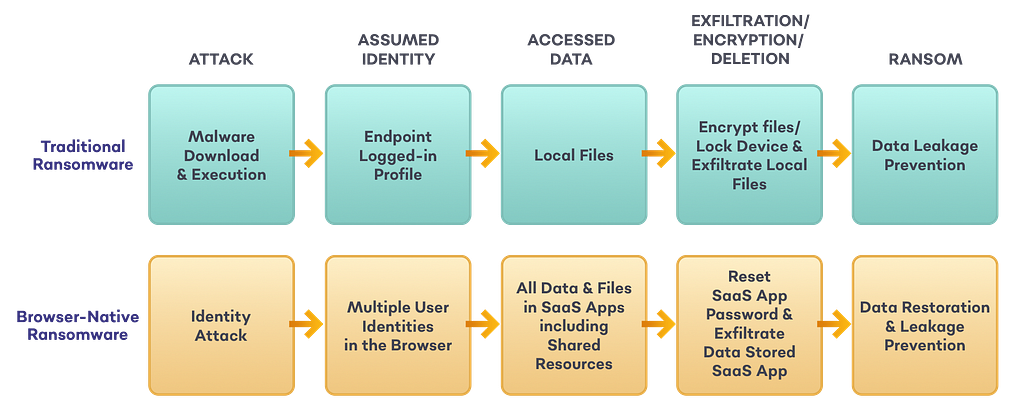
- Identity attack, where the attacker compromises the victim’s credentials through various identity attacks such as consent phishing, browser syncjacking and polymorphic extensions.
- Data exfiltration & deletion, where the attacker then uses the stolen credentials to log in to the target SaaS app(s). The attacker then logs the victim out, exfiltrates and deletes all valuable information from the app.
- Ransom solicitation, where the attacker demands a payment in exchange for returning and/or not leaking the data.
Just like traditional ransomware, the specific techniques (e.g. identity attacks) used can vary significantly. For that reason, it is important to note that the three case studies discussed in this blog are mere examples of how browser-native ransomware could manifest. In reality, the attack can occur in various forms but will generally involve the three steps above.
Browser-Native Ransomware
Below are three realistic case studies to illustrate how browser-native ransomware could look like. As demonstrated by Microsoft, with the help of AI, variations of these attacks can easily be made and any enterprise app could be a target for browser ransomware.
Disclaimer: Note that Google Drive, Gmail and draw.io are used for demonstration purposes only. This vulnerability is not specific to any particular SaaS app — all file storage, email and SaaS services are equally vulnerable to browser ransomware.
File Storage Browser-Native Ransomware
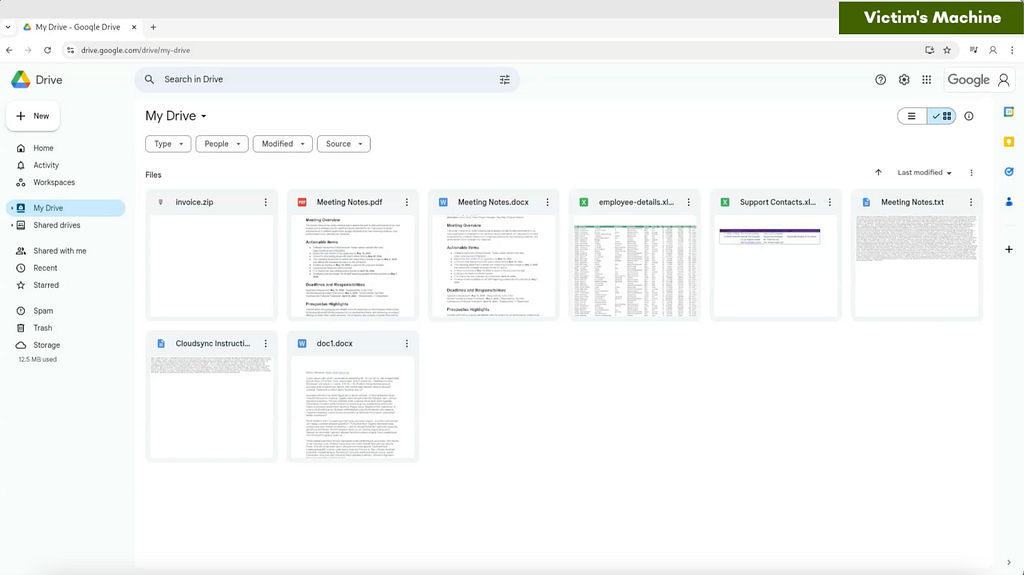
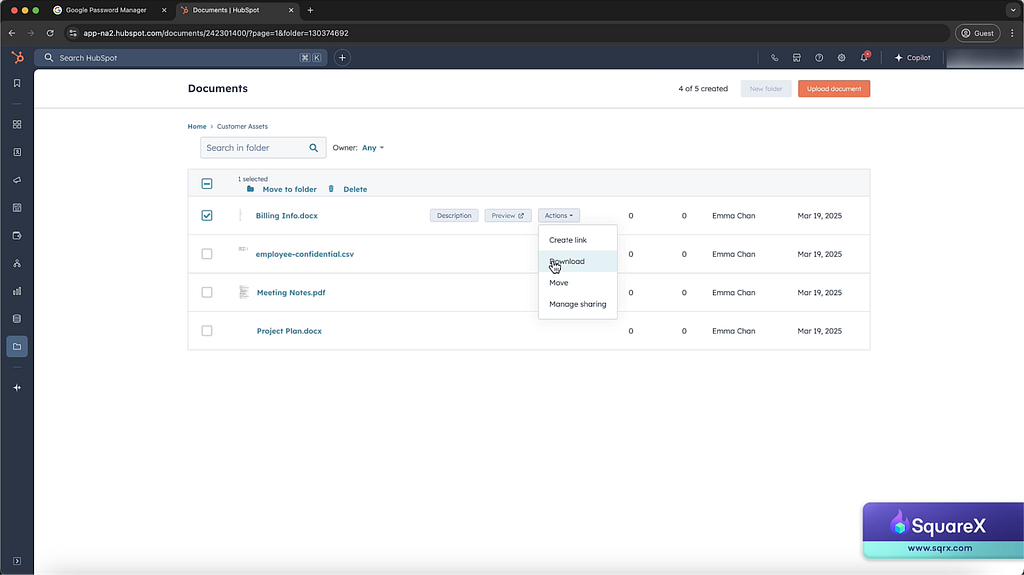
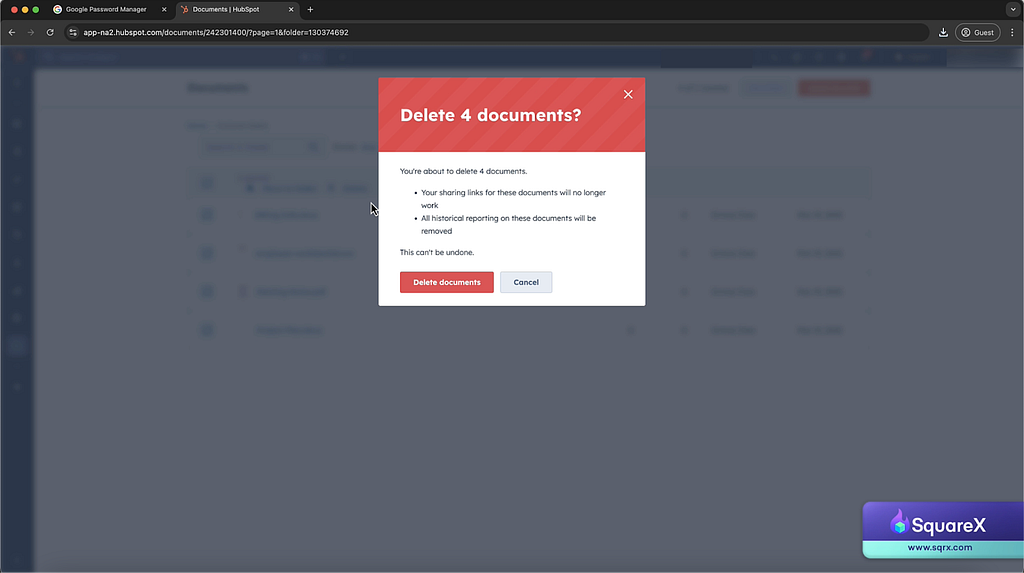
In this example, the attacker gains access to the victim’s Google Drive by mimicking a legitimate app. The attacker exfiltrates and deletes all files stored in the victim’s Google Drive, including shared drives and demands a ransom to stop them from leaking company sensitive files.
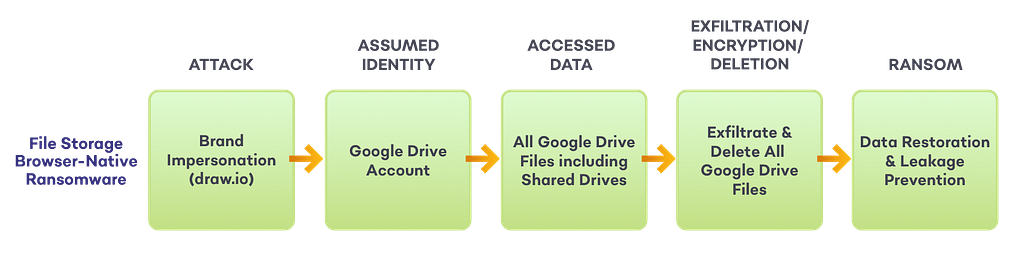
- The attacker publishes a fake Google ad for draw.io, a popular professional diagramming tool.

2. The victim clicks on the ad, and is redirected to the attacker’s site (top), which completely replicates draw.io’s landing page (bottom). The attacker even uses a very similar URL to draw.io.
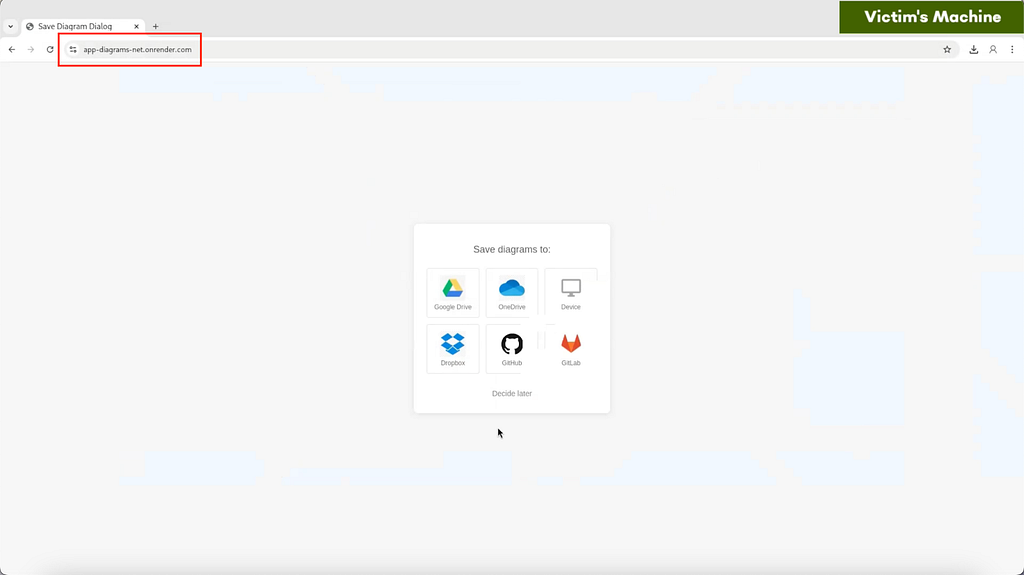
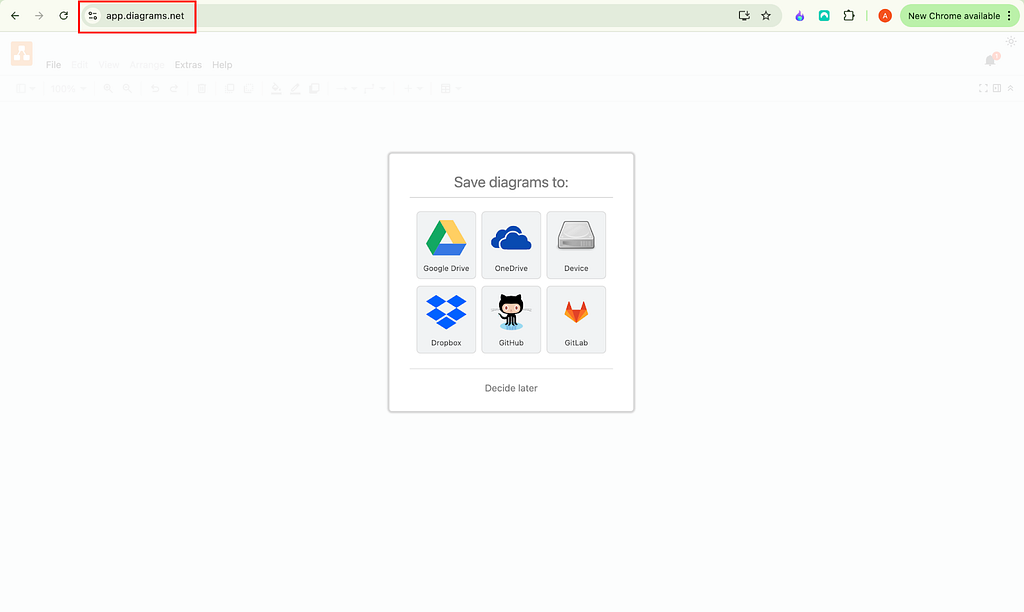
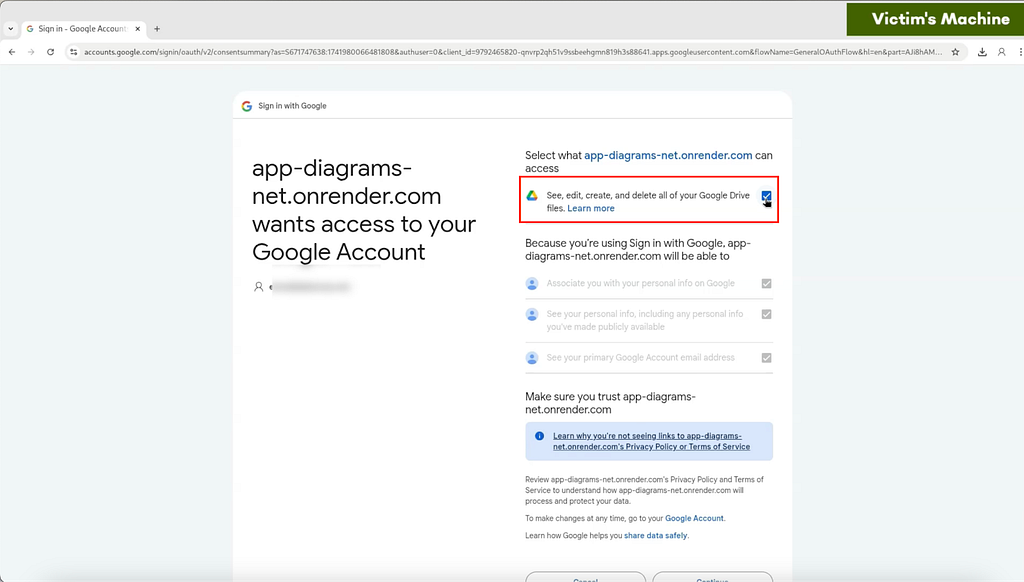
3. Upon clicking the Google Drive icon, the victim is redirected to Google’s legitimate OAuth page and grants the malicious app permission to “see, edit, create and delete all of [their] Google Drive files”.
4. Using the granted permissions, the attacker silently exfiltrates and deletes all files in the Google Drive, including shared drives.
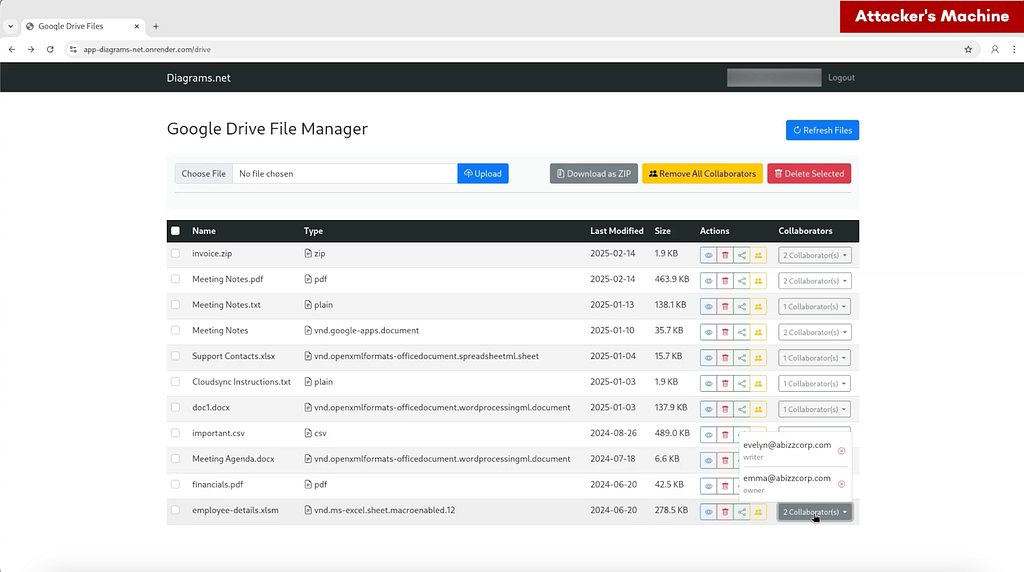
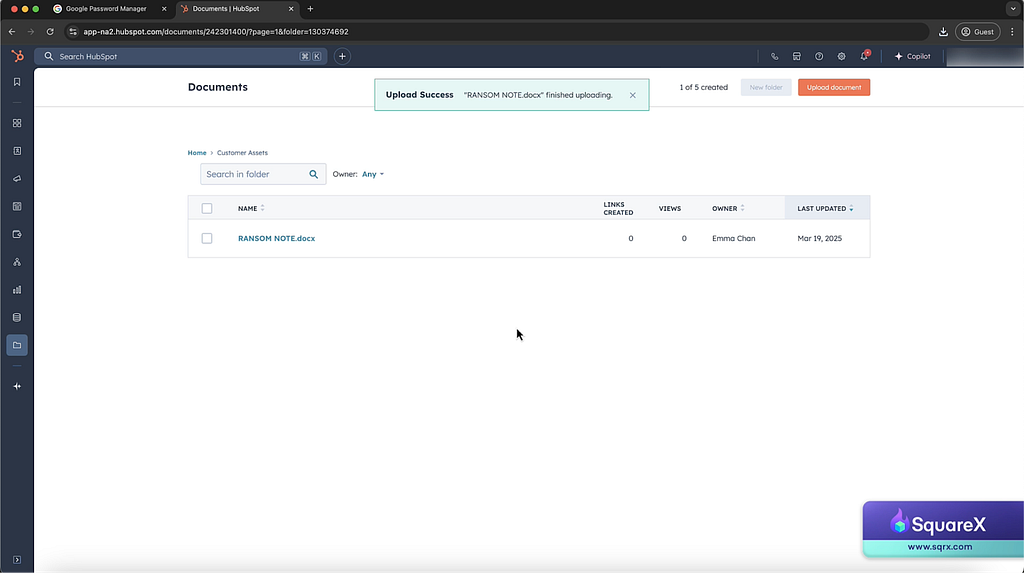
5. The attacker then drops a ransom note notifying the victim that they have been compromised and instructions to make the ransom payment in exchange for the files.
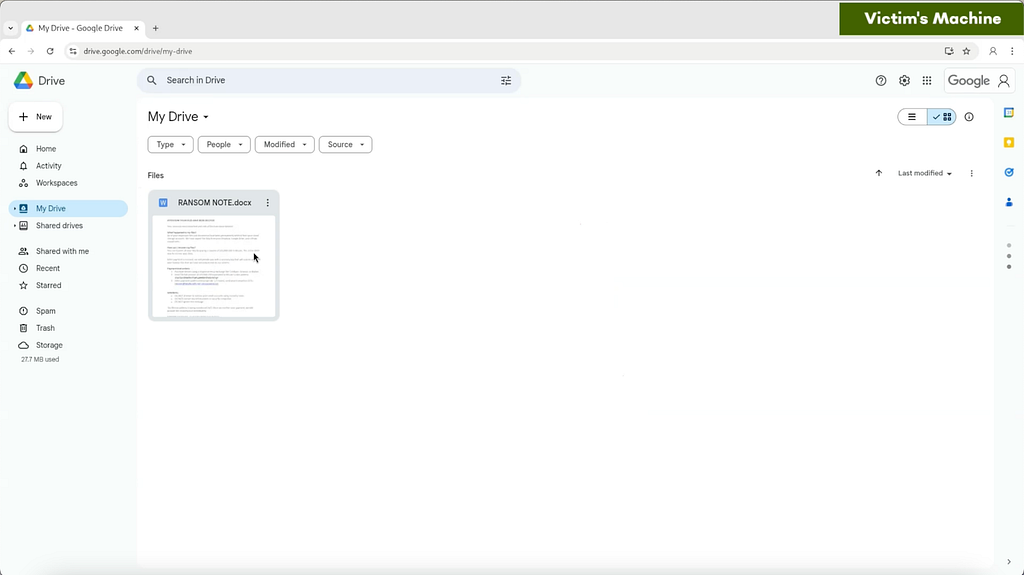
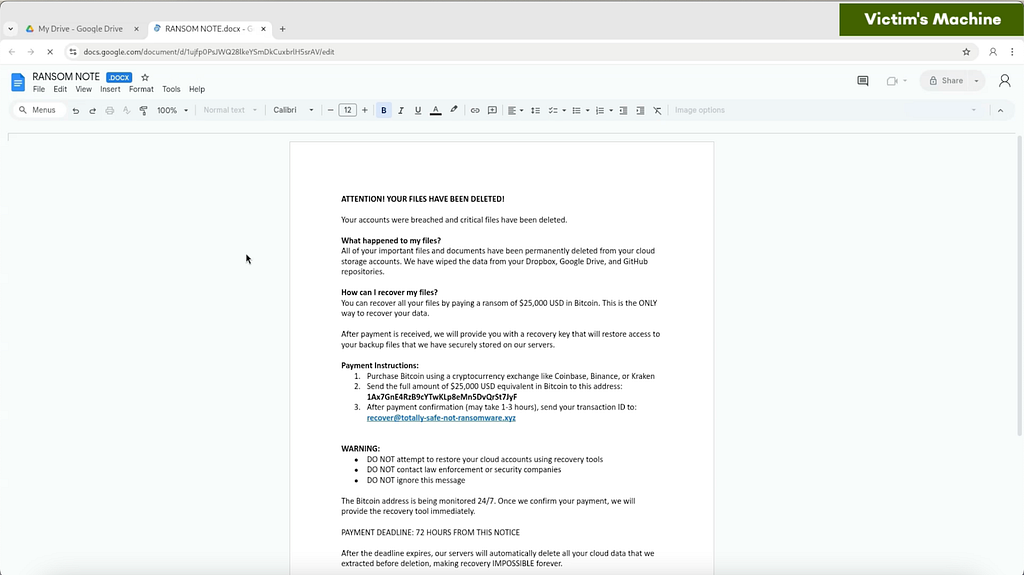
While it may be possible to recover certain files through backups or version history, the bigger concern in double extortion ransomwares is typically the data leakage threat, which would lead to significant reputational and legal repercussions.
Email Browser-Native Ransomware
Similarly, browser-native ransomware can also be used to compromise email services. Through consent phishing, the attacker can use a malicious app to read the victim’s emails and figure out what SaaS services they are signed up to. Using an AI agent, the attacker then systematically resets the passwords to these apps, logs the victim out and exfiltrates all data stored in enterprise SaaS apps for ransom.
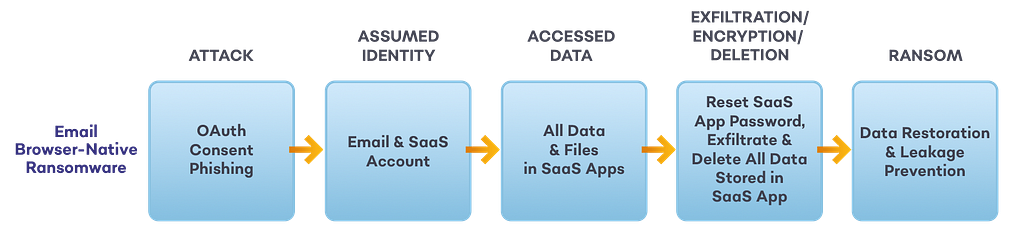
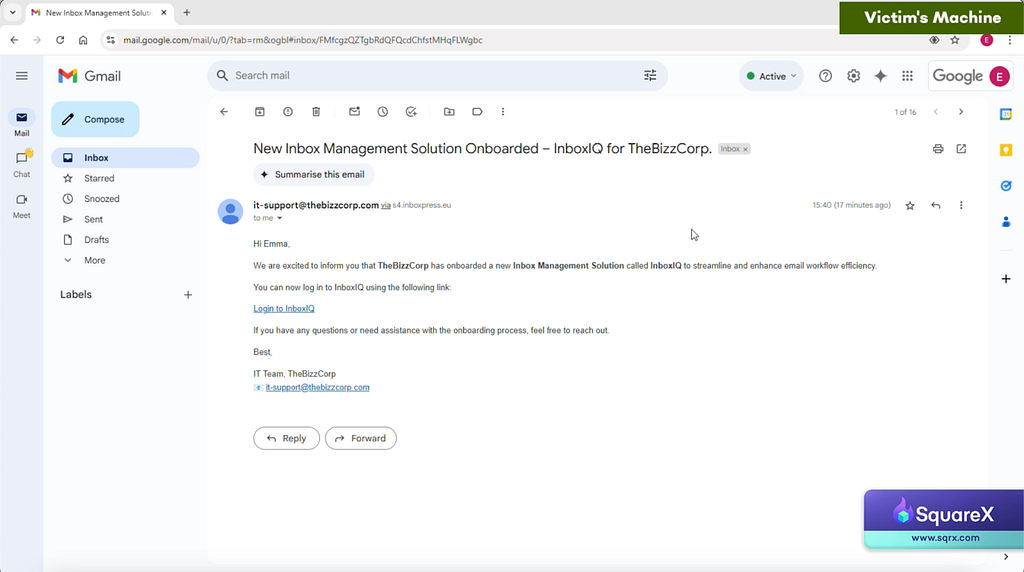
- The attacker creates a fake mail migration tool, InboxIQ, and sends a phishing email masquerading as the company’s IT team to prompt the victim to log in.
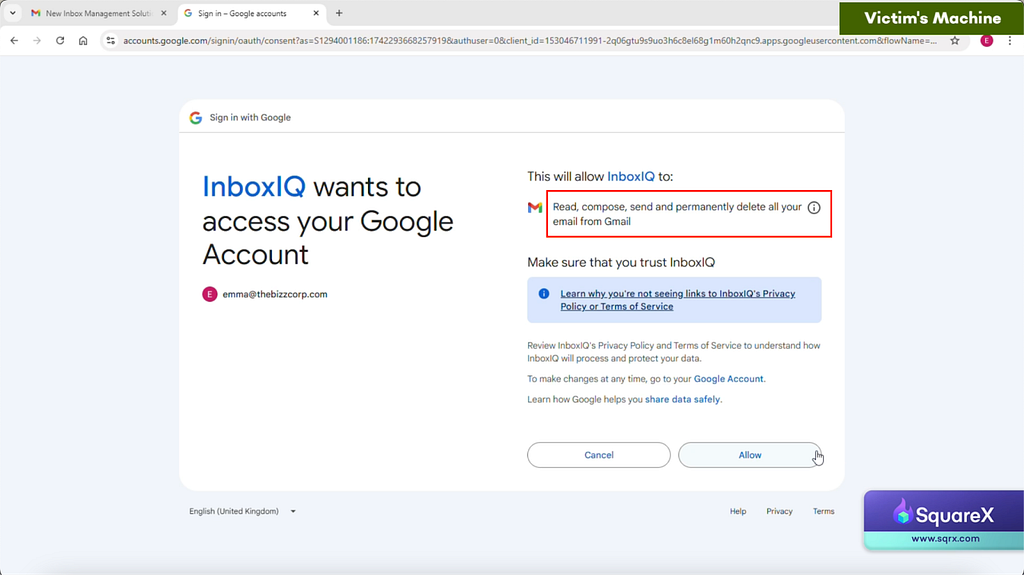
2. The victim clicks on the log in link and gets redirected to Google’s legitimate OAuth page, where the malicious app requests permissions to “read, compose, send and permanently delete all [their] email from Gmail”, which the victim approves.
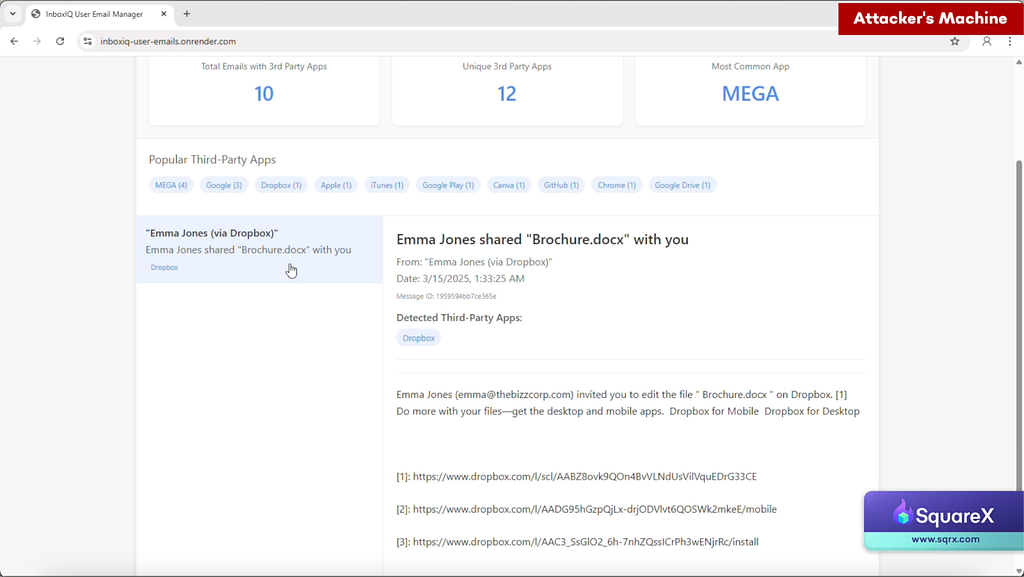
3. The attacker exfiltrates all of the victim’s email to identify all the SaaS apps that the victim is registered with by scraping for welcome, notification and/or billing emails.
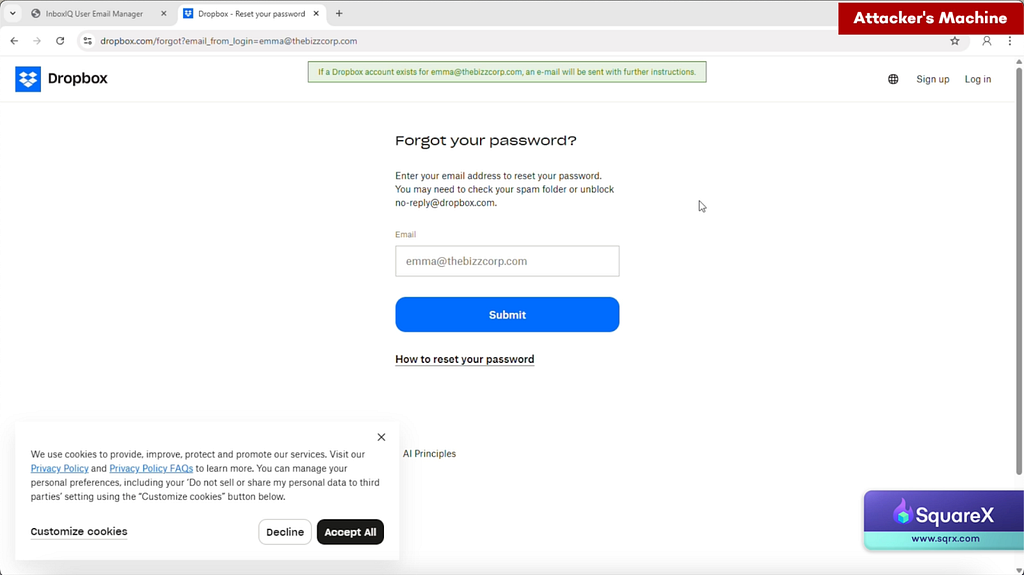
4. For each SaaS app, the attacker resets the password and logs the victim out.
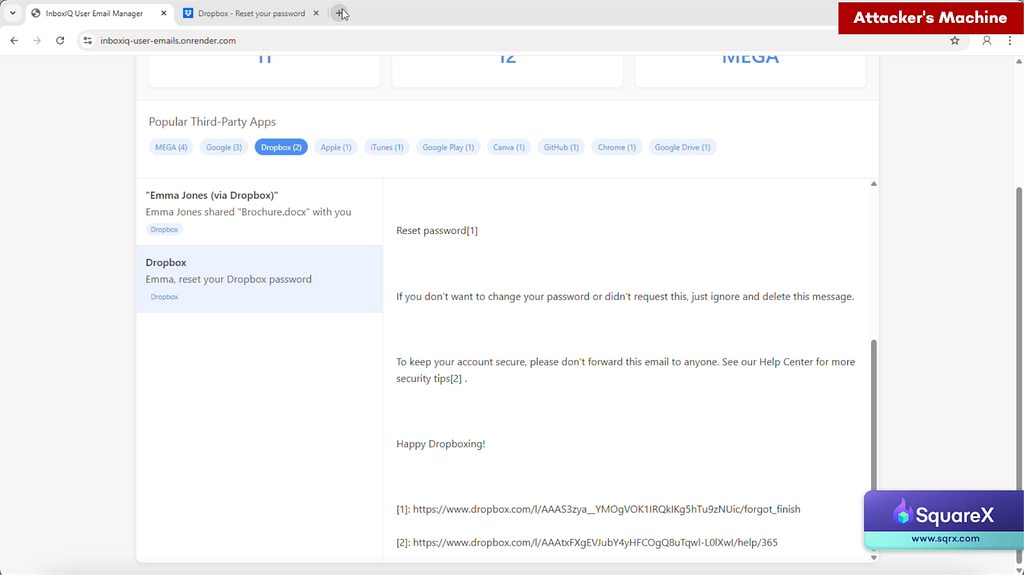
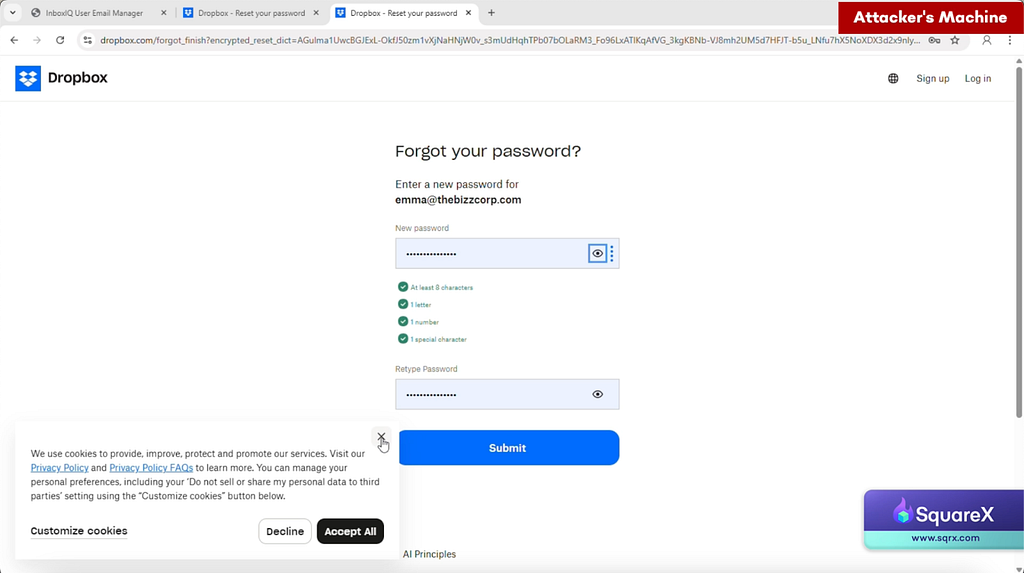
5. Using the new password, the attacker logs onto the victim’s SaaS account, exfiltrating all data stored in each app. Steps 3 & 4 automated with an AI agent.
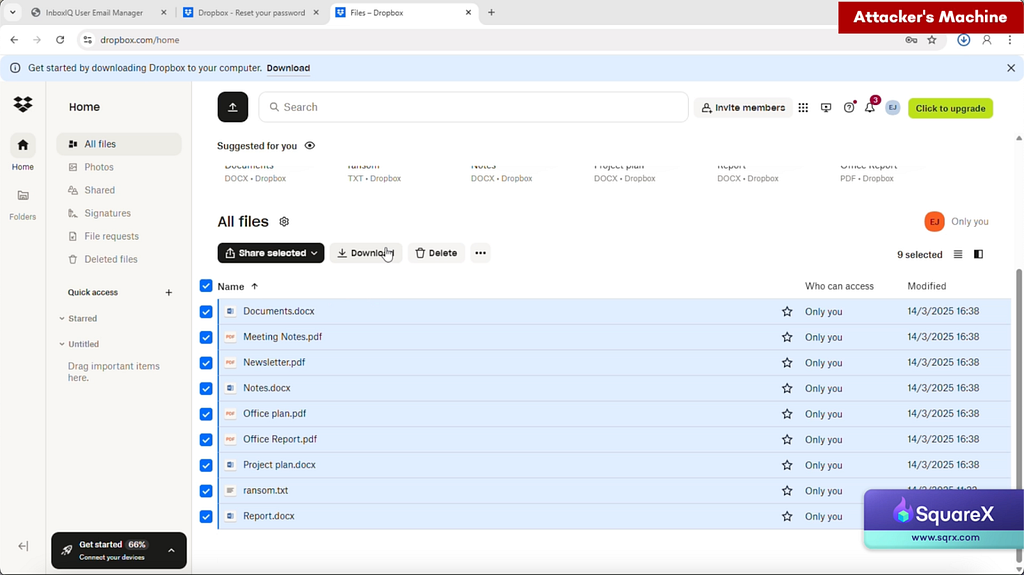
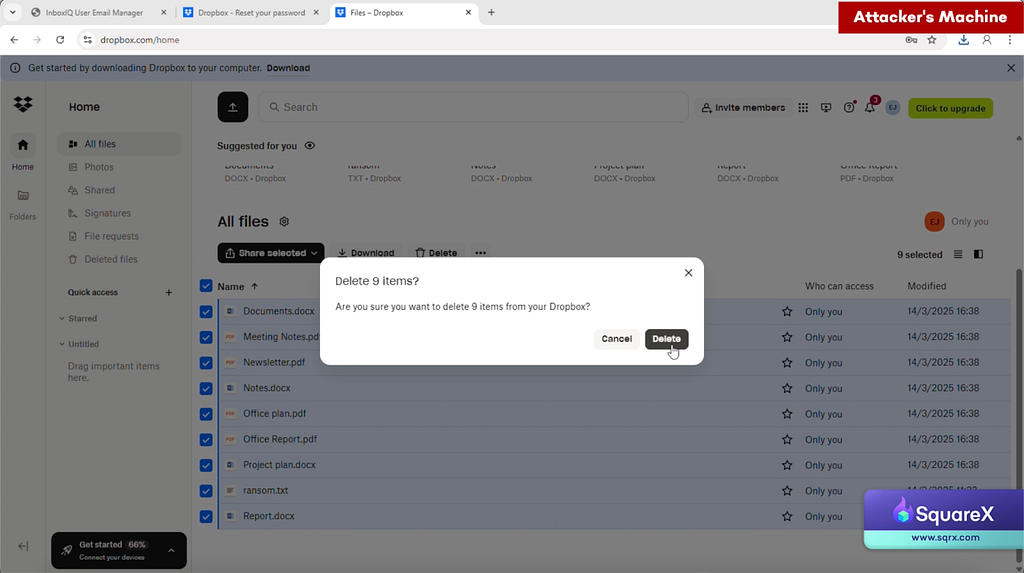
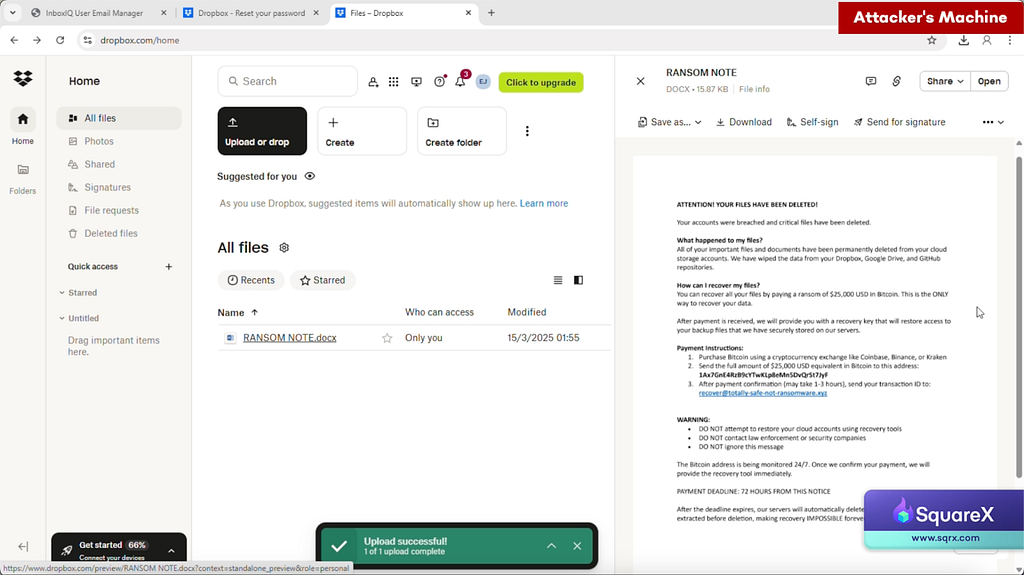
6. The attacker then uploads a ransom note, notifying them of the compromise and demanding a ransom in return for the passwords and not leaking the stolen data.
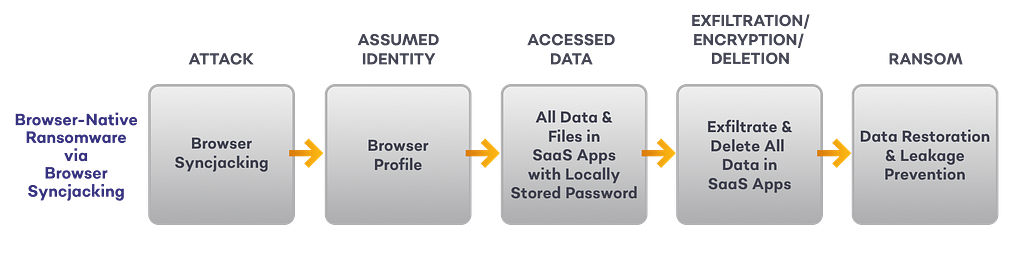
Browser-Native Ransomware via Browser Syncjacking
In January this year, we discovered the Browser Syncjacking attack, where a malicious browser extension can turn the victim’s browser into a managed profile and browser controlled by the attacker. Through Google Workspace’s sync function, all locally stored passwords are then uploaded to the attacker managed profile and can be used to gain unauthorized access and exfiltrate data from SaaS applications.
A full breakdown of Browser Syncjacking can be found here, the sequence below will focus on explaining how the attack can be used in conjunction with browser-native ransomware.
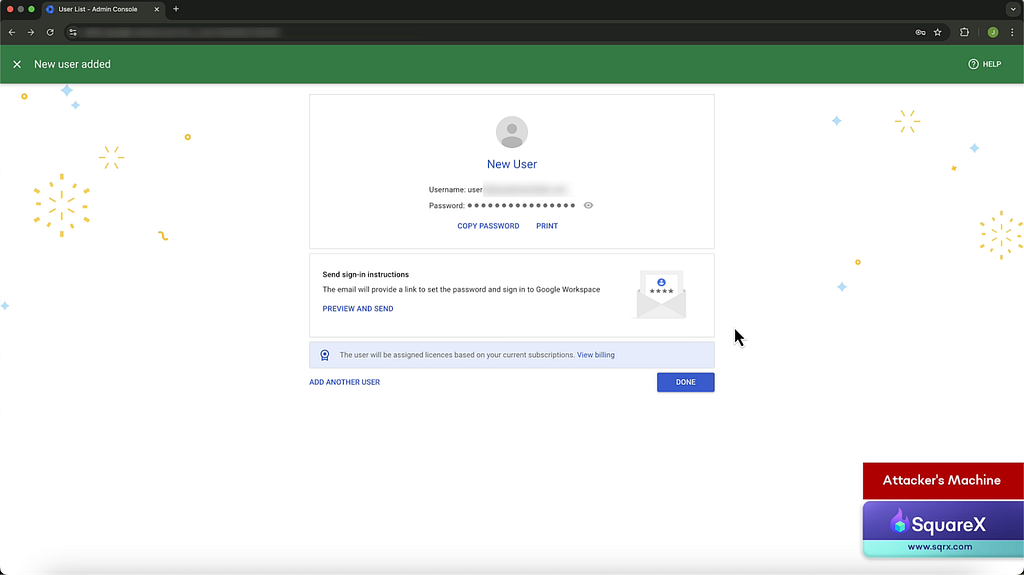
- The attacker creates several managed profiles under the attacker’s Google Workspace.
2. The attacker publishes a malicious extension masquerading as an AI tool. Using various social engineering techniques, the victim installs the extension.
3. The extension fetches the Google Workspace credentials from the attacker’s server, and logs the user into an attacker managed profile. This can be automated with a script while the victim is away.
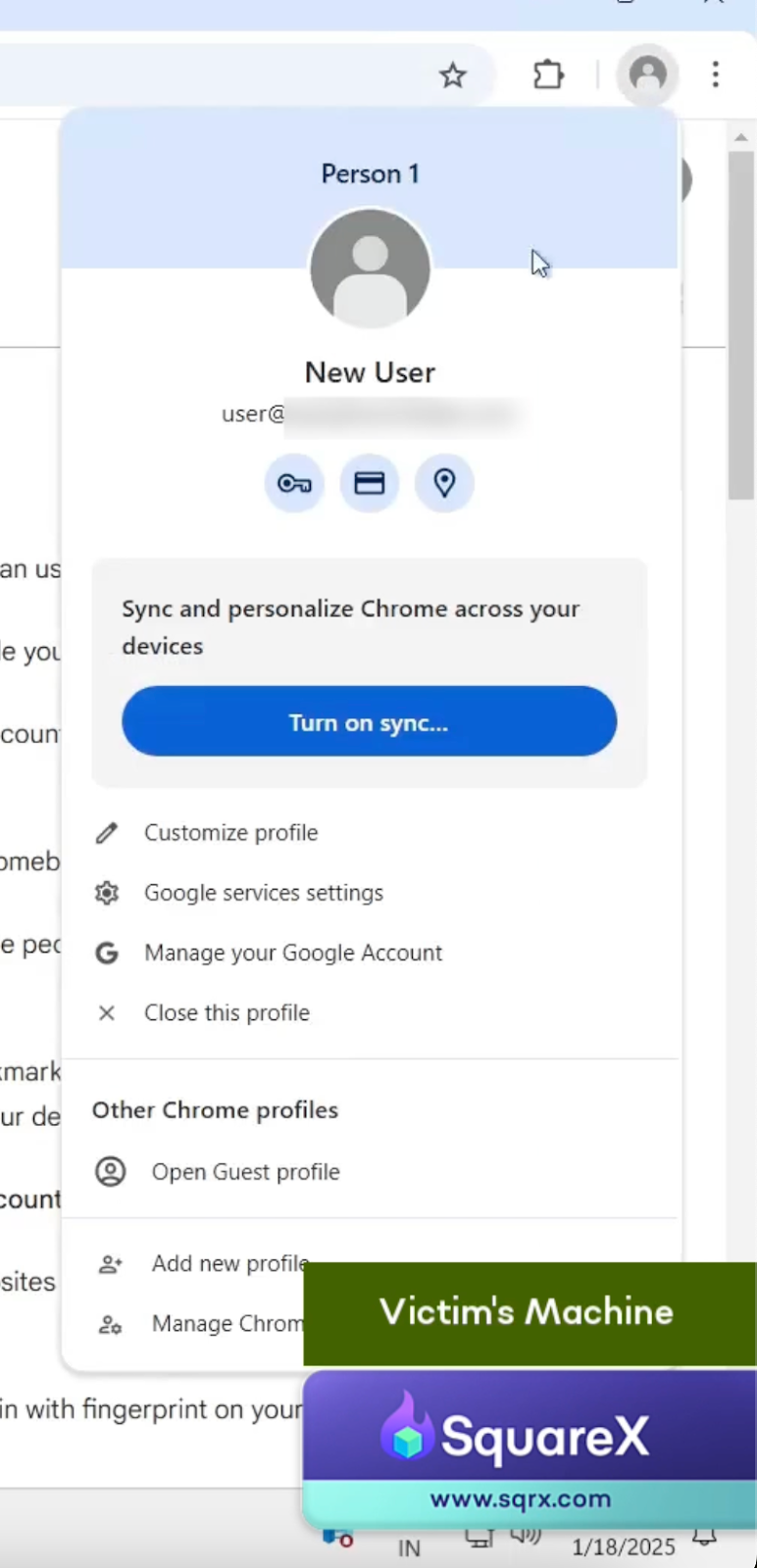
4. The attacker opens up Chrome’s legitimate support page on sync, and modifies the content of the page via the malicious extension to convince the victim to complete the sync.
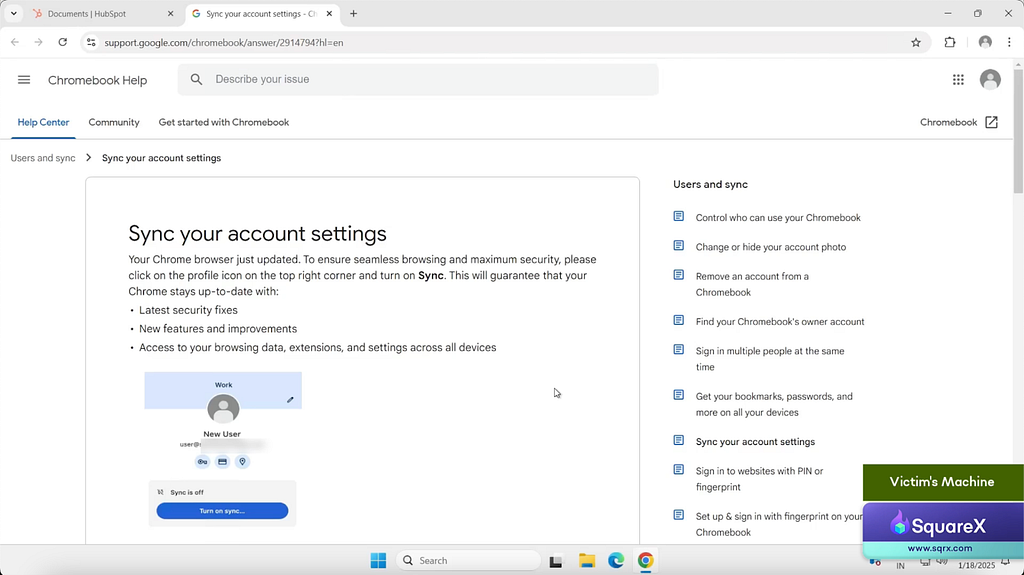
5. Once the profile is synced, all locally stored passwords are uploaded to the managed profile. This allows the attacker to access these credentials when they sign in to the same profile on another device.
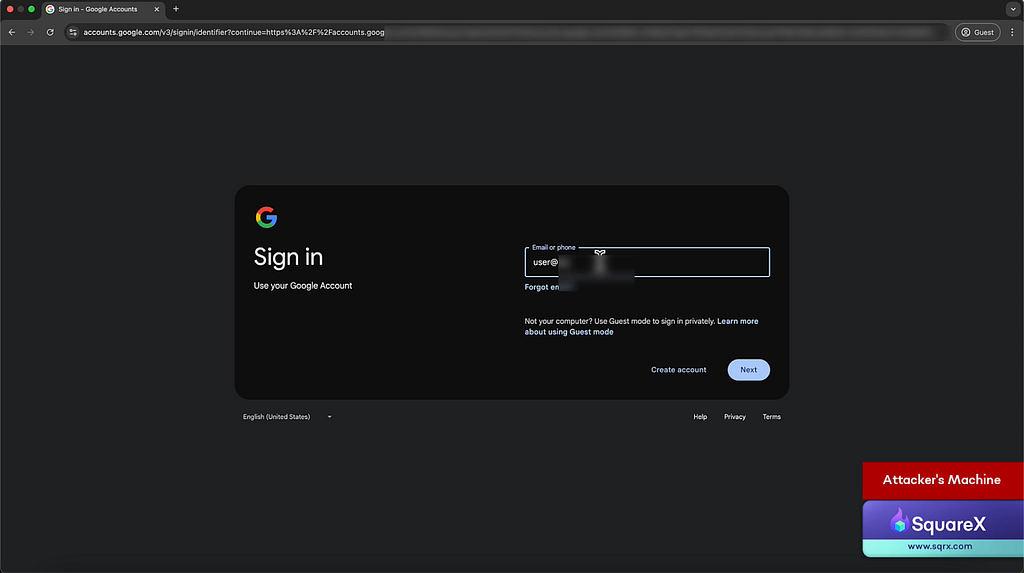
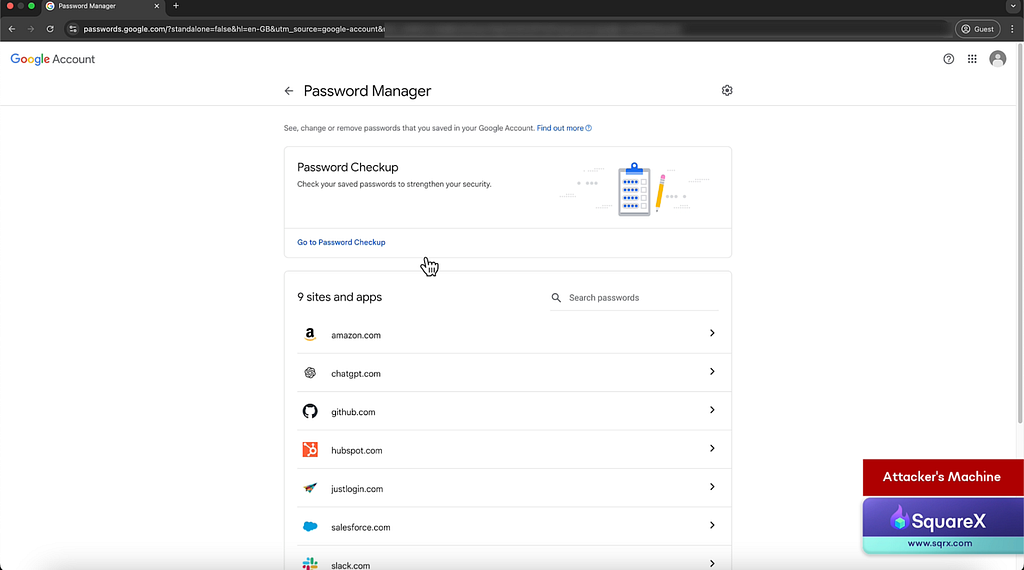
6. Similar to the email browser-native ransomware, the attacker uses these credentials to systematically log into SaaS apps to exfiltrate and delete data.
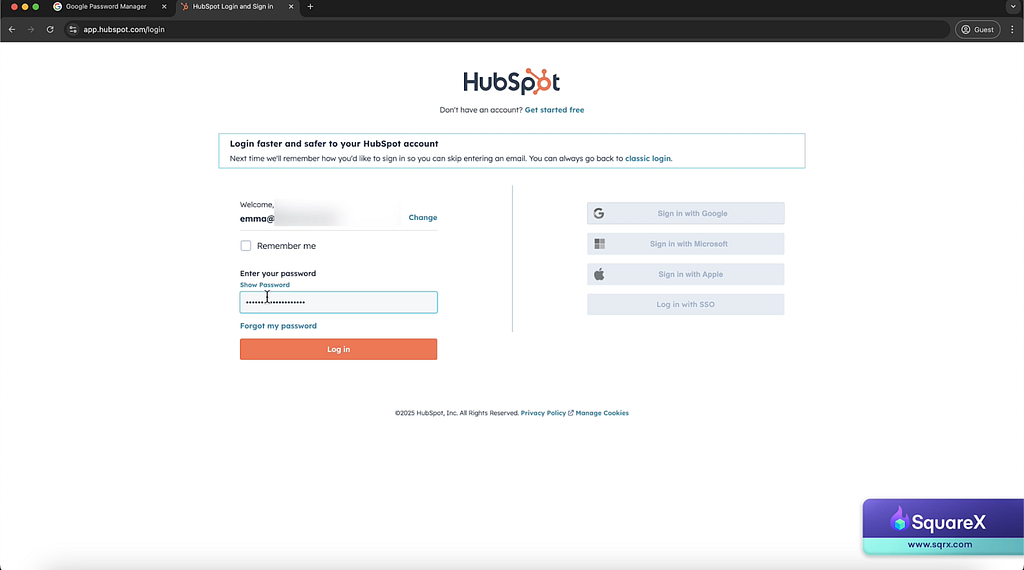
7. The malicious extension injects a HTML pop-up demanding ransom.
Security Challenges in Detecting & Mitigating Browser-Native Ransomware
When compared to traditional ransomware, browser-native ransomware are both especially difficult to detect and have more severe implications due to several reasons:
Brand New Attack Surface
Compared to the endpoint, the browser is still a relatively nascent attack surface. Identity attacks are frequently delivered through newer attack vectors such as browser extension and OAuth authentication systems that remain poorly understood and managed.
Difficulty in Detecting an Ongoing Attack
For traditional ransomware, a malicious file or code will eventually be executed in the device, which is typically managed by the enterprise. In contrast, browser-native ransomware can target the victim’s identity in any SaaS application, including personal accounts or shadow SaaS apps that are not managed by the security team.
Existing Tools have Limited Visibility in the Browser
While EDRs play a critical role in defending against traditional ransomware, they work by inspecting malicious files and processes in the endpoint. Browser-native ransomware solely operates in the browser without involving any file download/native processes, and thus will never trigger any EDR inspection. In fact, for companies that fully operate in the browser, we are making the bold prediction that EDRs will slowly become obsolete.
Similarly, SASE/SSEs work by inspecting the proxy layer to infer application layer attacks. Just like EDRs, it has poor visibility into the browser, making it impossible to detect sophisticated identity attacks that initiate browser-native ransomwares.
Lack of Browser-native Security Tools
Given the nascency of the space, most enterprises do not have the right browser-native tools to detect and mitigate browser-native ransomware. There is also no threat feed and limited attack documentation that security teams can rely on.
Lateral Movement via Shared Resources
One key benefit of using cloud services is the ability to collaborate and share resources with other individuals. For instance, an employee will have access to not only their own files, but any file on the company’s share drive to which they have access to. This makes lateral movement facile for browser-native ransomware. Where the impact of traditional ransomware is typically limited to the victim’s device, for browser-native ransomware, all it takes is one employee’s slip up to compromise the entire organization’s shared resources.
The Solution: Browser Detection and Response
Given that browser-native ransomware fully operates within the browser, only a browser-native security solution can defend against the attack.
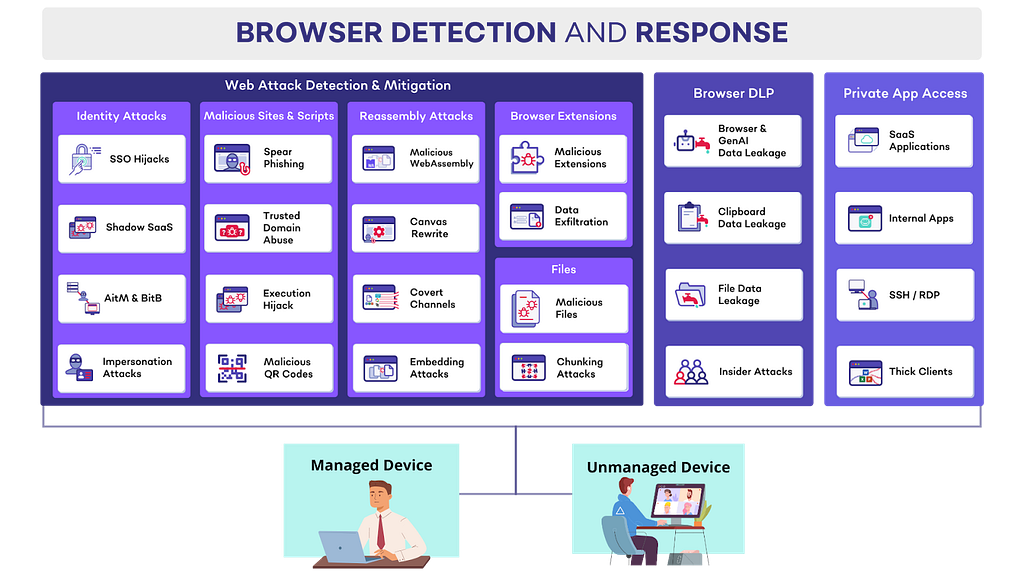
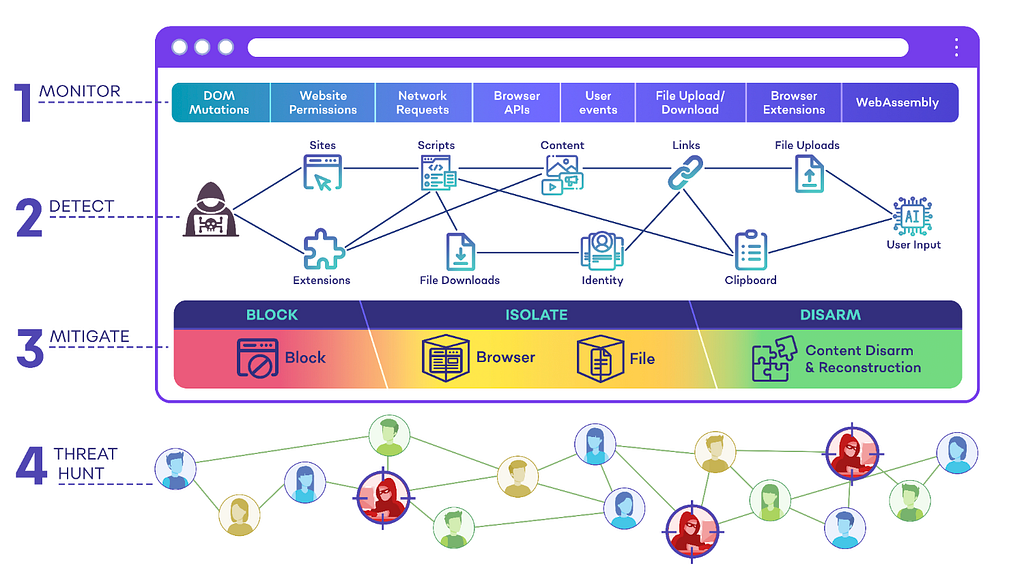
SquareX’s industry-first Browser Detection and Response (BDR) solution detects, mitigates and threat-hunt client-side web attacks targeting employees in real time. The solution comes in the form of a lightweight browser extension that can be deployed to existing browsers via a simple group policy.
There are three key components to the BDR:
- Web Threat Detection & Mitigation including identity attacks, malicious sites & scripts, malicious browser extensions and malicious files
- Browser DLP including genAI DLP, clipboard DLP, file DLP and insider attacks
- Private App Access to provide secure access to web applications and private apps via the browser, including for BYOD/unmanaged devices
SquareX’s BDR can detect and mitigate identity attacks, the initial access point for browser-native ransomware, including malicious extensions, shadow SaaS, OAuth scope management and advanced spearphishing attacks. For more information about SquareX’s BDR, contact us at [email protected].
The Evolution of Ransomware: Browser-Native Ransomware was originally published in SquareX Labs on Medium, where people are continuing the conversation by highlighting and responding to this story.
*** This is a Security Bloggers Network syndicated blog from SquareX Labs - Medium authored by SquareX. Read the original post at: https://labs.sqrx.com/browser-native-ransomware-222164765532?source=rss----f5a55541436d---4
