

“May I please access your data?” Browser Extension Seeks Risky Permissions!

Manage the browser extensions used by your employees by restricting the permissions they can seek

Browser extensions have significantly evolved since their introduction in 1999. Ranging from dark mode readers, to password managers and sophisticated cybersecurity tools like SquareX, extensions provide great value to users in making daily browsing customised to their liking. To do so, most of these extensions interact with websites that users visit in one way or another. To function, extensions need to declare the permissions that they require.
Permissions for browser extensions are declared in the ‘manifest.json’ file, which is a configuration file that provides important information about the extension. This file includes various fields that define the extension’s permissions, behavior, and other metadata.
Permissions are listed in the ‘permissions’ field as an array of strings. Each string represents a specific permission the extension is requesting. Here’s an example with some common permissions:
{
 "manifest_version": 2,
 "name": "Example Extension",
 "version": "1.0",
 "description": "An example extension.",
 "permissions": [
 "activeTab",
 "storage",
 "tabs",
 "https://*.example.com/*"
 ]
}
{
  "manifest_version": 3,
  "name": "Example Extension",
  "version": "1.0",
  "description": "An example extension for MV3.",
  "permissions": [
    "activeTab",
    "storage",
    "scripting"
  ],
  "host_permissions": [
    "https://*.example.com/*"
  ],
  "background": {
    "service_worker": "background.js"
  }
}
Previously, manifest_version 2 was widely used, but manifest_version 3 is now being adopted, which has introduced changes in how permissions and other features are handled. In manifest_version 3, host permissions are separated from other permissions to give users more control and visibility over the domains an extension can access.
Common Permissions
1. activeTab: Grants temporary access to the currently active tab when the extension’s action (e.g., a button click) is invoked.
2. storage: Allows the extension to use the chrome.storage API for storing data.
3. tabs: Enables the extension to interact with the browser’s tab system, such as querying and modifying tabs.
4. Host Permissions: Specify URLs the extension can access. For example, https://*.example.com/* grants access to all subdomains of example.com over HTTPS.
Google has categorised the list of permissions based on how intrusive they are into highest, high, medium and low risk.
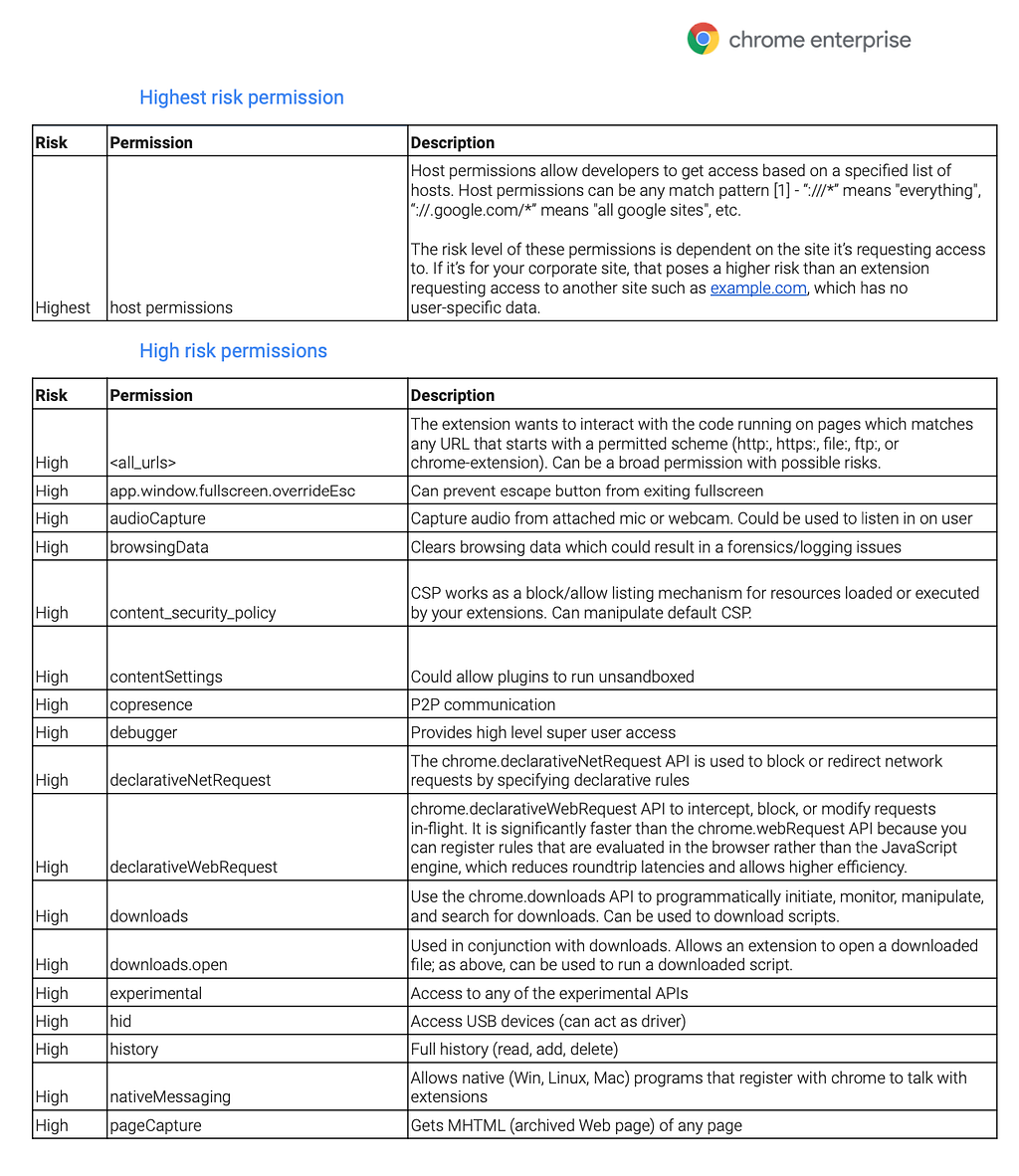
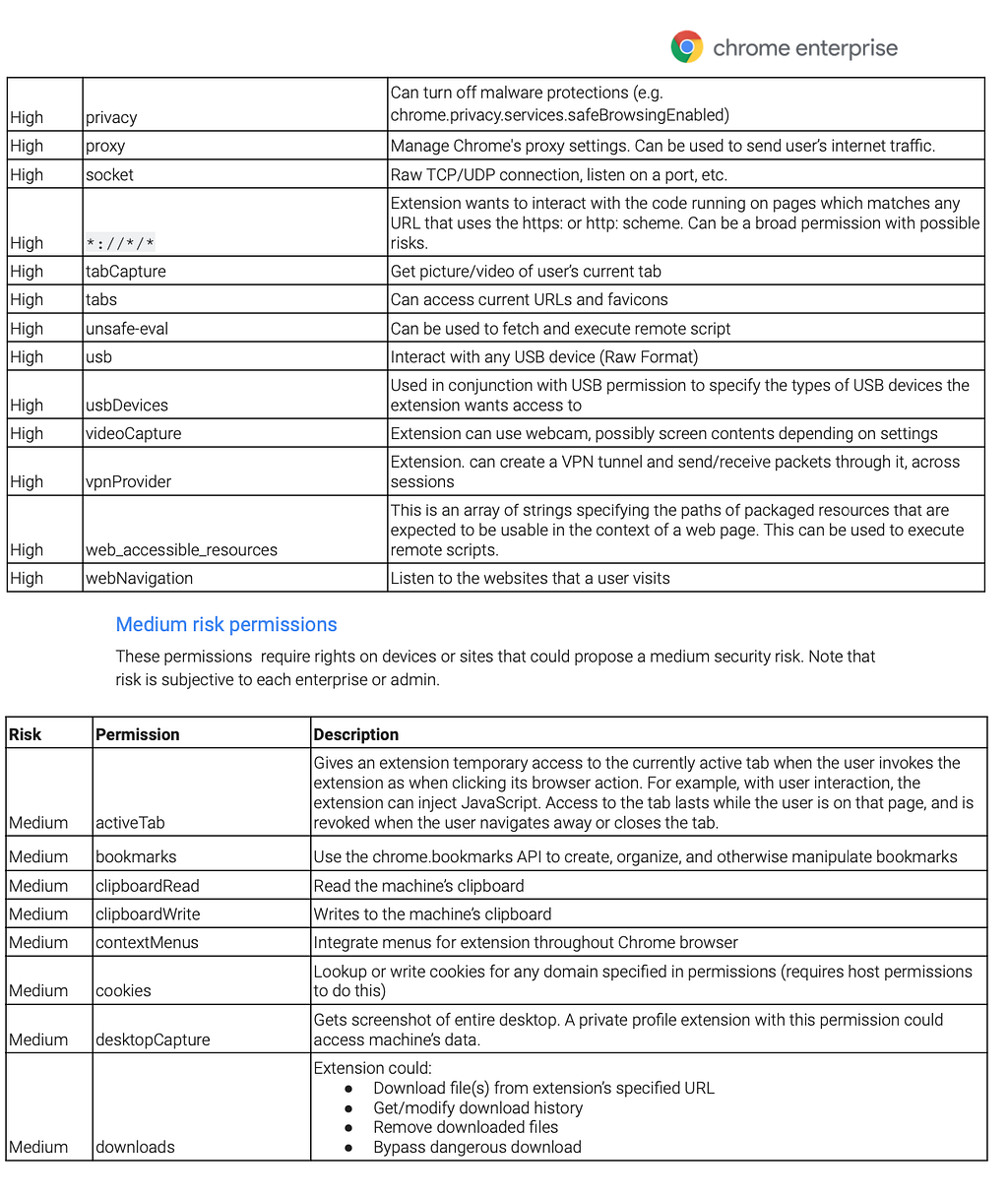
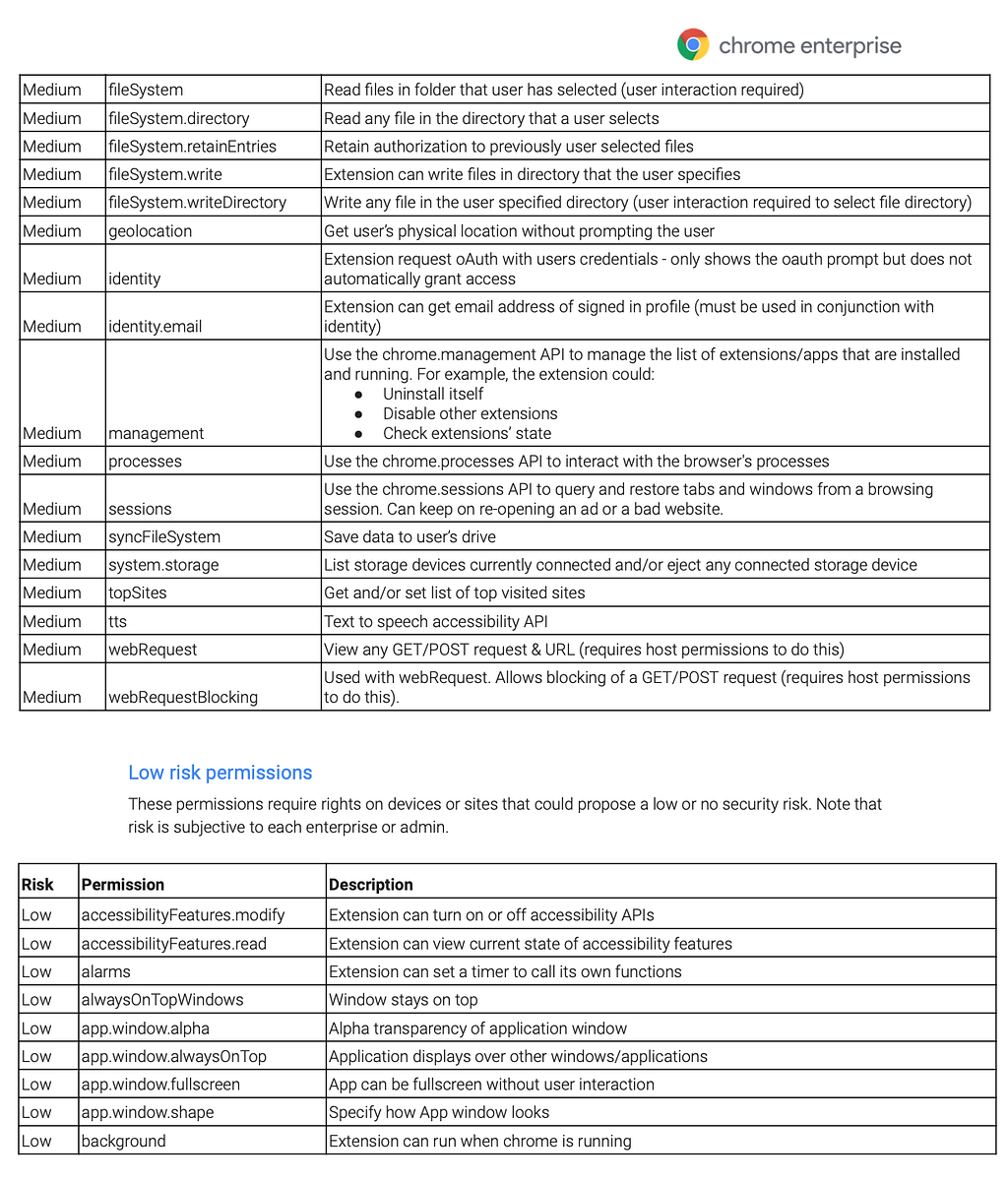
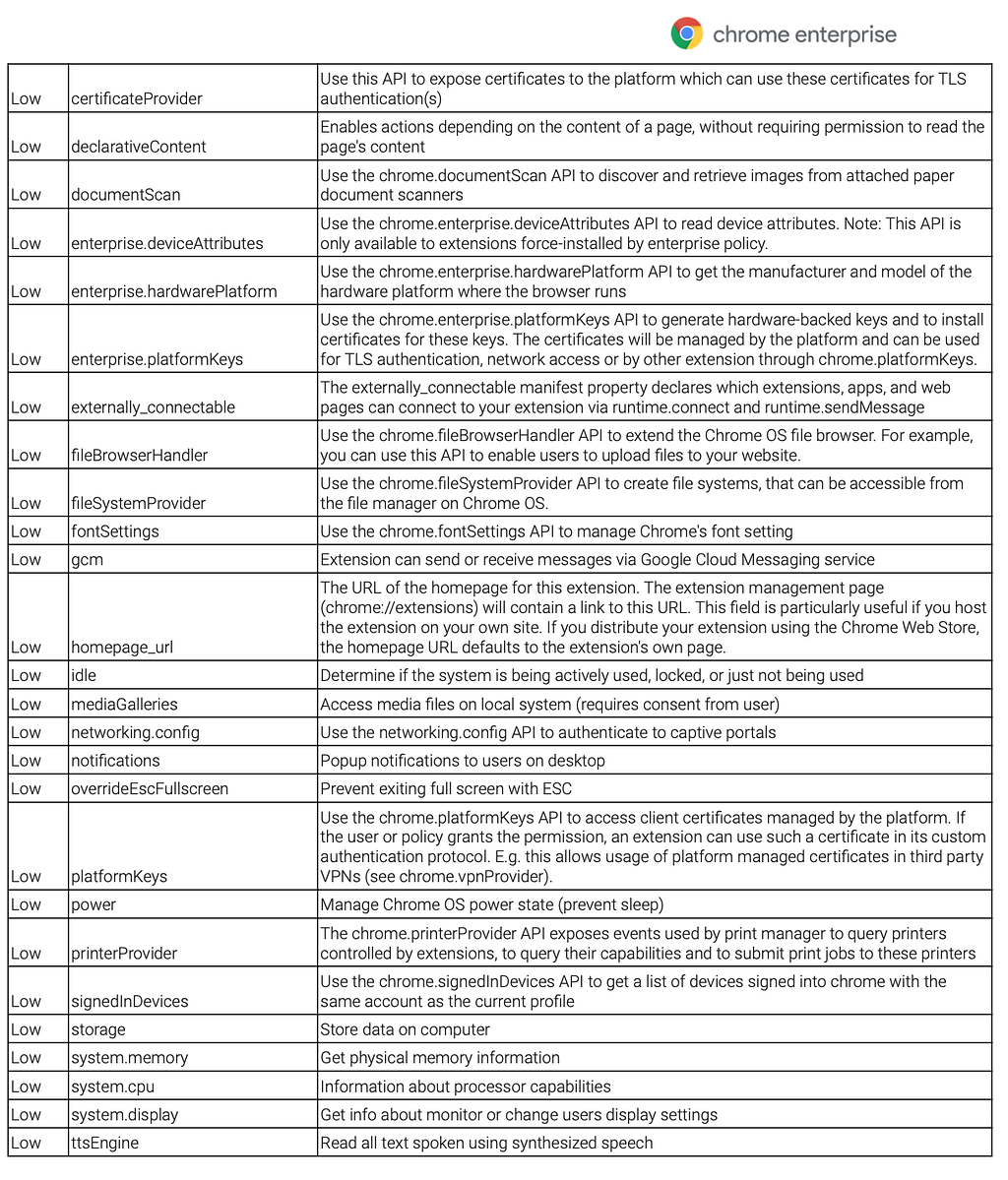
In the recent years, researchers have highlighted the abuse of extension permissions among some popular services like ‘Autoskip for youtube’. These include cases where an extension requires permissions on top of what is necessary — there is no good reason for an Adblocker to require cookie or clipboard permissions.
- 280 Million Google Chrome Users Installed Dangerous Extensions, Study Says
- Malicious extensions in the Chrome Web Store
With SquareX, security admins can easily manage the browser extensions used by their entire enterprise. One way is to block extensions based on the permissions they require.
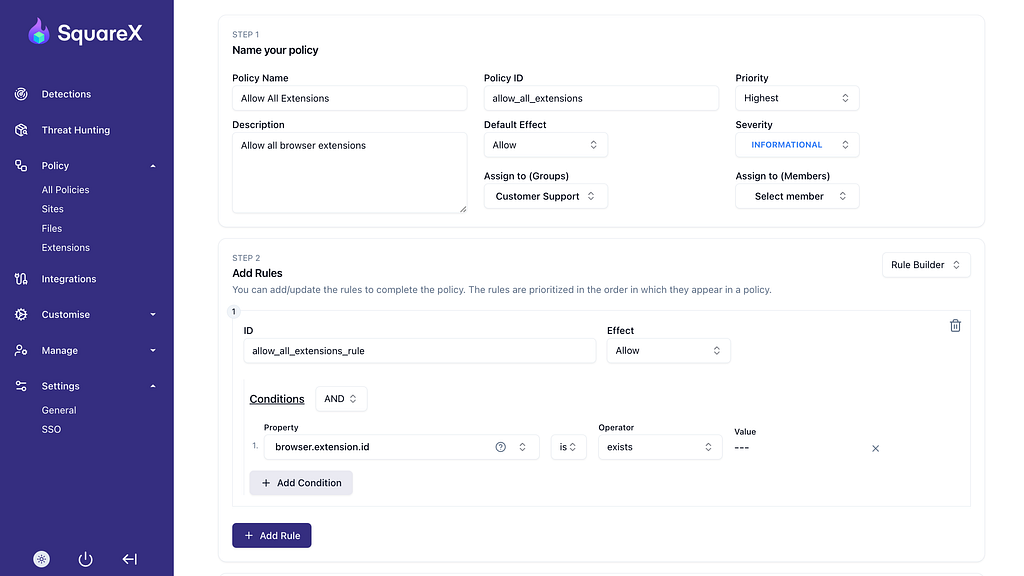
First, admins can create an informational event to track the extensions used by the employees. Prompt the AI policy generator with “Allow all browser extensions” to create an informational event.
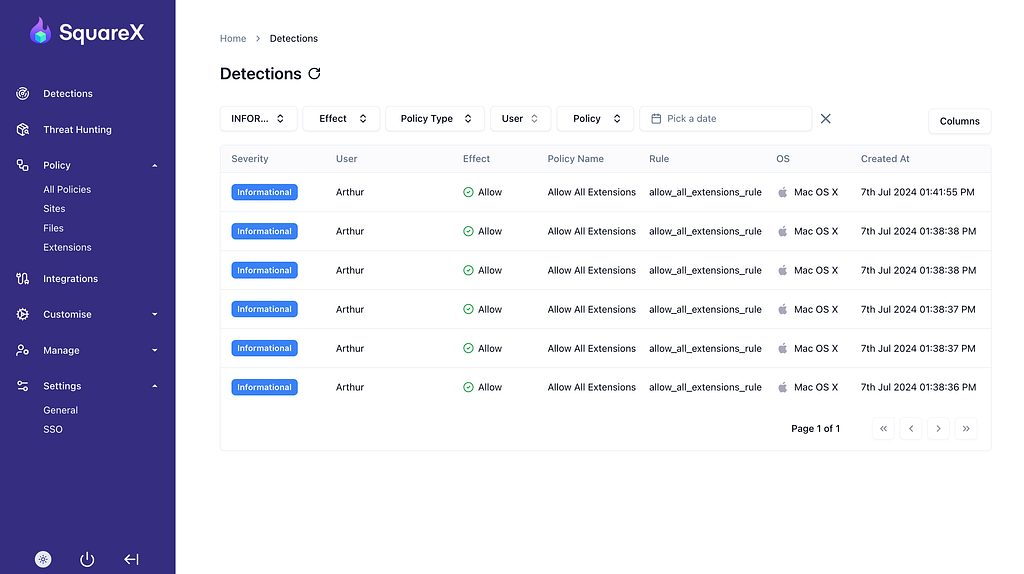
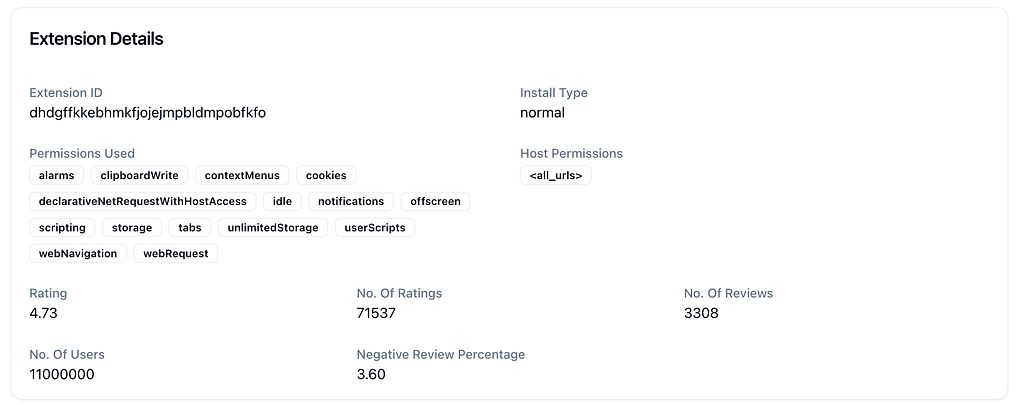
On the details panel, information about the extension is provided. This data can be aggregated on the enterprise dashboard later for more convenient analysis.
Admins can also create policies to block high and highest risk extensions. Asking the AI to do exactly that will generate this policy:
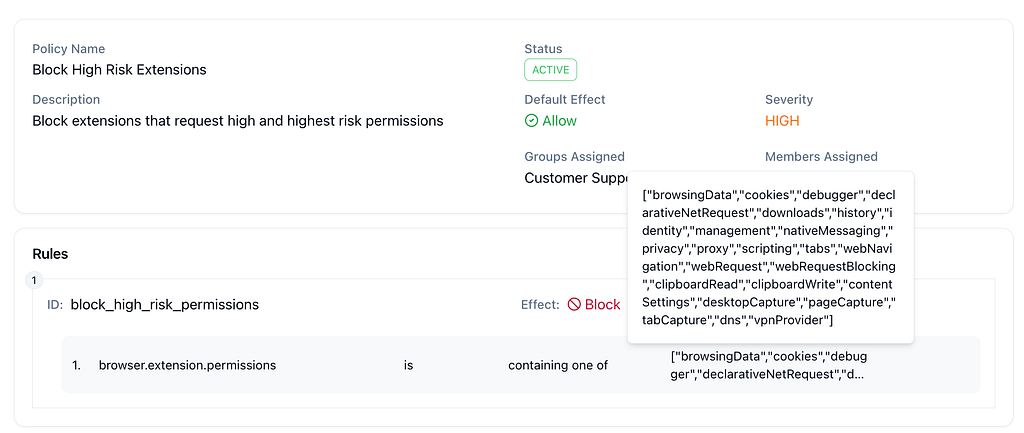
Once the policy is activated, SquareX will automatically block out any high risk extension on the employee’s browser. Employees will not be able to activate the extension.
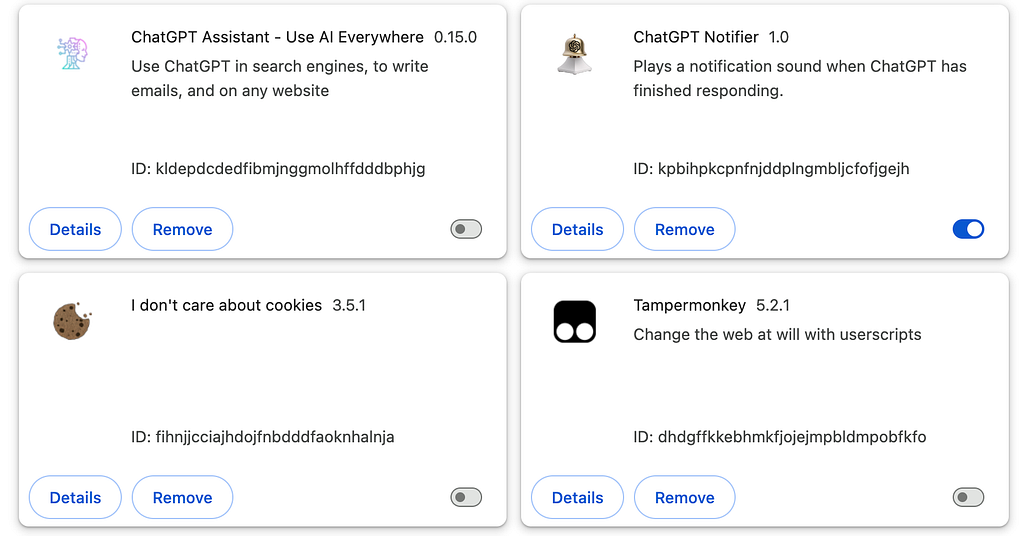
Admins can filter the extensions out by fine grain properties such as extension id, reviews, ratings, user count, install date, install type, version and so on.
If this level of control is something that excites you, reach out to us at https://sqrx.com/enterprise or drop us an email at [email protected].

“May I please access your data?” Browser Extension Seeks Risky Permissions! was originally published in SquareX Labs on Medium, where people are continuing the conversation by highlighting and responding to this story.
*** This is a Security Bloggers Network syndicated blog from SquareX Labs - Medium authored by Engineering @ SquareX. Read the original post at: https://labs.sqrx.com/may-i-please-access-your-cookies-browser-extension-seeks-risky-permissions-18726029abe4?source=rss----f5a55541436d---4
