

Building an Effective Access Control Policy: A Step-by-Step Guide

Key Takeaways
- An access control policy explains who can access company resources and how that access is granted.
- Strong policies connect access to job roles and business needs.
- Access decisions should also reflect risk level and data sensitivity.
- Modern access control should include cloud systems and third-party users.
- Access reviews should be built into the policy from the start.
- The best policies are easy to use. They make ownership, approvals, exceptions, monitoring, and evidence clear.
Access control has become one of the most important operating layers in modern security and compliance programs. As organizations’ digital presence expands, the question of “who can access what” now touches almost every part of risk management.
A strong access control policy gives teams a clear way to manage that question.
Access control is no longer an IT-only issue. It connects directly to audit readiness, privacy, vendor risk, cyber resilience, and governance. NIST SP 800-53 treats access control as part of a broader catalog of security and privacy controls used to manage organizational risk, while NIST’s zero trust guidance emphasizes moving away from static network assumptions and toward access decisions based on users, assets, resources, and context.
This guide walks through how to build an access control policy that is clear enough to use, mature enough to support compliance, and flexible enough to keep pace with changing business needs.
What Is an Access Control Policy?
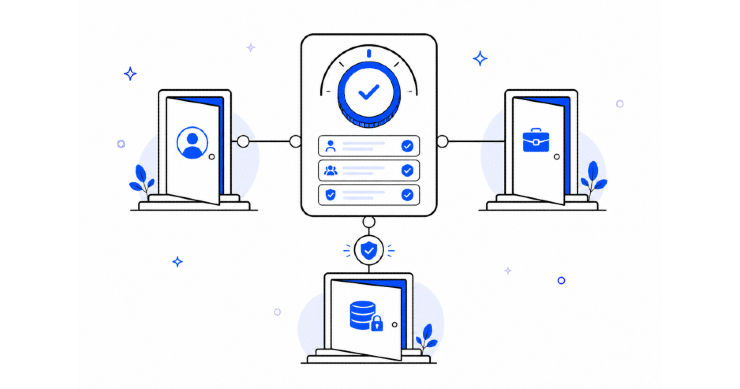
An access control policy is a formal document that explains how an organization manages access to systems, data, applications, infrastructure, and physical or digital resources.
An access control policy and procedures should answer these five questions:
- Who is allowed to access company resources?
- What resources can they access?
- Why do they need that access?
- Who approves and reviews that access?
- How is access removed when it is no longer needed?
Guide to Building an Effective Access Control Policy
Step 1: Define the Scope of the Policy
The first step is to decide what the policy covers. This sounds basic, but it is where many access control policies become too vague.
A stronger policy should clearly cover:
| Access Area | What to Include |
| Business Applications | CRM, ERP, HRIS, finance systems, collaboration tools, and ticketing systems |
| Cloud Environments | IaaS, PaaS, SaaS platforms, storage buckets, cloud consoles, and development environments |
| Data Repositories | Databases, file storage, data warehouses, sensitive records, and shared drives |
| Privileged Access | Admin accounts, root access, security tools, domain administrators, and emergency access |
| Third-Party Access | Vendors, contractors, consultants, service providers, and outsourced teams |
| Non-Human Access | Service accounts, API keys, bots, integrations, and automation accounts |
| Physical Access | Offices, server rooms, data centers, badge systems, and restricted areas |
Step 2: Classify Resources by Sensitivity and Risk
Access control works best when it is tied to the value and sensitivity of the resource. The policy should explain how the organization classifies resources and how classification affects access decisions.
A simple model might include:
| Classification | Example | Access Expectation |
| Public | Approved website content or public reports | Open access after publication approval |
| Internal | Internal procedures, team documentation, standard business files | Available to employees based on role |
| Confidential | Customer data, employee records, vendor contracts, and financial data | Restricted by business need and approval |
| Restricted | Security tools, privileged systems, regulated data, sensitive intellectual property | Limited access, stronger approval, monitoring, and review |
Step 3: Establish Access Principles
The policy should clearly state the principles that guide access decisions.
These principles help keep the policy stable even as tools and teams change. They also show auditors and stakeholders that access control is based on a consistent governance model.
Common access principles include:
Least Privilege
Users should receive only the access they need to perform their responsibilities.
Need to Know
Access to sensitive information should be based on a legitimate business need.
Separation of Duties
No single person should have conflicting permissions that allow them to initiate, approve, and complete sensitive transactions without oversight.
Role-Based Access Control Policy
Access should be assigned through defined roles where possible, rather than through one-off individual permissions.
Time-Bound Access
Temporary access should expire automatically or be reviewed at a defined date.
Accountability
Access decisions should have clear owners, approvers, and evidence.
Step 4: Define Roles and Ownership
The policy should define responsibilities for each group involved.
| Role | Responsibility |
| Business Owner | Approves access based on business need |
| System Owner | Ensures access aligns with system requirements and risk level |
| IT or Security Team | Implements access, maintains technical controls, and monitors activity |
| HR or People Team | Triggers access changes during hiring, role changes, and termination |
| Compliance or GRC Team | Tracks policy alignment, evidence, access reviews, and audit readiness |
| User Manager | Validates that access matches the user’s current responsibilities |
| Vendor Owner | Oversees third-party access and confirms access remains appropriate |
Step 5: Standardize the Access Request Process
The policy should explain how access is requested in a consistent process.
Each request should include:
- User name and identity type
- Role or job function
- System or resource requested
- Access level requested
- Business justification
- Resource classification
- Duration of access
- Required approver
- Any special risk considerations
Step 6: Build Approval Rules That Match Risk
Access approvals should be risk-based.
Low-risk access may only require manager approval. Higher-risk access may require system owner approval, security approval, or compliance review.
Step 7: Address Privileged Access Separately
Privileged access deserves its own section.
Administrative accounts can change configurations, access sensitive data, disable controls, create users, alter logs, or move across systems. That makes privileged access one of the highest-risk areas in access governance.
The policy should define:
- Which accounts are considered privileged
- How privileged access is approved
- Whether privileged access must be time-bound
- Whether multi-factor authentication is required
- How privileged sessions are monitored
- How emergency access is handled
- How privileged accounts are reviewed
- How shared admin accounts are restricted or eliminated
Step 8: Include Third-Party and Vendor Access
Third-party access should never be treated as an afterthought.
Vendors, contractors, consultants, managed service providers, and outsourced teams may need access to systems or data. In some cases, they may have deep technical access. In others, they may process sensitive customer or employee information.
The data access control policy should connect directly to the organization’s vendor risk management process.
Step 9: Define Authentication Requirements
Access control is incomplete without authentication requirements.
The policy should explain how users prove their identity before accessing systems. This may include passwords, multi-factor authentication, single sign-on, device checks, certificates, biometrics, or other controls.
Modern access control is increasingly tied to identity, device posture, location, behavior, and session context. That does not mean every organization needs the most advanced model immediately. It does mean the policy should leave room for stronger authentication as the environment matures.
Step 10: Set Rules for Joiners, Movers, and Leavers
Access control should follow the employee lifecycle. This is often referred to as the joiner-mover-leaver process.
When someone joins the organization, they need the right access to start working. When they change roles, access should change with them. When they leave, access should be removed quickly.
Step 11: Require Periodic Access Reviews
An access control policy should define how access reviews happen.
The policy should specify:
- Review frequency
- Systems included
- Review owners
- Evidence requirements
- Remediation timelines
- Escalation rules
- How exceptions are documented
Step 12: Define Logging and Monitoring Expectations
The policy should explain which access events are logged and monitored.
Important events can include:
- Failed login attempts
- Privileged account use
- Access to restricted data
- Changes to permissions
- New account creation
- Dormant account activity
- Vendor access activity
- Access from unusual locations or devices
- Emergency access use
Step 13: Create a Clear Exception Process
Every good data access control policy needs to make exceptions to the rules. The policy should explain how exceptions are requested, reviewed, approved, documented, and revisited.
Step 14: Map the Policy to Frameworks and Regulations
Access control policies often support multiple compliance obligations.
SOC 2, ISO 27001, NIST, HIPAA, GDPR, PCI DSS, and other frameworks all include some expectation around access control, identity management, least privilege, accountability, or protection of sensitive data.
ISO/IEC 27001 is a widely used information security management standard that defines requirements for establishing, maintaining, and improving an ISMS. Access control is one of the areas organizations commonly need to address as part of their information security control environment.
Pro Tip: Keep the Policy Usable
The best access control policy is one that people can actually follow.
A policy that is too vague will not guide decisions. A policy that is too detailed may become difficult to maintain. The goal is to create a document that gives enough direction without turning every request into a legal interpretation exercise.
Access Control Policy Template Structure
Here is a practical structure organizations can use when building or updating an access control policy.
| Policy Section | What It Should Cover |
| Purpose | Why the policy exists and what it is meant to protect |
| Scope | Users, systems, data, vendors, locations, and entities covered |
| Definitions | Key terms such as privileged access, least privilege, confidential data, and third-party access |
| Access Principles | Least privilege, need to know, separation of duties, accountability, and review |
| Roles and Responsibilities | Business owners, system owners, IT, security, HR, compliance, and vendor owners |
| Access Request Process | How access is requested, justified, approved, and documented |
| Approval Requirements | Approval paths by access type and risk level |
| Authentication Requirements | MFA, SSO, password rules, device requirements, and remote access control policy expectations |
| Privileged Access | Admin rights, emergency access, monitoring, and review |
| Third-Party Access | Vendor access, contractor access, expiration, and offboarding |
| Access Reviews | Review frequency, owners, evidence, and remediation timelines |
| Logging and Monitoring | Events logged, retention, monitoring, and escalation |
| Exceptions | How exceptions are requested, approved, tracked, and retired |
| Enforcement | Consequences for policy violations |
| Review Cycle | How often is the policy reviewed and updated |
FAQs
How Often Should an Access Control Policy Be Reviewed?
Most organizations should review the policy at least annually. It should also be reviewed after major system changes, new regulatory requirements, significant incidents, mergers, acquisitions, or changes to the organization’s identity and access management model.
What Is the Difference Between an Access Control Policy and an IAM Policy?
An access control policy defines the organization’s governance rules for access. An IAM policy may be more technical and tool-specific. For example, IAM policies may define permissions inside a cloud platform, while the access control policy explains how those permissions should be requested, approved, reviewed, and removed.
Who Should Own the Access Control Policy?
Ownership often sits with the security or compliance function, but the policy should be developed with input from IT, HR, legal, privacy, business owners, and system owners. Access control affects many teams, so policy ownership and operational responsibility should be clearly separated.
Should Vendors Be Included in the Access Control Policy?
Yes. Vendors and contractors often access sensitive systems, data, or infrastructure. The policy should define how third-party access is approved, limited, monitored, reviewed, and removed when the relationship ends.
What Evidence Should Be Kept for Access Control Audits?
Useful evidence may include approved access requests, access review results, user access listings, privileged access logs, offboarding records, exception approvals, MFA configuration, policy acknowledgments, and remediation records.
How Does Access Control Support Zero Trust?
Access control supports zero trust by helping the organization define identity-based, resource-aware, and risk-based access decisions. Zero trust depends on knowing who is requesting access, what resource is being accessed, whether the request is appropriate, and how access is enforced and monitored.
The post Building an Effective Access Control Policy: A Step-by-Step Guide appeared first on Centraleyes.
*** This is a Security Bloggers Network syndicated blog from Centraleyes authored by Rebecca Kappel. Read the original post at: https://www.centraleyes.com/building-an-effective-access-control-policy/
