

Browser Syncjacking: How Any Browser Extension can Be Used to Takeover Your Device

SquareX’s Research Team Discovers a Vulnerability that Puts Millions of Users At Risk

The recent wave of OAuth attacks on Chrome extension developers have spotlighted browser extensions as a critical threat to enterprise security. However, most of these attacks have primarily been around data exfiltration or unauthorized access to specific web applications. It was thought to be impossible to gain full control of the browser, much less the device, through a browser extension due to the way the extension subsystems were designed.
Following our DEFCON 32 presentation on MV3 extension vulnerabilities, we have been trying to challenge this conventional wisdom to see if a full browser and device takeover is possible with browser extensions. Our breakthrough came earlier this year when we successfully demonstrated not only was it possible, but that it only requires basic read/write capabilities present in most extensions, putting every extension user at risk to the browser syncjacking attack.
This article will examine in detail the mechanics of the browser syncjacking attack across three stages: profile, browser and device hijacking.
Profile Hijacking
The main goal of the first phase is to log a victim into a Chrome profile managed by the attacker. The exploit unfolds through the following sequence:
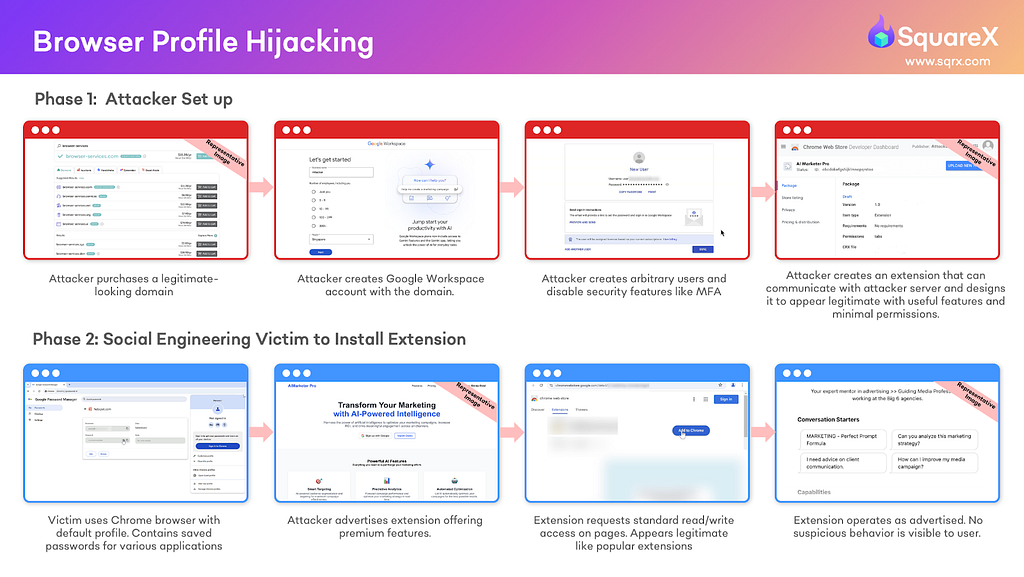
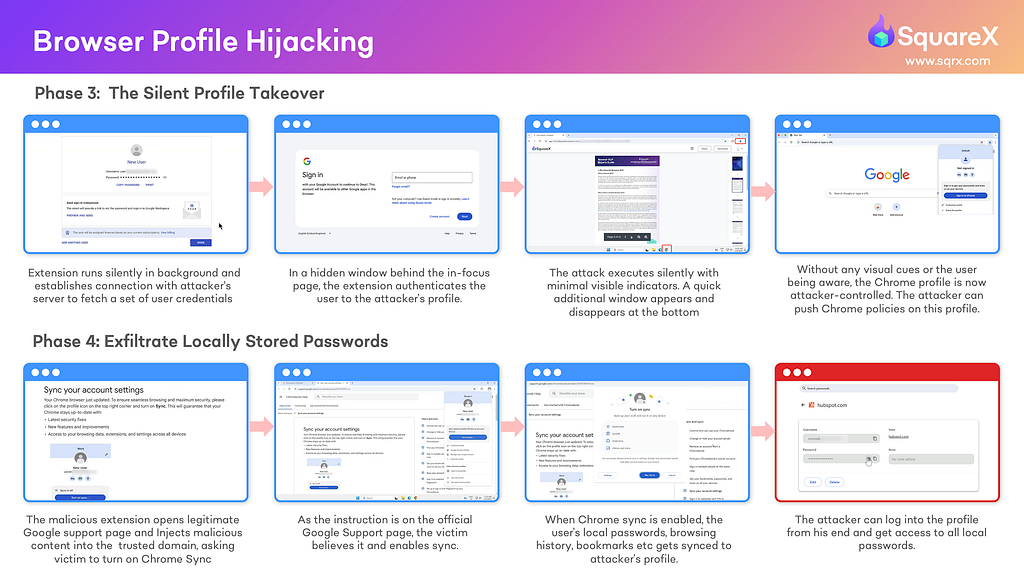
Phase 1: Attacker Prep
- The attacker creates a domain and registers a Google Workspace account to the domain.
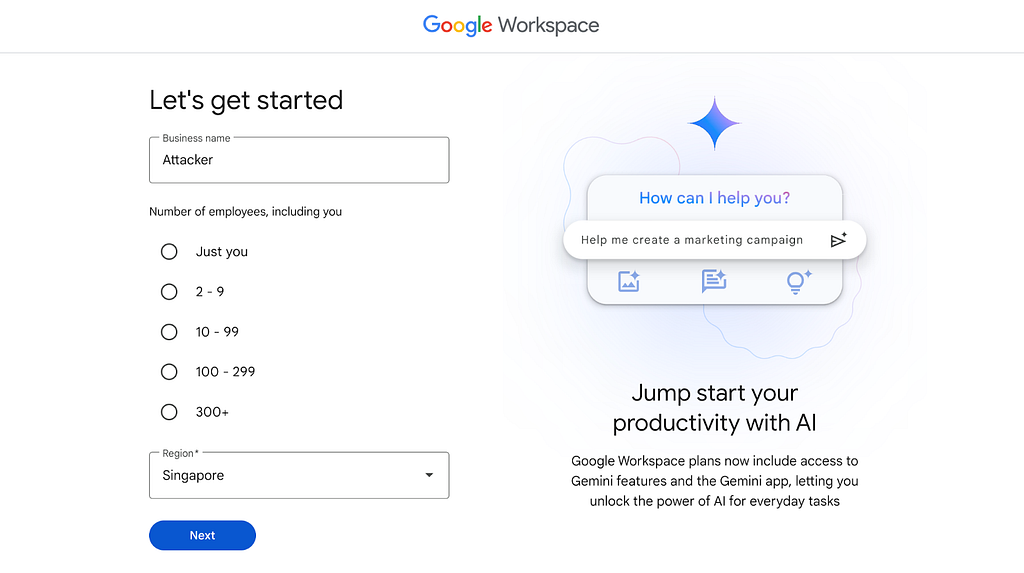
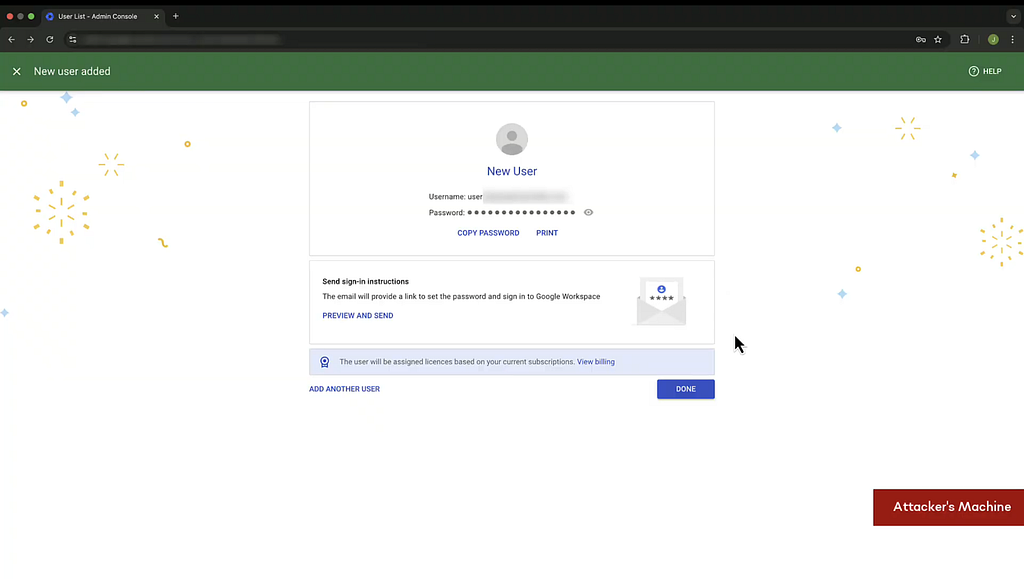
2. The attacker creates multiple user profiles under the Google Workspace account and disables security features like MFA for these profiles.
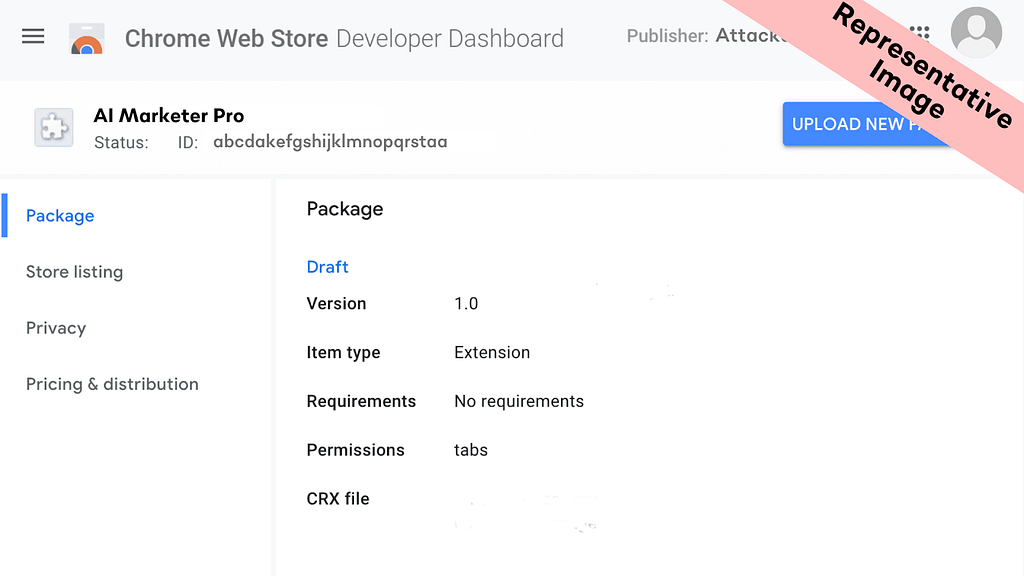
3. Attacker creates a functional browser extension (e.g. AI marketer) and publishes it on the Chrome Store. This extension will later be used as a medium to retrieve the credentials to these profiles.
Phase 2: Extension Installation
- Using various social engineering techniques, the user ends up discovering the malicious extension on Chrome Store.
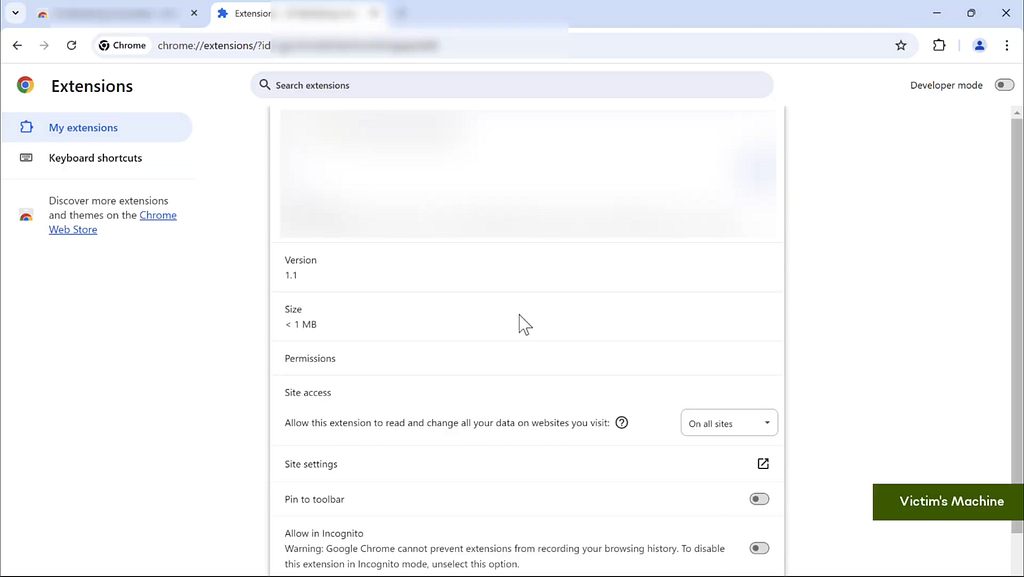
- Seeing that it only has basic read/write capabilities available to most popular extensions like Grammarly, Loom, Calendly, the victim installs the extension.
- The extension provides the functionality it promises, further removing any suspicion that the extension is malicious. Over time, the extension’s presence fades into the background as the victim returns to their daily routine.
Phase 3: Profile Hijacking
- This is when the extension connects to the attacker’s domain, retrieves the credentials and completes the relevant OAuth steps to log the victim into one of the user accounts created in step 2.
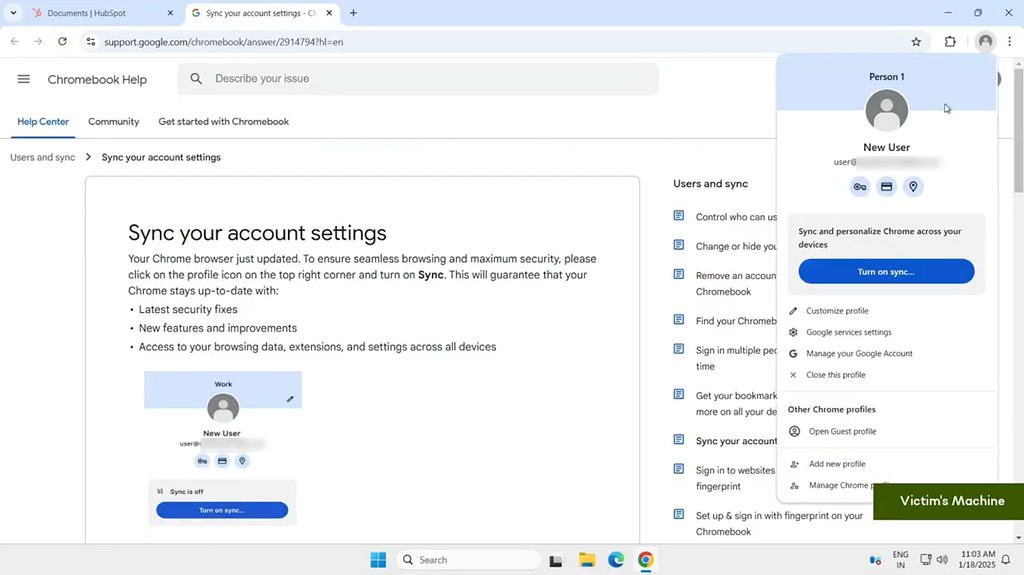
2. The user is now logged onto a managed profile fully controlled by the attacker. At this stage, the attacker can already apply policies that disable security measures, making the browser more susceptible to attacks.
Phase 4: Privilege Escalation
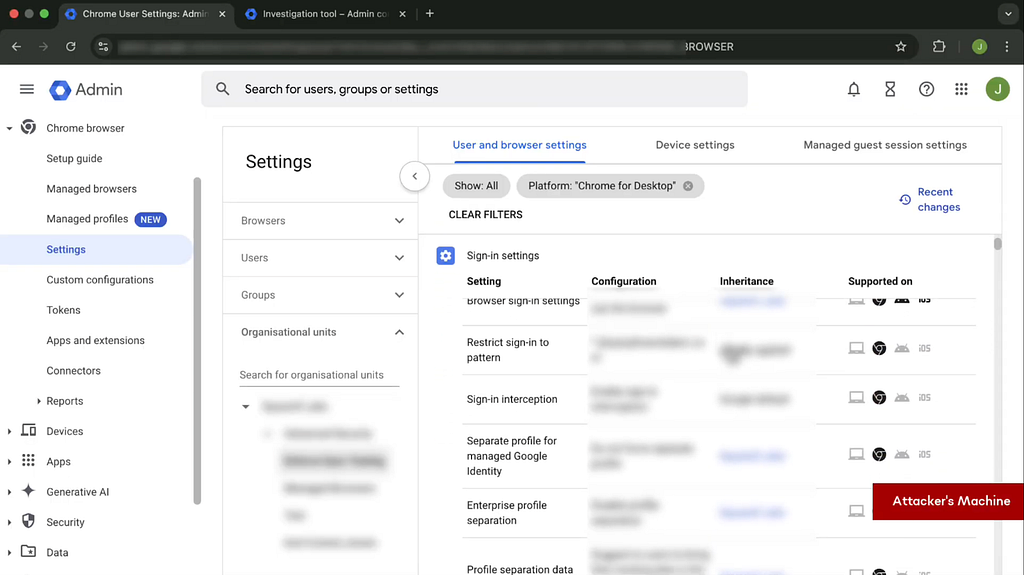
- The attacker opens up Chrome’s legitimate support page on sync, and uses the malicious extension to modify the content on the page, convincing the victim to complete the sync.
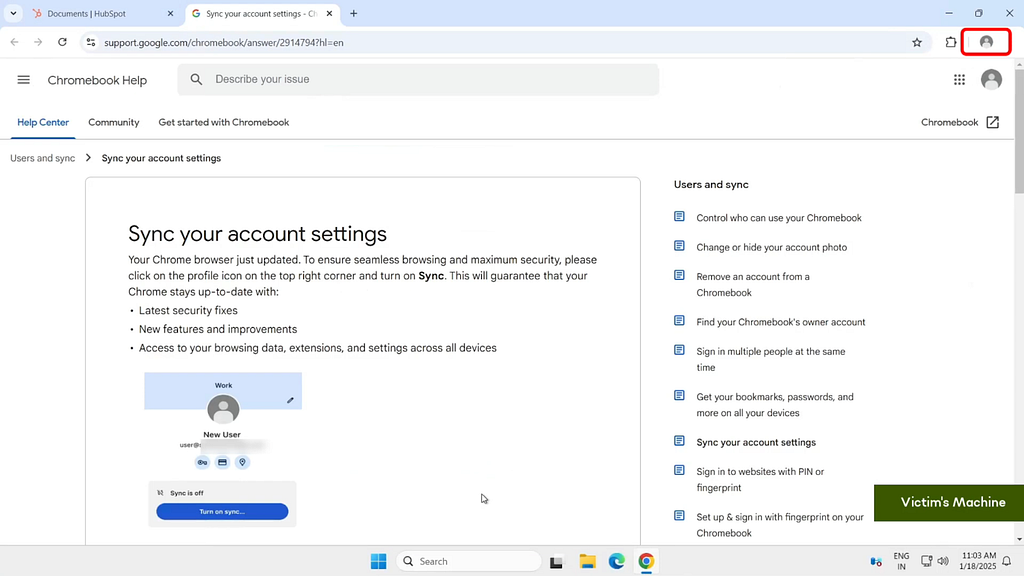
2. Once the profile is synced, all locally stored data including passwords, browsing history and autofill information are uploaded to the managed account. This allows the attacker to sign in to the same managed profile on their own device and access all the data associated with the managed profile.
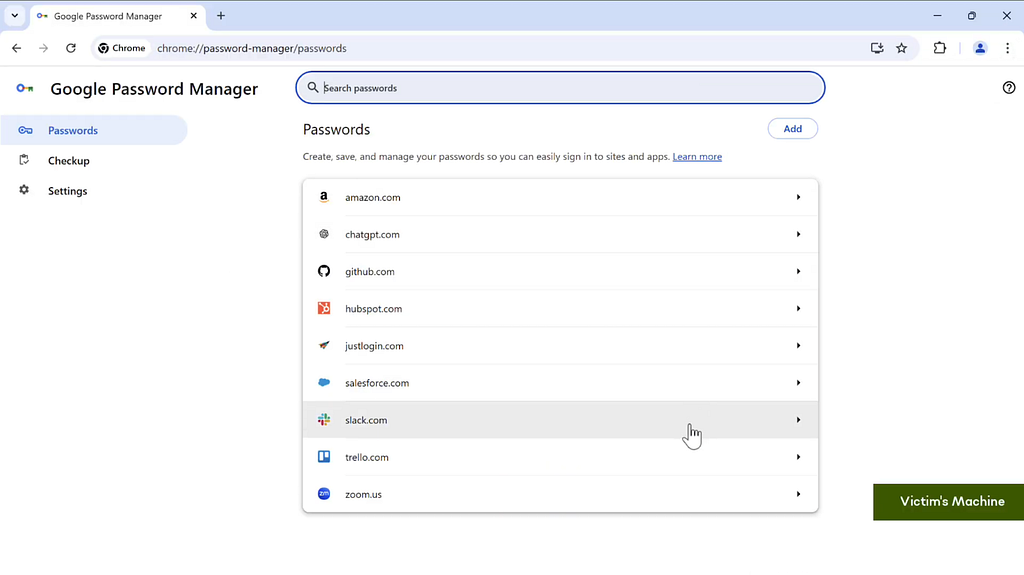
Watch a demo of this attack:
Privilege Escalation to Browser Hijack
The next step involves turning the whole browser into a managed browser controlled by the attacker. This involves the following steps:
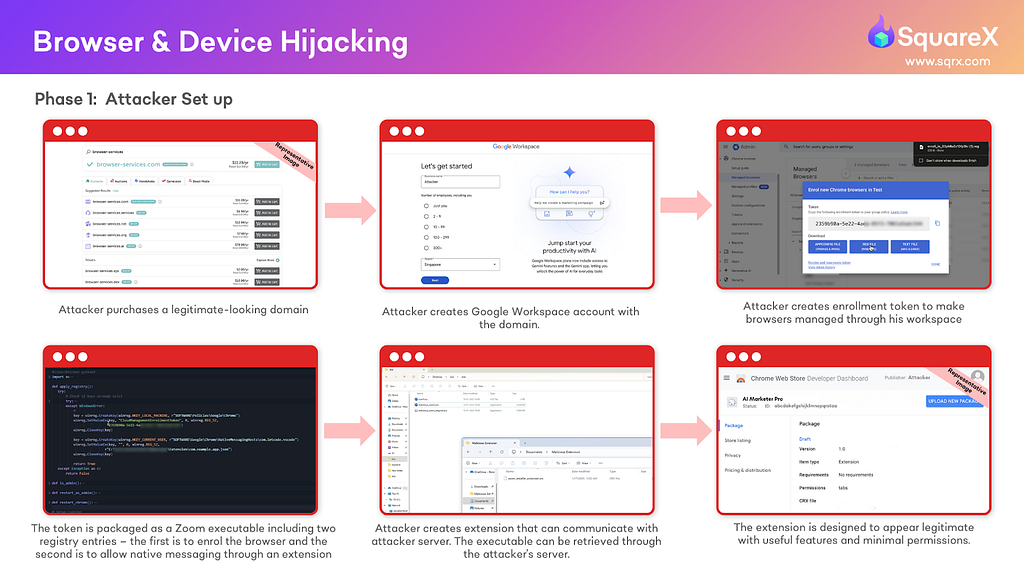
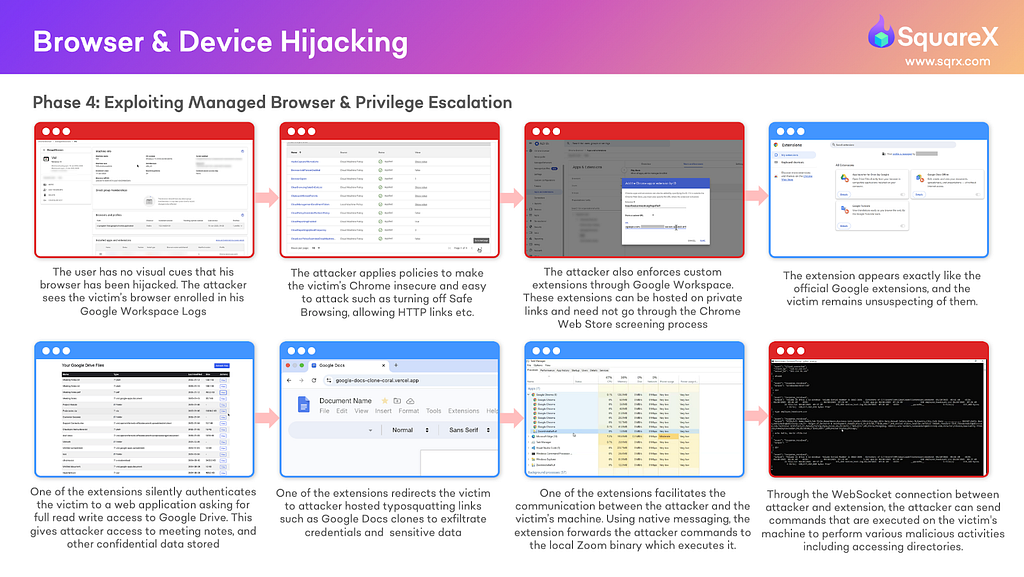
Phase 1: Attacker Setup
- In the same domain (or otherwise), the attacker generates an enrollment token to enrol the victim’s browser into their managed workspace.
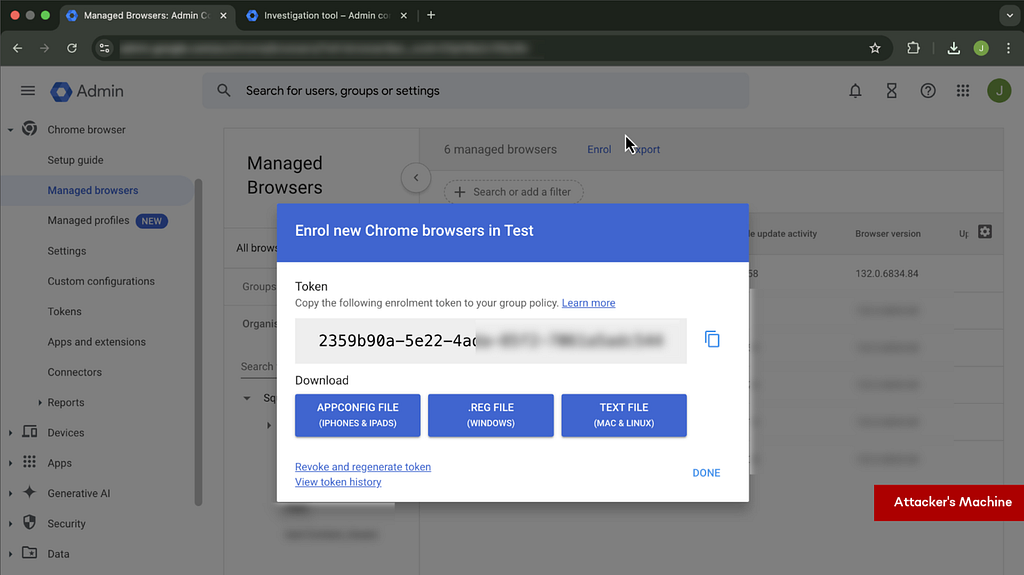
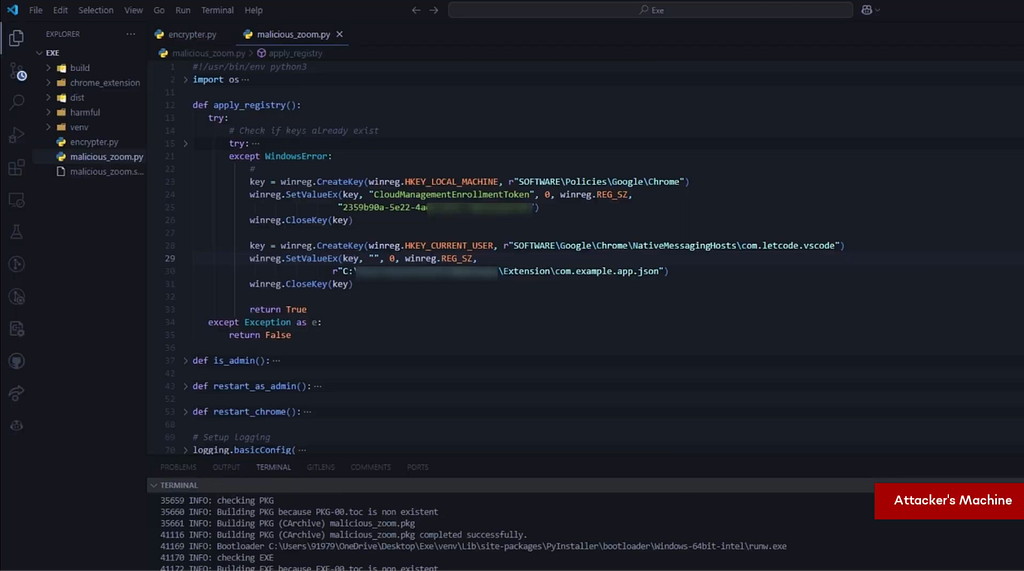
2. The attacker creates an executable file that masquerades as a Zoom installer, containing:
- The enrollment token
- A registry entry to convert the browser into a managed browser
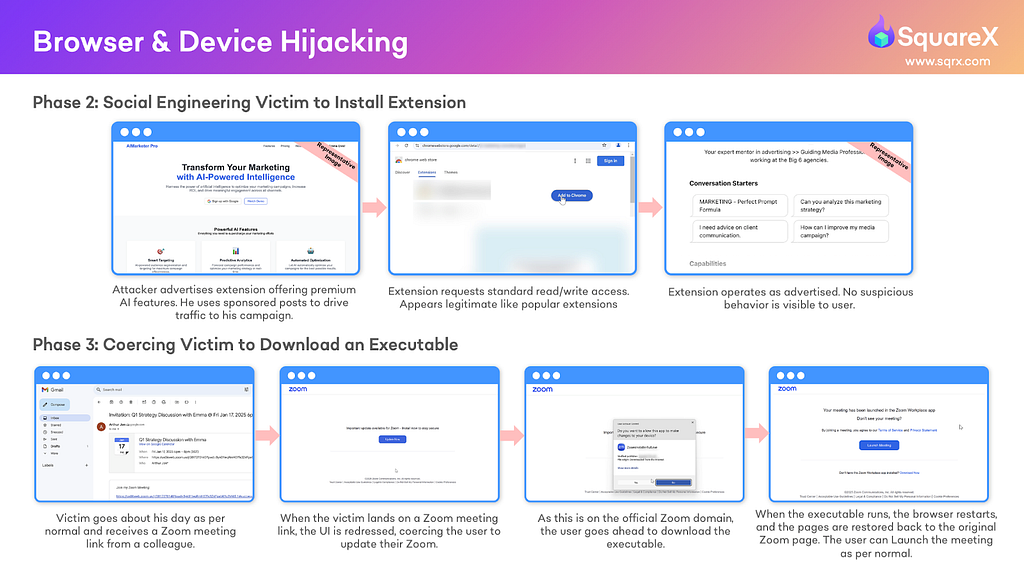
Phase 2: Social Engineering to Install Extensions
The attacker may use the same extension as the profile hijacking attack or a different one to conduct this attack. If the latter, they may use similar social engineering tactics to trick the victim into installing the extension.
Phase 3: Coercing Victim to Download Executable
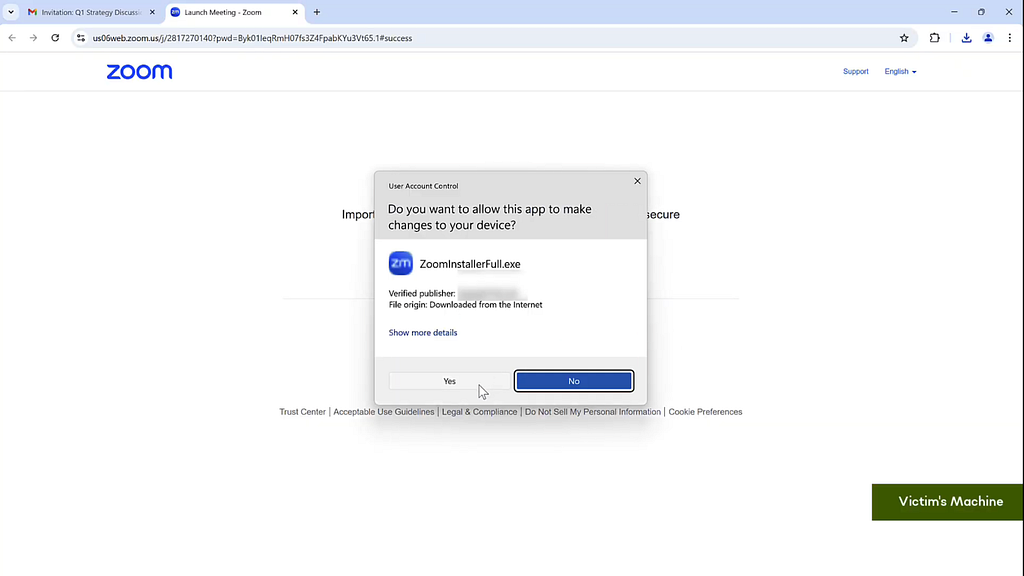
- When the victim attempts to join any Zoom meeting, the attacker modifies the page to indicate that an update is required to proceed.
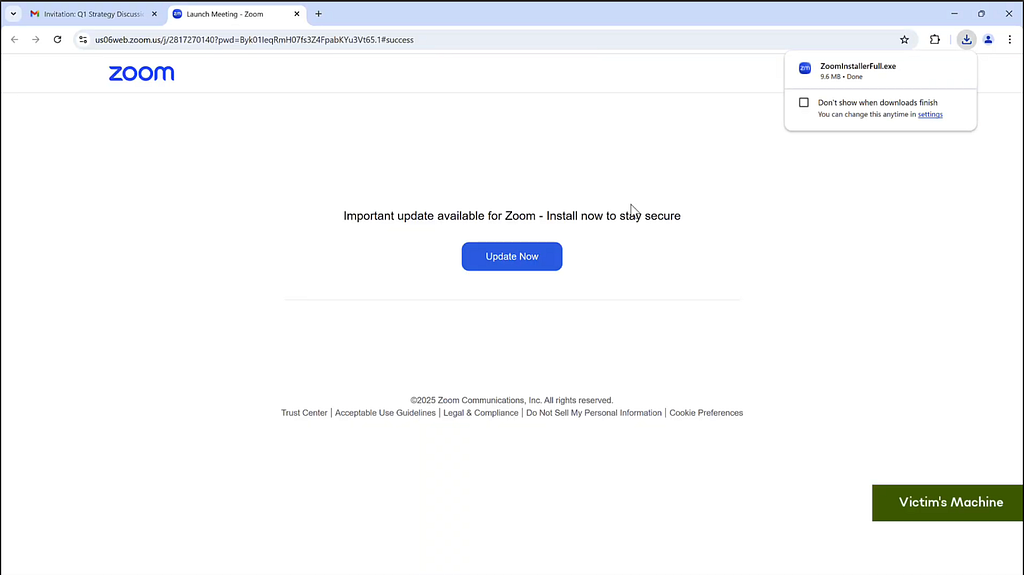
2. The victim gets redirected to the official Zoom page and downloads the attacker’s executable file that is retrieved via the extension and downloaded from Zoom using a blob URL.
Note: It is fairly easy for an attacker to obtain a legitimate signing certificate for a domain they control to sign an executable to avoid suspicion. The attacker can select a publisher name that is very similar to the hijacked website. For instance, in this scenario, the attacker may choose to sign with the publisher name Zoom Conference Calls should it still be available for purchase.
3. Believing that they are installing a Zoom update, the victim executes the file and enrolls their device to the attacker’s Google Workspace.
Phase 4: Exploiting the Managed Browser & Privilege Escalation
- Once enrolled, the attacker gains full control over the victim’s browser, allowing them to silently access all web apps, install additional malicious extensions, redirect users to phishing sites, monitor/modify file downloads and many more.
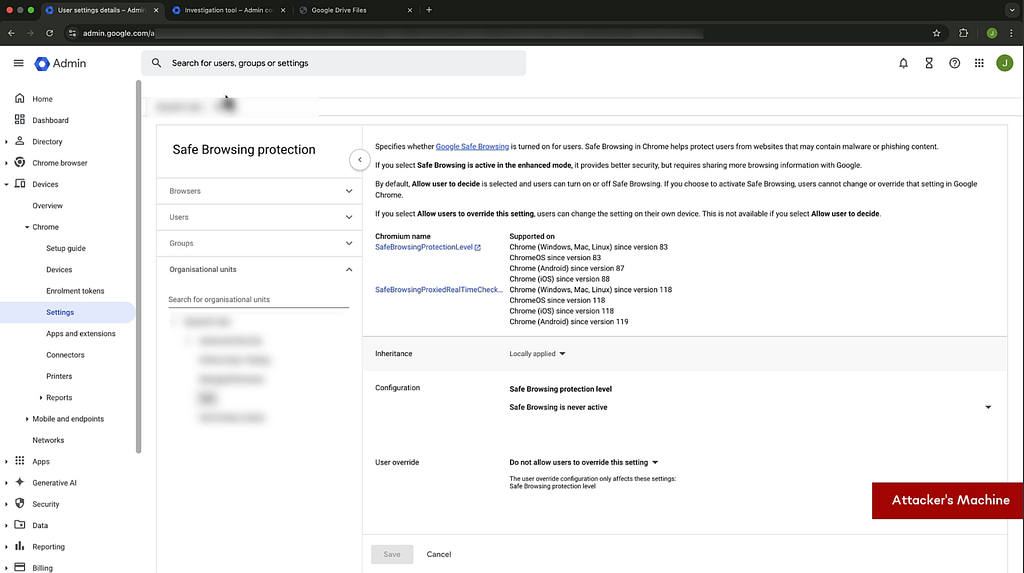
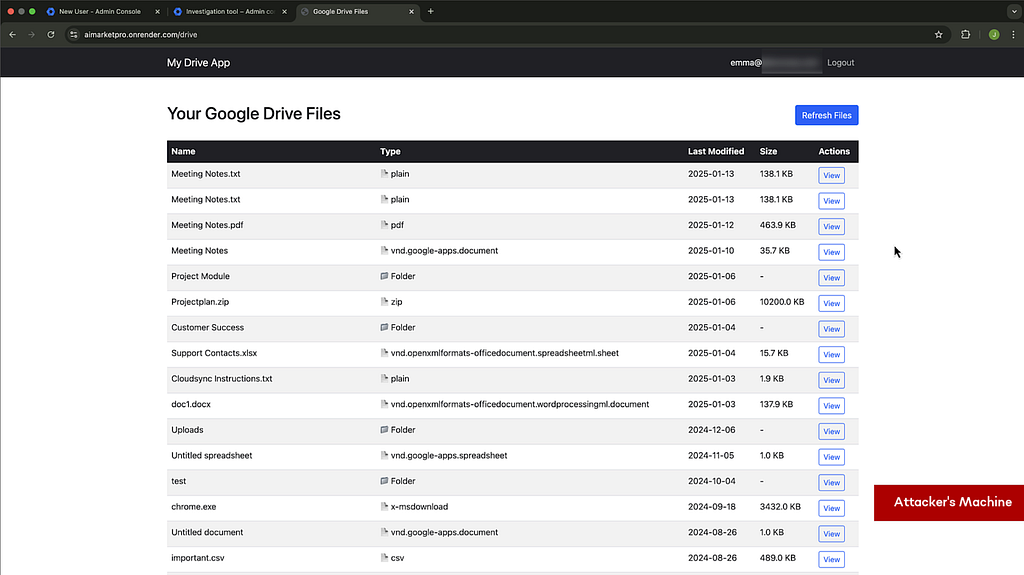
This illustrates how elegant and powerful this privilege escalation can be. Attackers essentially now have access to all confidential information on the victim’s browser, including:
- Files stored on the company’s Google Drive/One Drive
- Any information copied onto the device’s clipboard
- All user input including passwords and financial information
- All emails sent and received
Additionally, the attacker can also conduct further attacks including:
- Redirecting users to malicious pages
- Silently authenticate third party access to enterprise applications
- Install malicious extensions
Similar to profile hijacking, there is no telltale sign that a privilege escalation has occurred unless the victim is highly security aware and goes out of their way to regularly inspect their browser settings and look for associations with an unfamiliar Google Workspace account. Thus, it is almost impossible for users to identify anything suspicious once the privilege escalation occurs.
Device Hijacking
Finally, the attacker can take control over the whole device. To do this, a registry entry to message native apps via the attacker’s extension is required. This can be downloaded together as part of the browser hijacking “Zoom” package or be part of a subsequent download initiated by the attacker once they hijack the browser.
Chrome’s Native Messaging protocol provides a bridge between the malicious extension and the local binary by allowing them to communicate through a registered manifest file and API calls like chrome.runtime.sendNativeMessage(). This legitimate mechanism is abused to establish persistent, bidirectional communication between the extension and the compromised binary, effectively bypassing browser sandboxing since Native Messaging runs with user permissions.
In this case, the malicious extension acts as a middleman between attacker and victim by using the Native Messaging protocol to establish communication with the local Zoom binary, allowing it to forward commands from the attacker to this binary on the victim’s machine.
Through the WebSocket connection between attacker and extension, the attacker can send commands that are executed on the victim’s machine to perform various malicious activities including browsing directories, manipulating files (add/edit/exfiltrate/modify), and executing arbitrary system commands — with all results being sent back through the same communication chain.
Once device control is achieved, the attacker’s capabilities become virtually unlimited. Through the native messaging capabilities, attackers can:
- Access file systems — read, write, modify, or encrypt files across the entire system, including sensitive documents, credentials, and configuration files.
- Modify systems — install malware/rootkits, modify system settings, disable security software, create backdoors and establish persistence via startup modifications and scheduled tasks.
- Surveillance — capture keystrokes on native applications, record audio via the microphone, access the webcam, take screenshots, monitor clipboard content and track browsing history and form submissions across all browsers
- Credential harvesting — steal saved passwords, access cryptocurrency wallets, steal authentication tokens and cookies
- Remote control — execute commands, download and install additional malware, update the malicious extension, exfiltrate data, run applications with elevated privileges
The discovery of this attack reveals an alarming gap in enterprise browser security. Most organizations operate without managed browsers or profiles, and have no visibility into their employees’ browser extension installations, which are often driven by trending tools and social media recommendations. Even with managed browsers, security teams lack the capability to detect suspicious extension activity at runtime. This is especially worrying due to the unregulated nature of the space — today, no identity verification is required to create a new Google Workspace account or publish extensions on the Chrome Store, nor does Google perform any additional checks on extensions requesting these permissions.
The browser syncjacking attack is particularly potent due to its stealthy execution. Unlike previous extension attacks that involve elaborate social engineering, adversaries need only minimal permissions and a small social engineering step, with nearly no user interaction required to execute this attack. Unless the victim is extremely security paranoid and is technically savvy enough to constantly navigate the Chrome settings to look for managed browser labels, there is no real visual indication that a browser has been hijacked.
Watch a demo of this attack:
The Solution: Browser Detection and Response
Given that these extensions operate fully in the browser and cannot be identified by permissions or involved sites, it can only be tackled with a browser-native solution that understands the runtime behaviour of each extension. SquareX’s Browser Detection and Response solution comes with a proprietary extension analysis engine with several main components.
Highly Granular Extension-based Policies
As seen, permissions-based policies alone are too broad to defend against malicious extensions. SquareX’s policy engine includes parameters across over 25 dimensions including permissions, version, author and source. SquareX can also track all extensions and elements listed on the Chrome Store, including user reviews, publisher and number of downloads. For example, companies may choose to block extensions below a certain threshold of downloads or positive reviews. Events like publisher and code changes can also be used to trigger detection workflows, prompting immediate security assessments when suspicious changes are detected.
Advanced Extension Static Analysis
SquareX’s extension analysis engine not only detects malicious code, but also uses advanced AI and machine learning techniques to identify malicious intent. This is possible through training with SquareX’s proprietary browser extension code database, which includes sneaky malicious extensions that bypass existing static code analyzers.
Dynamic Analysis
In addition to static code analysis, SquareX developed an industry-first dynamic analyzer that executes extensions in a controlled environment to observe their actual runtime behavior. This allows for an extra layer of protection through real-time monitoring of extension activities, network communications, and resource usage, enabling the detection of malicious behaviors that might not be apparent through static analysis alone.
Browser Extension Policy Library
For security teams that are relatively new at managing extensions, SquareX’s policy library offers hundreds of policies defending against multiple attack vectors, including extensions. These policies were built based on best practices observed across our customers, and are continually updated to reflect emerging threats in the browser extension landscape.
Extension Risk Scores
Based on multiple static and dynamic tests, SquareX developed a sophisticated risk scoring system. The system incorporates real-time behaviour data, public reviews, historical performance, publisher reputation and aggregated security research. This creates a centralized threat feed for browser extensions that security teams can use to protect their users against existing and zero day extension-based attacks.
Shadow SaaS & OAuth Access Control
SquareX can also enable enterprises to have full visibility of the applications employees are using, including shadow SaaS and extensions accessed through both personal and work identities. For instance, SquareX can block users from granting any OAuth permissions to unauthorized enterprise applications.

Browser Syncjacking: How Any Browser Extension can Be Used to Takeover Your Device was originally published in SquareX Labs on Medium, where people are continuing the conversation by highlighting and responding to this story.
*** This is a Security Bloggers Network syndicated blog from SquareX Labs - Medium authored by Engineering @ SquareX. Read the original post at: https://labs.sqrx.com/browser-syncjacking-cc602ea0cbd0?source=rss----f5a55541436d---4
