

Introducing DNS Timeline and Security Score History

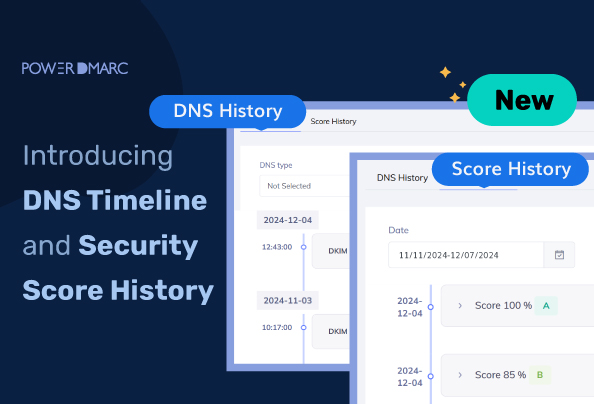
Managing and monitoring email security and deliverability is paramount for businesses to stay afloat in this era of digital disruptions caused by cyber threats. For end-users and MSPs seeking a solution to track and visualize DNS record changes over time, PowerDMARC is excited to introduce — DNS Timeline and Security Score History, two powerful features designed to help you analyze DNS changes and security score progression.
Our DNS Timeline feature provides users with a detailed history of DNS record changes for every domain they register on the PowerDMARC platform. The changes are presented in a comprehensive format with comparisons between current and previous DNS record versions.
The Security History feature helps you analyze improvements in your domain security score over time. This allows you to track your progress in terms of enhancement of your domain security between timelines.
Why Tracking DNS Changes Matters
DNS record updates and changes can significantly impact your email’s behavior, flow, and deliverability. DNS record errors like missing or misconfigured SPF and DMARC records, or erroneous DKIM records, can have devastating effects on your email’s performance and increase your spam rates. To help our customers stay on top of such changes, we introduced the DNS Timeline feature. It helps you:
- Visualize changes over time.
- Troubleshoot issues effectively.
- Enhance security by identifying misconfigurations promptly.
Key Features of DNS Timeline
Our DNS Timeline feature is multi-faceted, providing well-rounded benefits for thorough DNS record monitoring. Let’s find out more about how it can help you:
1. Comprehensive DNS Change Tracking
Our DNS Timeline feature provides a comprehensive overview of DNS records updated and changed over time. This includes changes in:
- DMARC policies.
- SPF rules.
- DKIM selectors.
- BIMI logos.
- MTA-STS, MX, A, NS, TLS-RPT, TXT, and CNAME records.
To make it easier for users to visualize these changes, each change is captured with:
- Corresponding timestamps for granular monitoring.
- Domain security ratings, including grades and percentage scores.
- Validation statuses, indicating proper configuration or missing elements.
2. User-friendly Change Descriptions
When describing DNS record changes through the DNS Timeline feature, we have aimed to keep it as human-friendly and easy to understand as possible. This allows even non-technical users to analyze detailed comparisons between old and new records, highlighting key differences.
Example
| Old record | New record | Difference |
|---|---|---|
| v=DMARC1; p=none; pct=100; sp=none; aspf=r; fo=1; rua=mailto:[email protected]; | v=DMARC1; p=quarantine; pct=50; sp=quarantine; aspf=s; fo=0; rua=mailto:[email protected]; | v=DMARC1; p=quarantine; pct=50; sp=quarantine; aspf=s; fo=0; rua=mailto:[email protected]; |
As shown above, for every record change both the old and new records are displayed side by side, with a separate column highlighting the differences in the new record.
3. Filter and Compare Options
Users can filter DNS changes based on:
- Domains or subdomains.
- Record types, such as DMARC or SPF.
- Time ranges, from the last 24 hours to custom date ranges.
Security Score History: A Snapshot of Domain Health
The Security Score History tab provides a visual timeline of your domain’s security score. This allows you to:
- Monitor the evolution of your domain’s security rating.
- Identify trends and areas for improvement.
- Visualize your improvements (or declines) in real-time
- Access detailed breakdowns of each DNS record type’s status (e.g., valid, invalid, or missing).
Benefits of Security Score History
By using our Security Score History feature, you can ensure you are not overlooking vulnerabilities in your domain security infrastructure. Let’s take a look at its benefits:
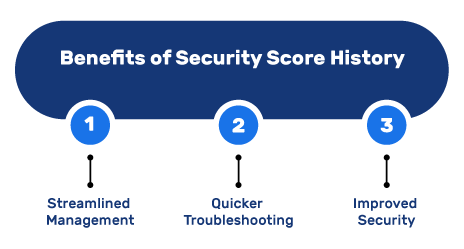
1. Streamlined Management
Get a real-time view of your domain security score history and validation statuses on a single interface, along with timelines for easy monitoring and management.
2. Quicker Troubleshooting
Detect vulnerabilities and areas of improvement quickly, to fast-track the troubleshooting process.
3. Improved Security
Ensure your mission-critical records like DMARC, SPF, and DKIM are always up-to-date by tracking and actively working toward improving your domain security health score.
Revolutionize DNS Management with PowerDMARC
PowerDMARC’s DNS Timeline and Security Score History features make managing your DNS records and monitoring your domain security infrastructure easier and more secure than ever. Stay proactive with your DNS configurations, ensure compliance, and maintain top-notch email deliverability with our solutions in your arsenal!
Ready to take control of your domain security? Contact us to learn more about DNS Timeline and Security Score History today!

*** This is a Security Bloggers Network syndicated blog from PowerDMARC authored by Yunes Tarada. Read the original post at: https://powerdmarc.com/dns-timeline-domain-security-score/
